
Excelvan EHD11
Excelvan EHD11 Mini LED Projector User Manual
Model: EHD11
1. Rhagymadrodd
This manual provides detailed instructions for the setup, operation, and maintenance of your Excelvan EHD11 Mini LED Projector. Please read this manual thoroughly before using the projector to ensure proper operation and to extend the product's lifespan. Keep this manual for future reference.
2. Cyfarwyddiadau Diogelwch Pwysig
To prevent fire or electric shock, do not expose this appliance to rain or moisture. Observe the following safety precautions:
- Peidiwch â rhwystro unrhyw agoriadau awyru. Sicrhewch fod digon o le o amgylch y taflunydd ar gyfer llif aer priodol.
- Peidiwch â gosod y taflunydd ar gert, stand, neu fwrdd ansefydlog.
- Do not operate the projector near water or moisture.
- Defnyddiwch atodiadau/ategolion a nodir gan y gwneuthurwr yn unig.
- Unplug this projector during lightning storms or when unused for long periods.
- Cyfeirio pob gwasanaeth i bersonél gwasanaeth cymwys.
- Osgoi edrych yn uniongyrchol i mewn i'r lens taflunydd pan fydd y lamp yn ymlaen.
3. Cynnwys Pecyn
Gwiriwch fod yr holl eitemau yn bresennol ac mewn cyflwr da:
- Excelvan EHD11 Projector
- Cebl Pŵer
- Rheolaeth Anghysbell
- Cable AV
- Llawlyfr Defnyddiwr
4. Cynnyrch Drosview
4.1 Projector Front and Top View

Delwedd 4.1: Blaen a brig view of the Excelvan EHD11 projector, showing the lens, ventilation, and control buttons (Source, Menu).
4.2 Projector Rear View a Phorthladdoedd

Delwedd 4.2: Cefn view of the Excelvan EHD11 projector, highlighting the dual built-in speakers and various input/output ports including USB, HDMI, VGA, AV, and audio out.
4.3 Dewisiadau Cysylltedd

Image 4.3: Diagram illustrating the wide range of devices compatible with the projector, such as PCs, smartphones, USB storage, TV set-top boxes, game consoles, DVD players, digital cameras, and external speakers.
5. Gosod
5.1 Lleoliad a Phellter Tafluniad
Position the projector on a stable, flat surface. The projection distance directly affects the screen size. Refer to the diagram below for recommended distances and corresponding screen sizes.

Image 5.1: Chart detailing the relationship between projection distance (in meters) and screen size (in inches) for a 16:9 aspect ratio, ranging from 32 inches at 1.2 meters to 200 inches at 6 meters.
5.2 Cysylltiad Pwer
Connect the power cable to the projector's power input and then to a power outlet. The power indicator light will illuminate.
5.3 Cysylltu Ffynonellau Mewnbwn
The projector supports multiple input sources. Connect your desired device (e.g., PC, DVD player, game console, USB drive) to the corresponding port on the rear of the projector using the appropriate cable (HDMI, VGA, AV, USB).
5.4 Addasu Ffocws a Chyfrif Allweddol
After powering on, adjust the focus ring around the lens until the image is clear. If the image appears trapezoidal, use the keystone correction dial to square the image. The projector supports a ±15° keystone adjustment.
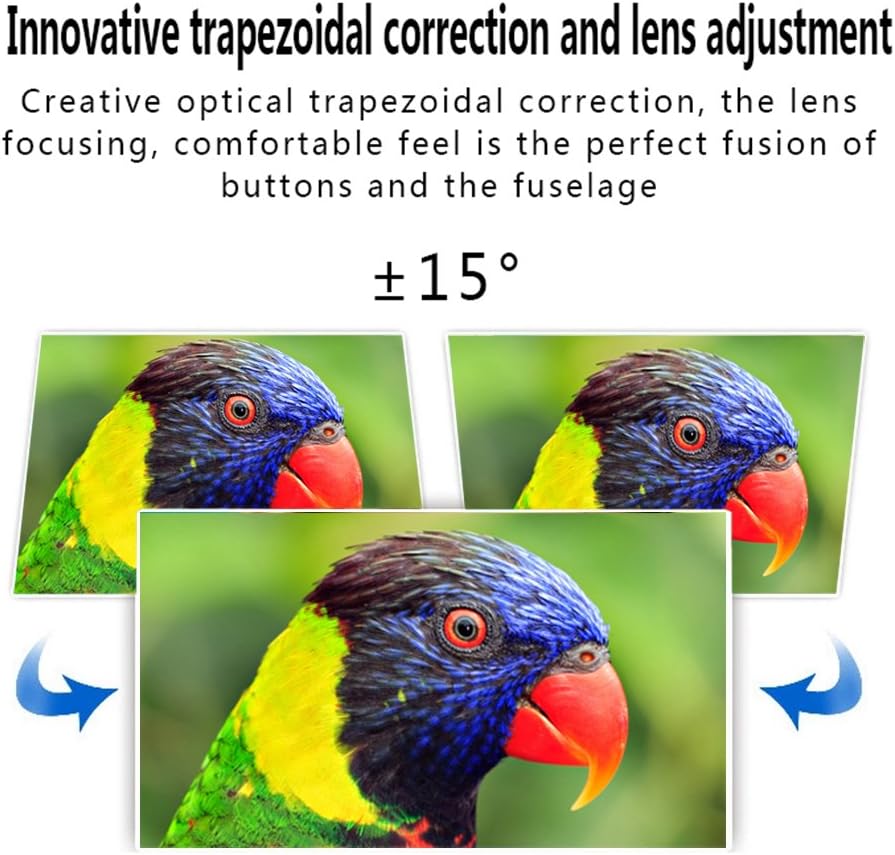
Image 5.4: Visual representation of the ±15° trapezoidal correction and lens adjustment feature, showing how to correct distorted images.
6. Cyfarwyddiadau Gweithredu
6.1 Pŵer Ymlaen/Diffodd
Pwyswch y botwm pŵer ar y taflunydd neu'r teclyn rheoli o bell i droi'r uned ymlaen neu i ffwrdd.
6.2 Dethol Ffynonellau
Press the 'Source' button on the projector or remote control to cycle through available input sources (HDMI1, HDMI2, USB1, USB2, VGA, AV, YPbPr, TV/DTV). Select the input corresponding to your connected device.
6.3 Llywio Dewislen
Press the 'Menu' button to access the projector's settings. Use the arrow keys on the projector or remote to navigate, and 'OK' or 'Enter' to confirm selections. Adjust settings such as picture mode, aspect ratio, sound mode, and language.
6.4 Allbwn Sain
The projector features built-in speakers. For enhanced audio, connect external speakers to the 'Audio Out' port using a 3.5mm audio cable.
7. cynnal
7.1 Glanhau Lensys
Use a soft, lint-free cloth and a specialized lens cleaning solution to gently wipe the projector lens. Avoid abrasive materials or excessive pressure.
7.2 Awyru
Regularly check that the projector's ventilation openings are clear of dust and debris. Blocked vents can lead to overheating and affect performance. Do not place the projector on soft surfaces that may obstruct airflow.
8. Datrys Problemau
| Problem | Achos Posibl | Ateb |
|---|---|---|
| Dim delwedd ar y sgrin | Power cable disconnected; Incorrect input source selected; Input device not powered on or connected properly. | Check power connection; Select correct input source; Ensure input device is on and cables are secure. |
| Mae'r ddelwedd yn aneglur | Nid yw'r ffocws wedi'i addasu. | Addaswch y cylch ffocws ar y lens taflunydd. |
| Image is distorted (trapezoidal) | Maen clo heb ei addasu. | Addaswch y deial cywiriad clostone. |
| Dim sain | Volume too low; Audio cables not connected; Incorrect audio output selected on source device; External speakers not connected or powered. | Increase volume; Check audio cable connections; Ensure source device is outputting audio; Connect external speakers if desired. |
| Input source needs to be set every time | Projector defaults to a specific input or does not save last setting. | Manually select the desired input source after powering on. Check menu settings for an 'Auto Source' or 'Last Input' option if available. |
9. manylebau
- Brand: Excelvan
- Model: EHD11 (FBA_151224-F6)
- Math Arddangos: LCD
- Cydraniad Arddangos: 1920 x 1080 (Full HD supported)
- Technoleg Cysylltedd: HDMI, USB, VGA, AV
- Nodwedd arbennig: 3D-Ready, Portable
- Pwysau Eitem: 6.49 pwys
- Dimensiynau Pecyn: 16.9 x 13.1 x 8.5 modfedd
- Gwneuthurwr: Excelvan
- Dyddiad Ar Gael Cyntaf: Tachwedd 8, 2014
10. Gwarant a Chefnogaeth
Am wybodaeth am warant neu gymorth technegol, cyfeiriwch at y ddogfennaeth a ddarparwyd ar adeg y pryniant neu cysylltwch â'ch manwerthwr. Cadwch eich derbynneb prynu fel prawf o brynu.
Ask a question about this manual
Ask about setup, troubleshooting, compatibility, parts, safety, or missing instructions. Manuals+ will review the question and use this page’s manual context to help answer it.