
1. Rhagymadrodd
The VTech Count and Learn Turtle is an interactive educational toy designed to introduce children aged 2 to 5 years to numbers, counting, basic math, shapes, colors, and instruments. It features light-up buttons, engaging sounds, melodies, and a bilingual mode to enhance learning and development.
2. Cynnwys Pecyn
- One VTech Count and Learn Turtle electronic learning toy
- 2 AA batteries (for demo purposes only; new batteries recommended for regular use)
3. Gosod
3.1 Gosod Batri
- Locate the battery compartment on the underside of the turtle.
- Using a screwdriver, loosen the screw and open the battery compartment cover.
- Insert 2 new 'AA' (LR6) batteries, ensuring correct polarity (+/-) as indicated inside the compartment.
- Rhowch glawr adran y batri yn ôl a thynhau'r sgriw yn ddiogel.
Nodyn: The included batteries are for demonstration purposes only. For optimal performance, replace them with new alkaline batteries.
3.2 Pŵer Ymlaen/Diffodd
To turn the toy ON, slide the power switch, located on the top of the turtle's shell, to the 'ON' position. To turn the toy OFF, slide the switch to the 'OFF' position.
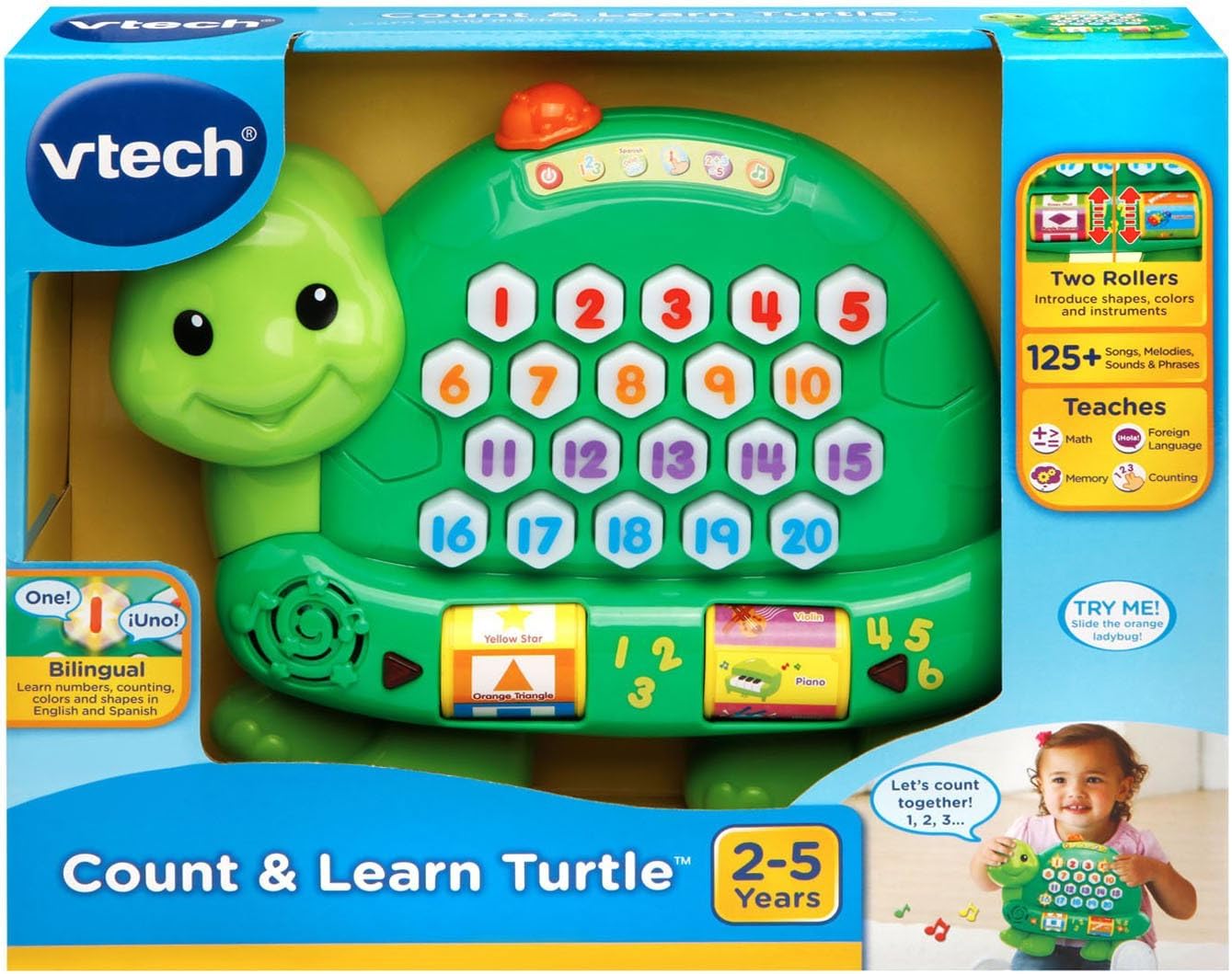
Image: The VTech Count and Learn Turtle, illustrating its overall design and the location of the power switch on its shell.
4. Cyfarwyddiadau Gweithredu
4.1 Number Buttons and Counting
Press any of the light-up number buttons (1-20) on the turtle's shell to hear the number spoken aloud. The turtle will also count along with your child.
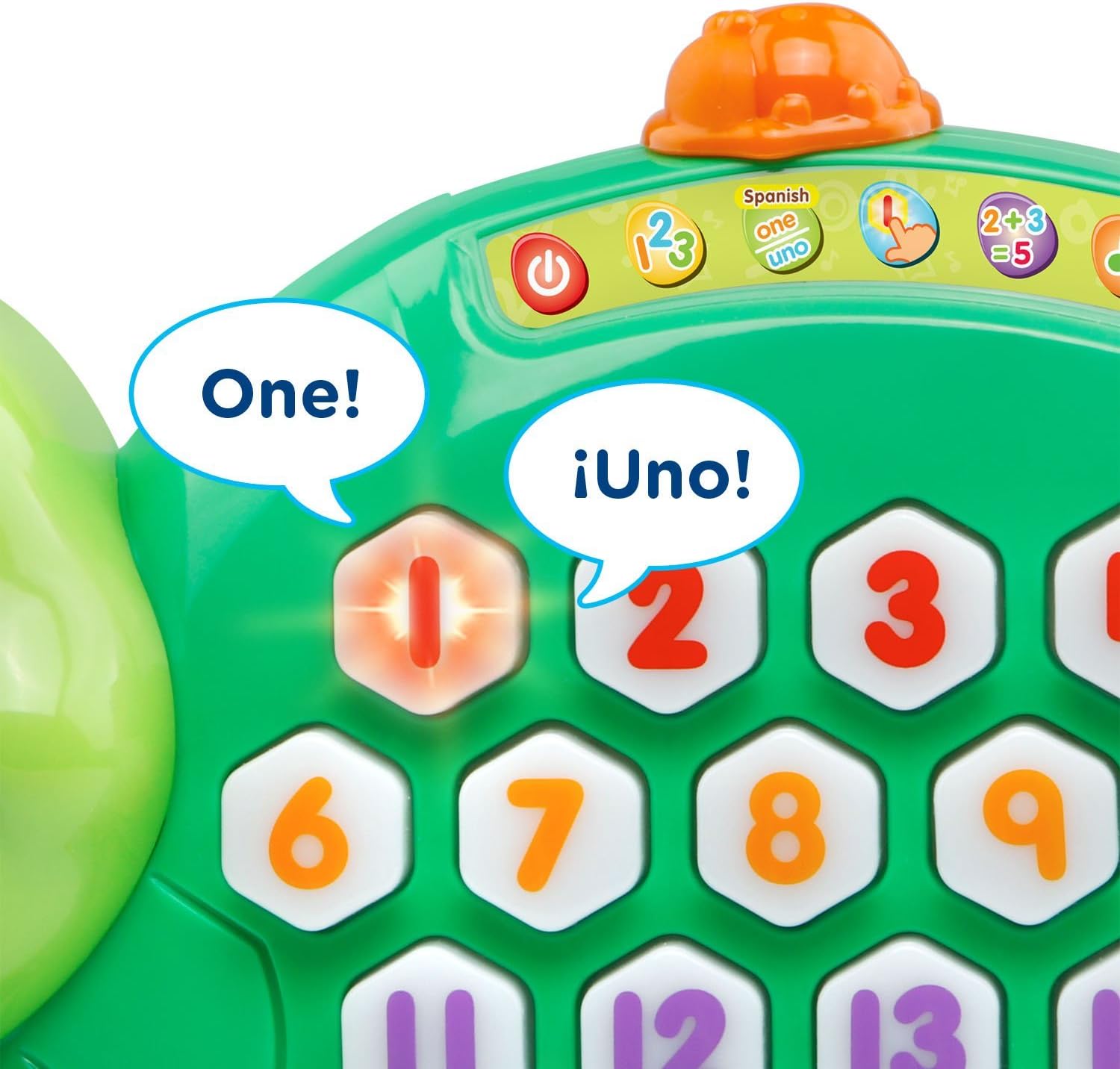
Delwedd: Llun agos view of the turtle's shell, highlighting the interactive light-up number buttons.
4.2 Addition Activity
Select the addition activity mode (indicated by a '2+3=5' icon on the shell). The turtle will guide your child through simple addition problems, lighting up the correct number of buttons to represent the sum.
4.3 Roller Functions: Shapes, Colors, and Instruments
Spin the two rollers located on the sides of the turtle. Each roller introduces different shapes, colors, and musical instruments with corresponding sounds and phrases.

Delwedd: Manwl view of the interactive rollers on the side of the turtle, displaying various shapes and instruments.
4.4 Music Activity
Engage with the music activity mode to hear various sing-along songs and melodies. The sounds from the rollers will integrate into the music for an enriched experience.
4.5 Spanish Mode
Switch to Spanish mode to learn numbers, counting, colors, shapes, and instruments in Spanish. This feature supports bilingual development.
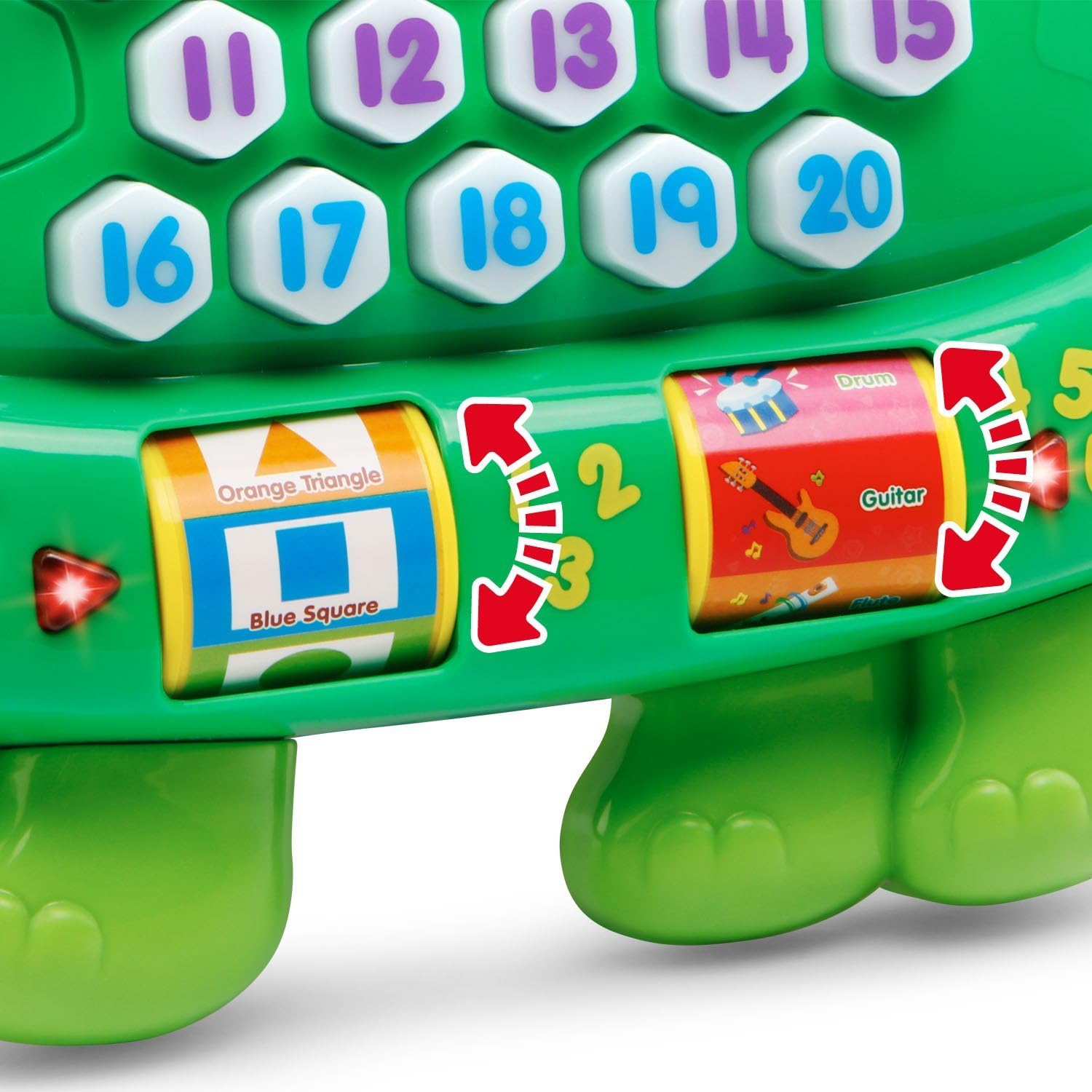
Image: The turtle's number buttons, demonstrating the bilingual feature with English and Spanish words for 'one'.
4.6 Memory Game
Activate the memory game mode. Watch the buttons light up in a sequence and then repeat the sequence by pressing the buttons in the correct order. This helps develop memory and hand-eye coordination.
Video: An official VTech demonstration of the Count and Learn Turtle's features, including counting, music, and interactive play modes.
5. Gofal a Chynnal a Chadw
- Cadwch yr uned yn lân trwy ei sychu gydag ychydig damp brethyn. Peidiwch â defnyddio cemegau llym neu ddeunyddiau sgraffiniol.
- Cadwch yr uned allan o olau haul uniongyrchol ac i ffwrdd o ffynonellau gwres uniongyrchol.
- Tynnwch y batris os na fydd yr uned yn cael ei ddefnyddio am gyfnod estynedig.
- Do not drop the unit on a hard surface or expose it to moisture or water.
6. Datrys Problemau
6.1 No Power or Intermittent Operation
- Ensure the batteries are installed correctly with the proper polarity.
- Replace old batteries with new alkaline batteries.
- If the toy is still not functioning, try turning it off and then on again.
6.2 Problemau Sain
- Check the volume setting.
- Ensure the toy is not in a quiet mode or muted.
7. manylebau
| Nodwedd | Manylyn |
|---|---|
| Dimensiynau Cynnyrch | 2.34 x 9.8 x 8.31 modfedd |
| Pwysau Eitem | 15.8 owns |
| Rhif Model yr Eitem | 80-178100 |
| Oedran Argymhellir Gwneuthurwr | 24 mis - 5 mlynedd |
| Batris | 2 AA batteries required (included for demo) |
| Dyddiad Rhyddhau | Chwefror 1, 2016 |
| Gwneuthurwr | VTech |
8. Gwarant a Chefnogaeth
For warranty information or technical support, please refer to the official VTech website or contact VTech customer service directly. Keep your purchase receipt as proof of purchase.
You can visit the VTech store for more information: VTech Store on Amazon