
1. Gwybodaeth Bwysig am Ddiogelwch
- Awyru: Ensure adequate ventilation around the projector. Do not block ventilation openings. Overheating can cause damage.
- Cyflenwad Pŵer: Use only the specified power adapter. Disconnect power during thunderstorms or when unused for long periods.
- Lleithder: Peidiwch ag amlygu'r taflunydd i law, lleithder na hylifau.
- Glanhau: Clean the projector with a soft, dry cloth. Avoid abrasive cleaners.
- Gofal Lens: Handle the lens with care. Clean gently with a lens cleaning cloth.
- Lleoliad: Place the projector on a stable, level surface. Avoid direct sunlight or heat sources.
- Amddiffyn Llygaid: Peidiwch ag edrych yn uniongyrchol i lens y taflunydd pan fydd y lamp yn ymlaen.
2. Cynnyrch Drosview
2.1. Projector Dimensions
The Excelvan EHD02 projector has compact dimensions, making it portable. The approximate dimensions are 152mm (width) x 220mm (depth) x 76mm (height).
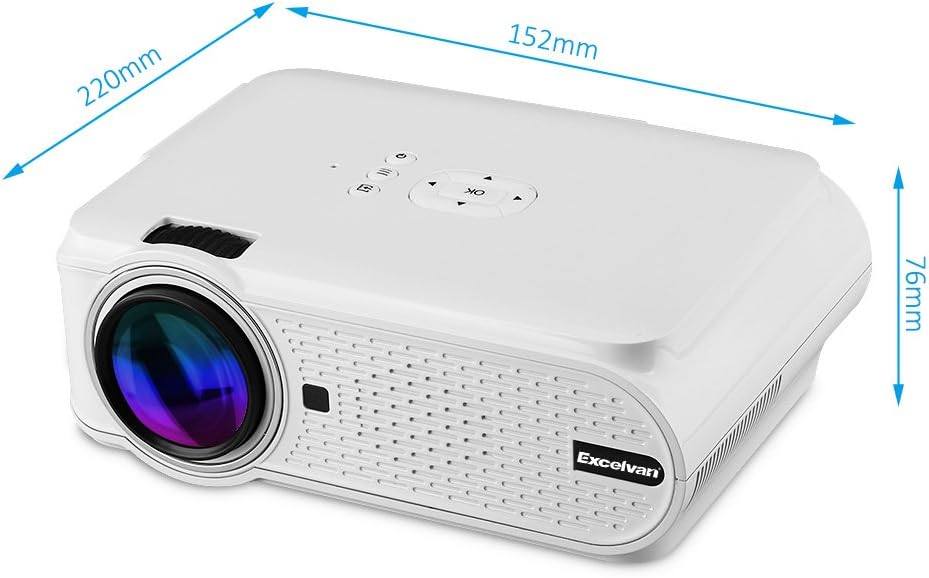
Figure 1: Excelvan EHD02 Mini Projector with labeled dimensions.
2.2. Projector Components and Interfaces
Familiarize yourself with the various ports and controls on your projector for proper setup and operation.

Figure 2: Top controls and rear panel interfaces of the Excelvan EHD02 Projector.
- Rheolyddion Gorau: OK button, Up/Down/Left/Right navigation, Back, Menu, Power.
- Rear Interfaces: VGA port, USB port, Power plug, AV input, 3.5mm Audio port, IR receiver, HDMI port, Keystone adjustment, SD Card slot, TV antenna input.
3. Gosod
3.1. Lleoliad
Position the projector on a flat, stable surface. The projection distance determines the image size. For optimal viewing, ensure the projector is centered with the screen or projection surface.
- Pellter Rhagamcaniad: 1.2 to 3.8 meters (approximately 3.9 to 12.5 feet).
- Maint y Delwedd: 37 to 130 inches (diagonal).
- Dulliau Rhagamcanu: Yn cefnogi tafluniad blaen, cefn a nenfwd.
3.2. Cysylltiad Pwer
- Cysylltwch y llinyn pŵer â mewnbwn pŵer y taflunydd.
- Plygiwch ben arall y llinyn pŵer i mewn i soced drydanol addas.
- Bydd y golau dangosydd pŵer yn goleuo.

Figure 3: Power cord and remote control for the projector.
3.3. Cysylltu Ffynonellau Mewnbwn
Mae'r taflunydd yn cefnogi ffynonellau mewnbwn lluosog:
- HDMI: Connect to devices like laptops, Blu-ray players, or gaming consoles using an HDMI cable.
- USB: Mewnosodwch yriant fflach USB i chwarae cyfryngau files yn uniongyrchol.
- Cerdyn SD: Insert an SD card to play media files.
- O: Use the provided AV cable to connect to older devices with composite video output.
- VGA: Connect to computers using a VGA cable.
- Teledu: Connect a TV antenna for analog TV reception.
- Sain 3.5mm: Cysylltwch siaradwyr neu glustffonau allanol.
3.4. Ffocws a Chywiriad Keystone
- Addasiad Ffocws: Trowch y cylch ffocws ar lens y taflunydd nes bod y ddelwedd yn ymddangos yn finiog ac yn glir.
- Cywiriad Keystone: If the projected image appears trapezoidal (wider at the top or bottom), use the keystone adjustment dial (typically on the side or rear) to correct the image shape. The projector supports ±12° vertical manual keystone correction.
4. Cyfarwyddiadau Gweithredu
4.1. Pweru Ymlaen / I ffwrdd
- Pŵer Ymlaen: Pwyswch y botwm Pŵer ar y taflunydd neu'r teclyn rheoli o bell.
- Pwer i ffwrdd: Press the Power button again. The projector will go into standby mode.
4.2. Menu Navigation and Input Selection
- Use the navigation buttons (Up, Down, Left, Right) and the OK button on the projector or remote to navigate through the on-screen menu.
- Press the "Input" or "Source" button (if available on remote, or navigate through menu) to select your desired input source (HDMI, USB, SD, AV, VGA, TV).
4.3. Cysylltiad Smartphone
Connecting smartphones requires specific cables:
- iPhone/iPad: Requires an original Apple composite AV cable.
- Ffôn Android: Requires an MHL cable, and the phone must support MHL (Mobile High-Definition Link).
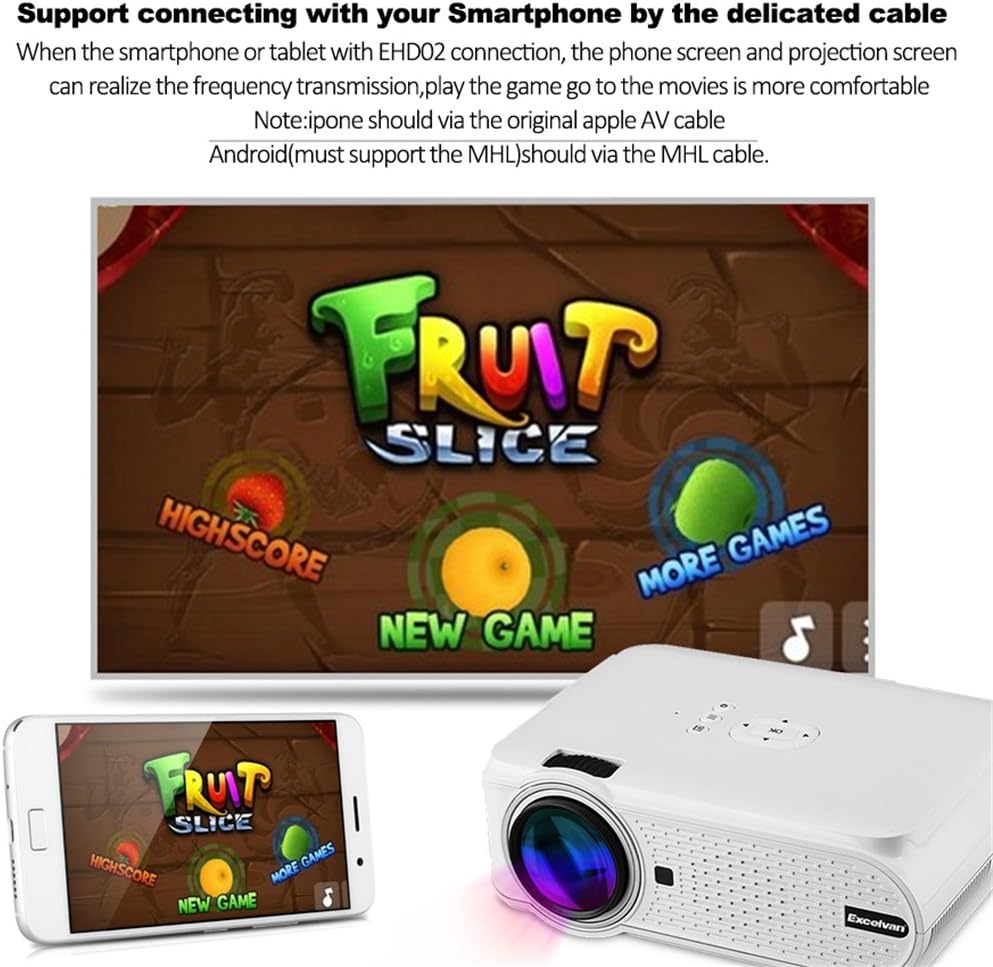
Ffigur 4: Example of smartphone connection for content projection.
4.4. 3D Playback
The Excelvan EHD02 projector supports red-blue 3D content only. To view Cynnwys 3D:
- Obtain red-blue 3D source content.
- Use red-blue 3D glasses for viewing.
5. cynnal
- Glanhau Lens: Use a soft, lint-free cloth specifically designed for optical lenses to gently wipe the projector lens. Avoid touching the lens with bare hands.
- Tynnu Llwch: Periodically clean the projector's exterior with a soft, dry cloth. Ensure ventilation openings are free from dust and obstructions to prevent overheating.
- Storio: When not in use for extended periods, store the projector in a cool, dry place, protected from dust.
6. Datrys Problemau
| Problem | Achos Posibl | Ateb |
|---|---|---|
| Dim delwedd wedi'i thaflunio |
|
|
| Mae'r ddelwedd yn aneglur |
|
|
| Mae'r ddelwedd yn drapesoidaidd |
|
|
| Dim sain |
|
|
| Rheolaeth bell ddim yn gweithio |
|
|
| Projector is noisy or hot |
|
|
7. manylebau
| Nodwedd | Manylyn |
|---|---|
| Model | Excelvan EHD02 |
| Math Arddangos | TFT- Single LCD Panel + LED Technology |
| Datrysiad Brodorol | 800 x 480 picsel |
| Datrys a Gefnogir | Up to 1080p (1920 x 1080) |
| Disgleirdeb | 1000 o Lumens |
| Lens Tafluniad | F=126mm, Manual Focus |
| Cymhareb Cyferbyniad | 1000:1 |
| Cymhareb Agwedd | 4:3 / 16:9 |
| Siaradwr adeiledig | 4Ω 2W |
| LED L.amp Bywyd | 20,000 awr |
| Lliwiau Arddangosadwy | 1.67 Million Colors (Full Color) |
| Ieithoedd y Ddewislen | English, Spanish, French, German, Portuguese, Italian, Chinese, etc. |
| Dulliau Rhagamcanu | Blaen, Cefn, Nenfwd |
| Rhyngwynebau | 1x VGA, 1x USB, 1x SD, 1x HDMI, 1x 3.5mm Audio, 1x AV, 1x TV |
| Maint y Delwedd (Cryson) | 37 - 130 modfedd |
| Pellter Tafluniad | 1.2 - 3.8 metr |
| Addasiad Sgrin | Horizontal and Vertical Flip; Image Zoom |
| Cywiriad Keystone | ±12° Vertical (Manual) |
| Dimensiynau (L x W x H) | 220mm x 152mm x 76mm |
| Pwysau | 1.44 kg |
8. Gwarant a Chefnogaeth
The Excelvan EHD02 Mini Portable LED Projector comes with a Gwarant 2 mlynedd o'r dyddiad prynu.
For technical support, warranty claims, or further assistance, please contact your retailer or the Excelvan customer service department. Please have your model number (EHD02) and purchase information ready when contacting support.