
1. Rhagymadrodd
This manual provides detailed instructions for the installation, operation, and maintenance of your Pioneer AVH-210EX Double DIN in-dash multimedia receiver. This unit offers advanced audio and video capabilities, including Bluetooth connectivity, DVD/CD playback, USB media support, and integration with a backup camera for enhanced safety. Please read this manual thoroughly before using your new receiver to ensure proper operation and to maximize your enjoyment of its features.
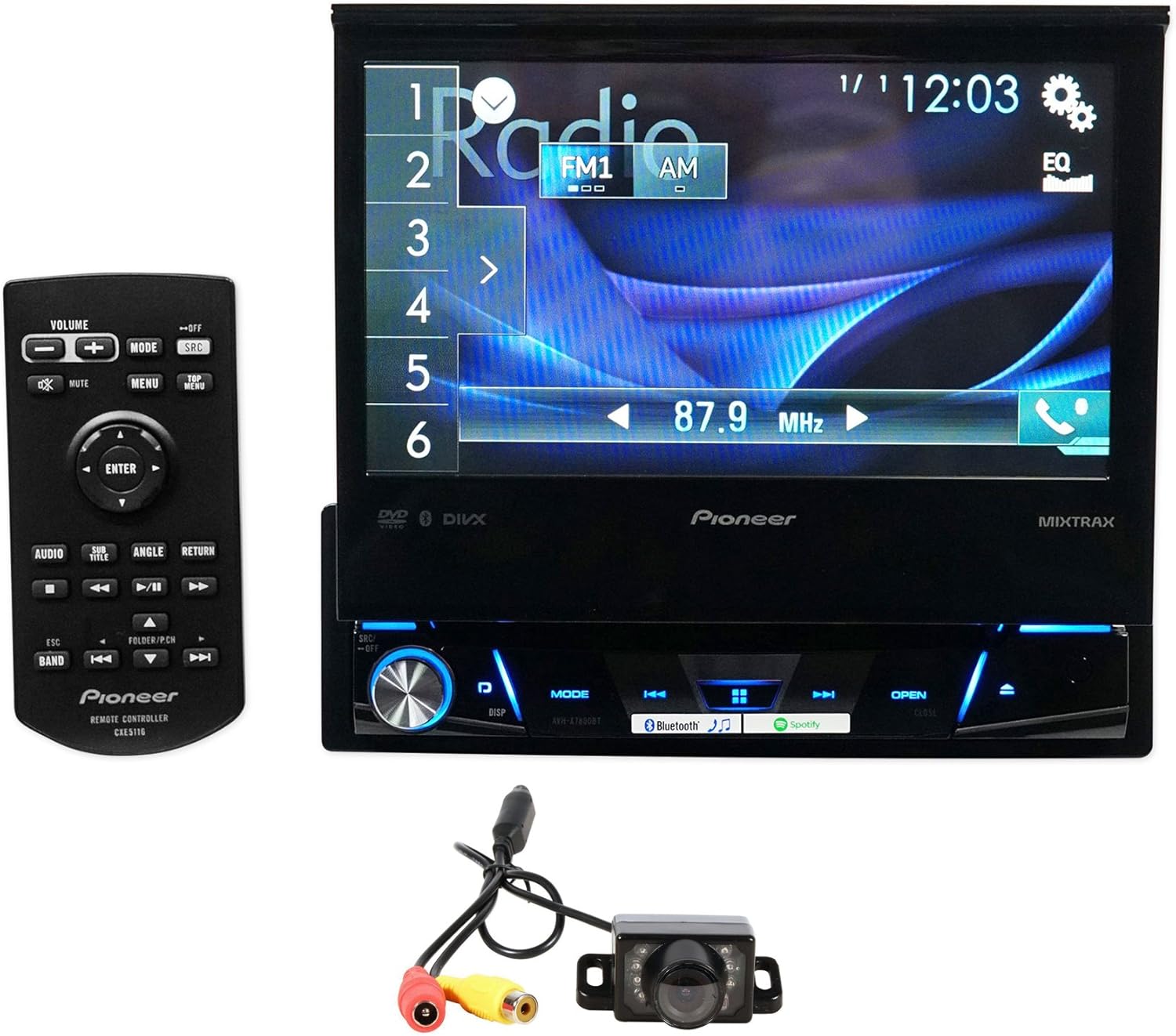
Image 1.1: Pioneer AVH-210EX receiver with included remote and backup camera.
2. Gosod a Gosod
Proper installation is crucial for the optimal performance of your AVH-210EX receiver. It is highly recommended that installation be performed by a qualified professional. Incorrect wiring or mounting can lead to damage to the unit, your vehicle, or personal injury.
2.1 Beth sydd yn y Bocs
- Pioneer AVH-210EX Double DIN In-Dash Receiver
- Rheolaeth Anghysbell
- Harnais Weirio
- Cable Estyniad USB
- Meicroffon ar gyfer Galwadau Di-law
- Xtremevision HD Backup Camera with Cables
- Llawlyfr y Perchennog a Gwybodaeth Gwarant

Image 2.1: Typical package contents for the Pioneer AVH-210EX.
2.2 Gwifro Cysylltiadau
Ensure all power, ground, speaker, and accessory wires are connected securely according to the wiring diagram provided in the separate installation manual. Key connections include:
- Pŵer (Melyn): Cyflenwad 12V cyson.
- Affeithiwr (Coch): Switched 12V supply.
- Tir (Du): Secure chassis ground.
- Gwifrau Llefarydd: Cysylltu â seinyddion y cerbyd (sicrhewch fod y polaredd yn gywir).
- Backup Camera Input (Yellow RCA): Connects to the video output of the backup camera.
- Remote Turn-On (Blue/White): Ar gyfer allanol amplifers neu antenâu pŵer.
- Parking Brake (Light Green): Connect to the vehicle's parking brake circuit for video playback safety.
- Reverse Gear Signal (Purple/White): Activates the backup camera display when the vehicle is in reverse.
- Mewnbwn USB: For media playback and smartphone connection.
- Mewnbwn AUX: Ar gyfer dyfeisiau sain allanol.

Image 2.2: Rear panel connections of the AVH-210EX receiver.
2.3 Gosod Camera Wrth Gefn
The included Xtremevision HD Backup Camera connects to the dedicated camera input on the receiver. Mount the camera securely at the rear of your vehicle, typically near the license plate, ensuring a clear view. Route the video cable to the receiver and connect the camera's power wire to the vehicle's reverse light circuit so it powers on when reverse gear is engaged.

Image 2.3: The Xtremevision HD Backup Camera unit.
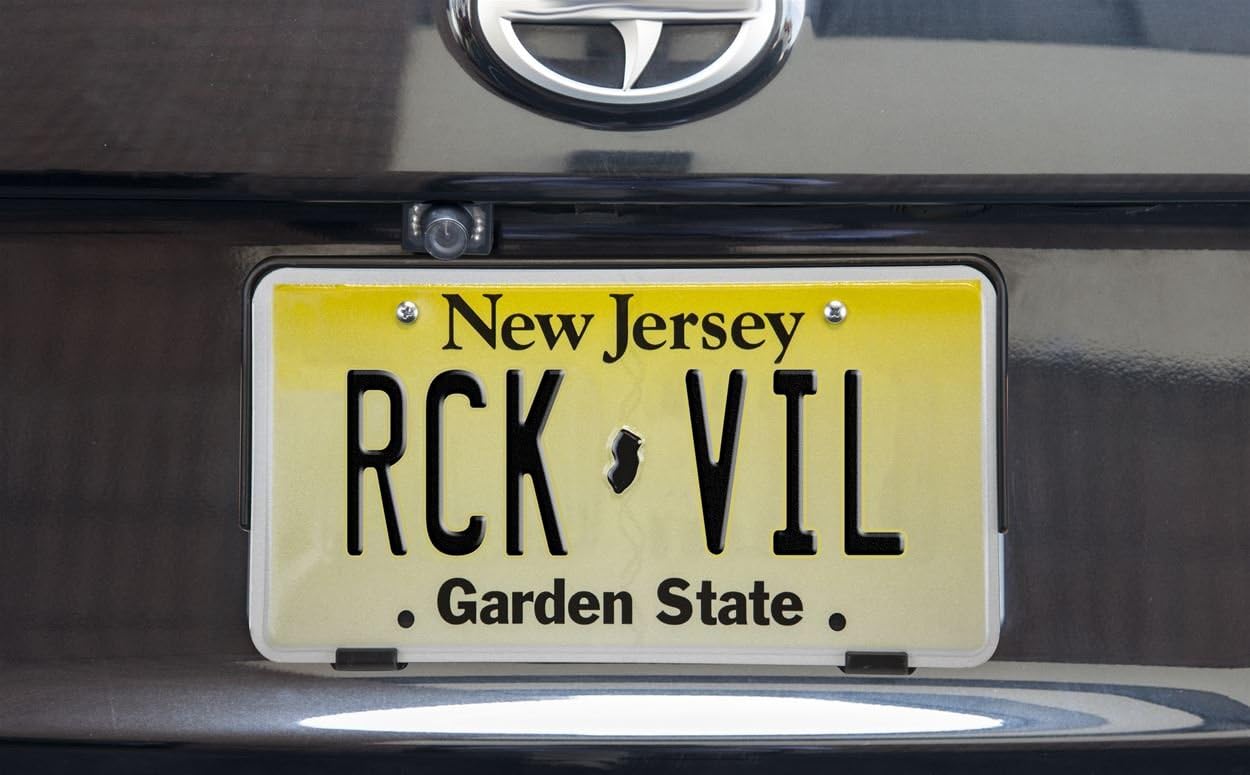
Delwedd 2.4: Enghraifftample of a backup camera installation on a vehicle.
3. Cyfarwyddiadau Gweithredu
3.1 Basic Controls and Touchscreen Interface
The AVH-210EX features a 6.2-inch touchscreen display for intuitive control. Physical buttons are located along the bottom edge of the unit for essential functions like volume, mode, and eject. The touchscreen allows for navigation through menus, media selection, and settings adjustments.

Delwedd 3.1: Blaen view of the AVH-210EX receiver.
3.2 Cysylltedd Bluetooth
The built-in Bluetooth allows for hands-free calling and wireless audio streaming. To pair a device:
- Sicrhewch fod Bluetooth wedi'i alluogi ar eich ffôn clyfar.
- On the AVH-210EX, navigate to the Bluetooth menu.
- Select 'Search' or 'Add Device'.
- Select your Pioneer unit from your phone's Bluetooth device list.
- Cadarnhewch y cod paru ar y ddau ddyfais.
Once paired, the unit will automatically connect to your phone when in range. You can make and receive calls, and stream music directly from your phone.
3.3 Chwarae Cyfryngau
- DVD/CD: Insert a disc into the slot behind the retractable screen. The unit will automatically switch to DVD/CD mode.
- USB: Connect a USB device (flash drive, iPod/iPhone) to the USB input. The unit supports MP3, WMA, AAC, WAV audio files, and MPEG-1/MPEG-2/MPEG-4/AVI/DIVX/WMV/JPEG video files.
- AUX: Connect an external audio player to the 3.5mm AUX input.
- Radio: Select the AM or FM source. Use the touchscreen controls to tune to stations, save presets, and scan.
3.4 Display and Illumination Settings
Customize the display colors and background images to match your vehicle's interior or personal preference. Access these settings through the 'System' or 'Display' menu on the touchscreen. You can choose from five display colors and 112 key illumination colors.
3.5 Backup Camera Operation
When the vehicle is shifted into reverse gear, the AVH-210EX will automatically display the feed from the connected backup camera on its screen, providing a clear view of the area behind your vehicle. This feature enhances safety during parking and maneuvering.
4. cynnal
To ensure the longevity and optimal performance of your Pioneer AVH-210EX, follow these maintenance guidelines:
- Glanhau sgrin: Defnyddiwch frethyn meddal, sych i sychu'r sgrin gyffwrdd yn ysgafn. Ar gyfer smotiau ystyfnig, sychwch ychydigampgolchwch y lliain gyda dŵr neu lanhawr sy'n ddiogel i sgriniau. Osgowch gemegau llym neu ddeunyddiau sgraffiniol.
- Gofal Cyffredinol: Cadwch yr uned yn rhydd o lwch a malurion. Osgowch ei hamlygu i dymheredd eithafol neu olau haul uniongyrchol am gyfnodau hir.
- Trin Disg: Handle DVDs and CDs by their edges to prevent scratches. Keep discs clean and store them in their cases when not in use.
5. Datrys Problemau
If you encounter issues with your AVH-210EX, refer to the following common troubleshooting steps:
- Dim pŵer: Check all power and ground connections. Verify the vehicle's fuse and the unit's inline fuse.
- Dim Sain: Ensure speaker wires are correctly connected and not shorted. Check the volume level and mute settings. Verify the audio source is active.
- Problemau Cysylltiad Bluetooth: Ensure Bluetooth is enabled on both the receiver and your phone. Try unpairing and re-pairing the device. Clear previous Bluetooth connections if necessary.
- Camera Wrth Gefn Ddim yn Dangos: Check the camera's power and video connections. Ensure the reverse gear signal wire is correctly connected and receiving power when in reverse.
- Gwallau Chwarae Disg: Gwnewch yn siŵr bod y ddisg yn lân ac yn rhydd o grafiadau. Rhowch gynnig ar ddisg wahanol.
- Uned Ddim yn Ymateb: Perform a soft reset by pressing the reset button (usually a small pinhole) with a thin object.
For persistent issues, consult a professional installer or contact Pioneer customer support.
6. manylebau
| Nodwedd | Manyleb |
|---|---|
| Rhif Model | AVH-210EX |
| Maint Arddangos | 6.2 modfedd |
| Bluetooth | Built-in (HFP, A2DP, AVRCP 1.6, SSP) |
| Chwarae Cyfryngau | DVD, CD, USB (MP3/WMA/AAC/WAV, MPEG-1/MPEG-2/MPEG-4/AVI/DIVX/WMV/JPEG) |
| Tiwniwr | AM/FM |
| Mewnbynnau | Rear USB, Rear AUX, Backup Camera Input, Wired Remote Input |
| Allbynnau | Allbwn Fideo Cyfansawdd |
| Arddangos Lliwiau | 5 (with 112 key colors) |
| Dyfeisiau Cydnaws | Smartphone (Android, iPhone) |
| Pwysau Eitem | 6.14 pwys |
| Dimensiynau Cynnyrch | 13.4 x 10 x 5 modfedd |
7. Gwarant a Chefnogaeth
Your Pioneer AVH-210EX receiver is covered by a manufacturer's warranty. Please refer to the warranty card included in your product packaging for specific terms, conditions, and duration. For technical assistance, troubleshooting beyond this manual, or warranty claims, please contact Pioneer customer support directly or visit their official websafle.
Am wybodaeth a chymorth ychwanegol, gallwch ymweld â'r Siop Pioneer ar Amazon.