
1. Gosod
1.1 Dadbacio a Chynnwys
Carefully remove the TV and all accessories from the packaging. Ensure all components are present:
- Sharp LC-40LE653U 40-Inch Smart LED TV
- Rheolaeth Anghysbell
- 2 Batris AA
1.2 Gosod Stondin
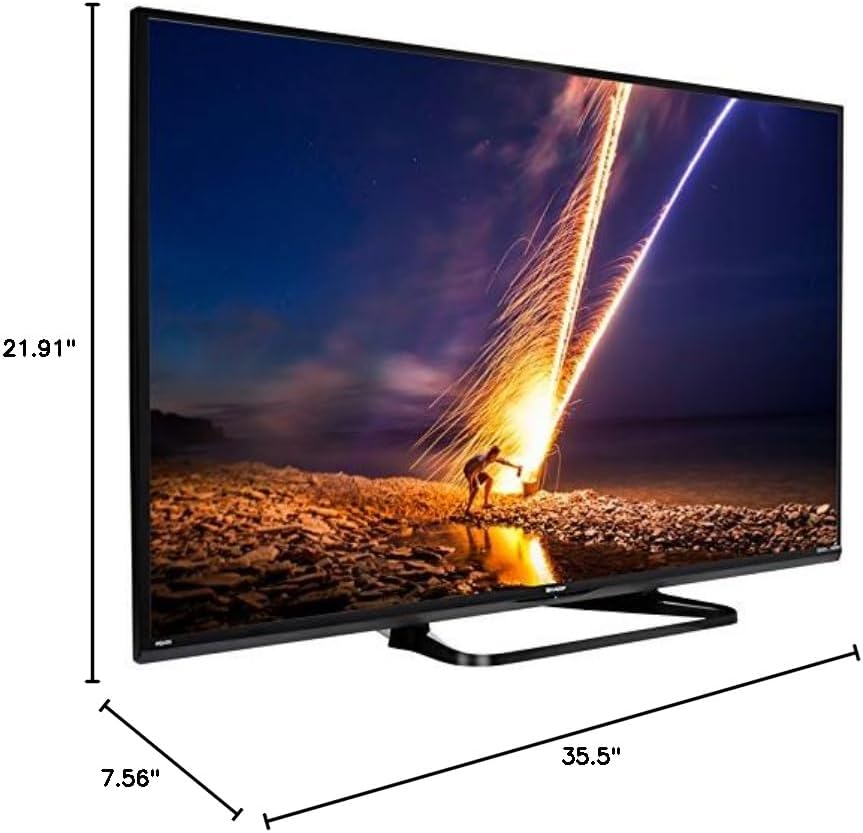
If placing the TV on a table, attach the included stand. Refer to the diagram below for proper assembly. Ensure all screws are securely fastened.
1.3 Cysylltu Dyfeisiau Allanol
Connect your external devices such as cable boxes, Blu-ray players, or gaming consoles to the TV's input ports. The TV features multiple connectivity options.


Available ports include:
- HDMI: 2 ports for high-definition audio and video. One HDMI port supports MHL (Mobile High-Definition Link).
- USB: 1 port for media playback or connecting a USB device.
- Ethernet: Ar gyfer cysylltiad rhwydwaith gwifrau.
- Component/Video: For older video devices.
- DTV/TV (Antenna): Ar gyfer cysylltu antena neu borthiant teledu cebl.
- Sain Allan: Optical for digital audio, and RCA for analog audio.
1.4 Cysylltiad Pwer
After connecting all necessary devices, plug the TV's power cord into a wall outlet.
1.5 Gosodiad Cychwynnol
Upon first power-on, the TV will guide you through an initial setup process. This includes language selection, time zone, and network configuration. For Wi-Fi setup, select your network and enter the password.
2. Cyfarwyddiadau Gweithredu
2.1 Swyddogaethau Rheoli o Bell
The remote control allows you to access all TV functions. Insert the two AA batteries into the remote control, ensuring correct polarity.

- Pŵer (Botwm Coch): Yn troi'r teledu ymlaen neu i ffwrdd.
- Mewnbwn: Selects the input source (HDMI, TV, USB, etc.).
- VOL +/-: Yn addasu lefel y sain.
- CH +/-: Yn newid sianeli teledu.
- Botymau Llywio (I Fyny/I Lawr/Chwith/Dde/Mewnosod): Fe'i defnyddir i lywio bwydlenni a dewis opsiynau.
- CAMPUS: Accesses the Smart Central Apps menu.
- BWYDLEN: Opens the main TV menu for settings adjustments.
- NETFLIX: Direct access button for the Netflix application.
2.2 Smart TV Features (Smart Central Apps)
The Sharp LC-40LE653U features Smart Central Apps, providing access to various online services and a web browser. Ensure your TV is connected to the internet via Wi-Fi or Ethernet.

- Cyrchu Apps: Press the 'SMART' button on your remote to open the Smart Central Apps menu.
- Gwasanaethau â Chymorth: Includes Hulu Plus, Netflix, Pandora, Vudu, and YouTube.
- Web Porwr: Defnyddiwch y adeiledig yn web browser for general internet browsing. Navigation is done via the remote control.
2.3 Wallpaper Mode
When the TV is turned off, Wallpaper Mode can display virtually any image. To use this feature, connect a USB drive containing your desired images to the TV's USB port. Navigate to the Wallpaper Mode settings in the TV menu to select and configure your images.
3. cynnal
3.1 Glanhau'r teledu
I lanhau'r sgrin, sychwch hi'n ysgafn gyda lliain meddal, sych, heb lint. Ar gyfer marciau ystyfnig, sychwch hi ychydigampen the cloth with water or a specialized screen cleaner. Avoid using harsh chemicals, abrasive cleaners, or direct spraying of liquids onto the screen or cabinet.
Clean the TV cabinet with a soft, dry cloth. Ensure the TV is unplugged before cleaning.
3.2 Diweddariadau Meddalwedd
Periodically check for software updates through the TV's settings menu to ensure optimal performance and access to the latest features. Updates can be performed via the internet connection.
4. Datrys Problemau
If you encounter issues with your Sharp LC-40LE653U TV, refer to the following common solutions:
- Dim pŵer: Ensure the power cord is securely plugged into both the TV and a working wall outlet. Check if the power indicator light on the TV is on.
- Dim Llun/Sain: Verify the correct input source is selected using the 'Input' button on the remote. Check all cable connections (HDMI, component, etc.) are secure.
- Ansawdd Llun Gwael: Adjust picture settings (brightness, contrast, sharpness) in the TV menu. Ensure the input source is providing a high-quality signal.
- Dim Cysylltiad Rhyngrwyd: Check your Wi-Fi router or Ethernet cable connection. Re-enter your Wi-Fi password in the TV's network settings. Restarting your router may resolve connectivity issues.
- Rheolaeth Anghysbell Ddim yn Gweithio: Amnewidiwch y batris yn y teclyn rheoli o bell. Gwnewch yn siŵr nad oes unrhyw rwystrau rhwng y teclyn rheoli o bell a synhwyrydd IR y teledu.
For more detailed troubleshooting steps, consult the full online manual or contact customer support.
5. manylebau
Key technical specifications for the Sharp LC-40LE653U 40-Inch Smart LED TV:
| Nodwedd | Manyleb |
|---|---|
| Rhif Model | LC-40LE653U |
| Maint Sgrin | 39.5 Modfedd (Dosbarth 40 Modfedd) |
| Technoleg Arddangos | LCD |
| Datrysiad | 1080p (HD Llawn) |
| Cyfradd Adnewyddu | 60 Hz |
| Cymhareb Agwedd | 16:9 |
| Technoleg Cysylltedd | Wi-Fi |
| Rhyngwyneb Caledwedd | Ethernet, HDMI, USB |
| Total Number of HDMI Ports | 2 (one with MHL support) |
| Cyfanswm Porthladdoedd USB | 1 |
| Mewnbwn Sain | HDMI, Optical, USB |
| Llefarydd Uchafswm Pŵer Allbwn | 20 Wat |
| Dimensiynau Cynnyrch (D x W x H) | 7.56" x 35.5" x 21.91" |
| Pwysau Eitem | 16.3 Bunt |
| Math Mowntio | Bwrdd Mount |
| Gwasanaethau Rhyngrwyd â Chymorth | Hulu Plus, Netflix, Pandora, Vudu, YouTube |
| Energy Star Ardystiedig | Oes |
6. Gwarant a Chefnogaeth
6.1 Gwarant Cynnyrch
This Sharp LC-40LE653U TV comes with a Gwarant cyfyngedig 1 mlyneddCadwch eich prawf prynu ar gyfer hawliadau gwarant. Mae'r warant yn cwmpasu diffygion gweithgynhyrchu o dan amodau defnydd arferol.
6.2 Cefnogaeth i Gwsmeriaid
For technical assistance, troubleshooting beyond this manual, or warranty service, please contact Sharp customer support. Refer to the official Sharp website or your product registration card for the most current contact information.