
Linksys RE4100W-4A
Linksys N600 Pro Dual-Band WiFi Range Extender User Manual
Model: RE4100W-4A
1. Cynnyrch Drosview
The Linksys N600 PRO Wi-Fi Range Extender (RE4100W) is designed to eliminate Wi-Fi dead spots in your home by amplifying your existing router's signal. It extends wireless coverage up to 7,500 square feet, ensuring a stronger and more consistent Wi-Fi connection throughout your living space.
This device features advanced Cross-Band Technology, which optimizes data transfer by utilizing both 2.4 GHz and 5 GHz bands simultaneously. It connects seamlessly to your current network without requiring modifications to your router settings. Setup is streamlined using Spot Finder Technology, accessible via any mobile device, guiding you to the optimal placement for the extender.
Additionally, the RE4100W includes Wi-Fi Audio functionality, allowing you to connect a stereo system or speakers to the extender and wirelessly stream music from your smart device or computer.
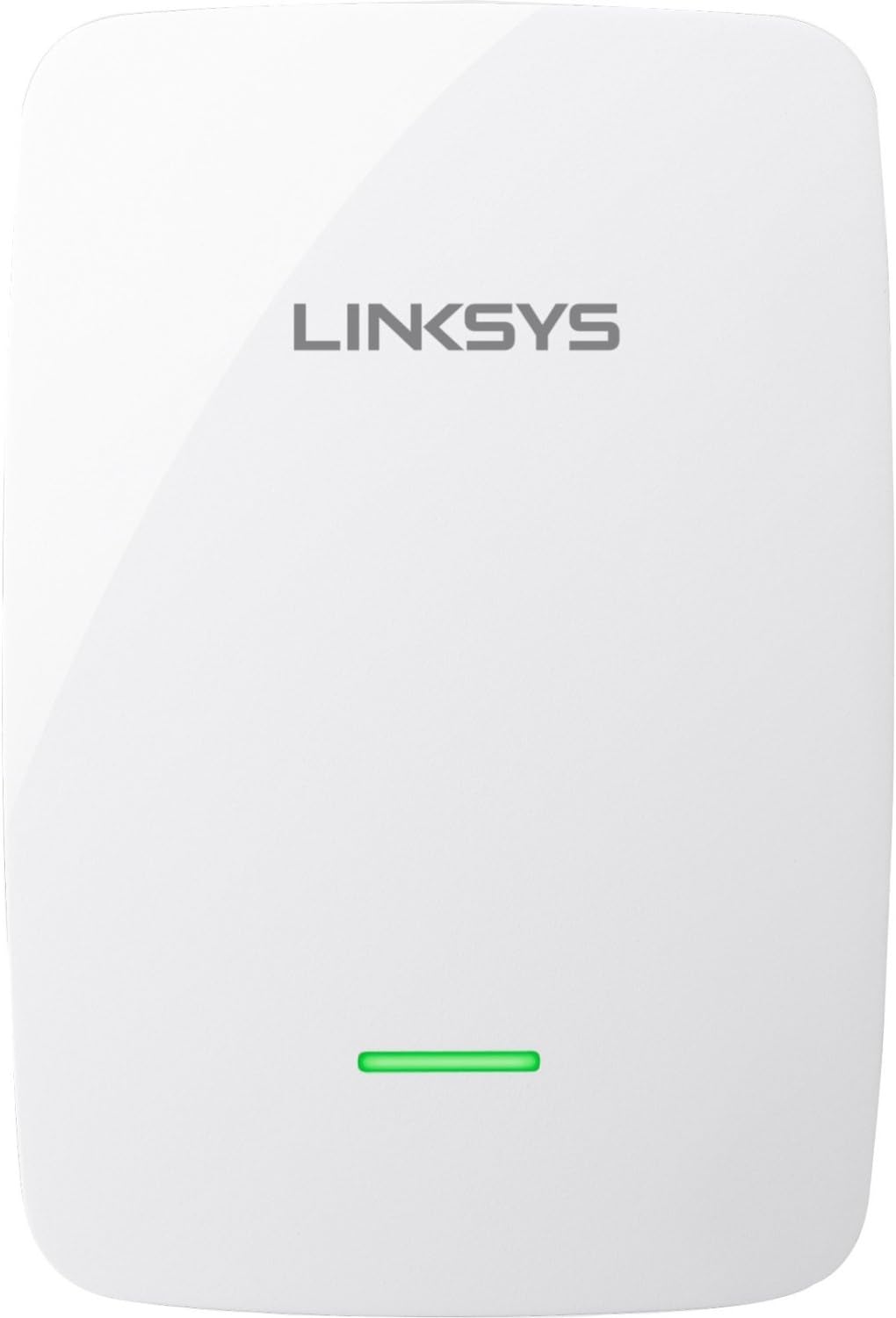
Delwedd: Blaen view of the Linksys N600 Pro Dual-Band WiFi Range Extender. The device is white with rounded corners, featuring the Linksys logo at the top and a horizontal green LED indicator light near the bottom. This light indicates the extender's status and signal strength.
Nodweddion Allweddol:
- Cydnawsedd Cyffredinol: Works with all Wi-Fi routers (a/b/g/n) and does not require router setting modifications.
- Simultaneous Dual Band: Operates on both 2.4 GHz and 5 GHz frequencies, reducing interference and maximizing speed up to 300 Mbps on each band.
- Cross-Band Technology: Enhances data transfer speeds by using both bands concurrently.
- Spot Finder Technology: Simplifies setup and helps determine the optimal placement for the extender using a mobile device. No CD required for installation.
- Sain Wi-Fi: Connects to a stereo system or speakers for wireless music streaming from smart devices or computers.
- Porthladd Ethernet Cyflym: Provides a wired internet connection for one device.
- QoS (Ansawdd Gwasanaeth): Prioritizes bandwidth for smoother media streaming.
2. Canllaw Gosod
This section provides step-by-step instructions for setting up your Linksys N600 Pro Dual-Band WiFi Range Extender.
Cyn i Chi Ddechrau:
- Ensure you have an active Wi-Fi router.
- Have a mobile device (smartphone or tablet) or a computer with Wi-Fi capability ready for setup.
- Locate a power outlet within range of your existing Wi-Fi signal.
Camau Gosod:
- Pweru Ymlaen: Plug the Linksys N600 Pro Range Extender into a power outlet. Wait for the indicator light on the front of the extender to turn solid green. This may take a few moments.
- Connecting to the Extender: On your mobile device or computer, connect to the Wi-Fi network named "Linksys Extender Setup" (or similar). This is a temporary network created by the extender for setup purposes. No password is required for this connection.
- Using Spot Finder Technology: Agor a web browser (e.g., Chrome, Firefox, Safari) and navigate to http://extender.linksys.com. Follow the on-screen instructions provided by the Spot Finder Technology. This tool will guide you through the setup process and help you find the best location for your extender.
- Connecting to Your Router's Wi-Fi: During the setup process, you will be prompted to select your existing Wi-Fi network (SSID) and enter its password. The extender will then connect to your router.
- Lleoliad Gorau: Spot Finder Technology will indicate if the extender is too close or too far from your router. Adjust the extender's position until the indicator light on the front of the device shows a solid green, indicating a good connection.
Note: No installation CD is required for the setup process. All steps are performed via a web porwr.
3. Cyfarwyddiadau Gweithredu
Once your Linksys N600 Pro Range Extender is set up, it will seamlessly extend your Wi-Fi coverage. Here's how its key features operate:
Understanding Dual-Band Operation:
The RE4100W operates on two distinct Wi-Fi frequency bands: 2.4 GHz and 5 GHz. The 2.4 GHz band offers wider coverage and better penetration through walls, suitable for general internet use and older devices. The 5 GHz band provides faster speeds and less interference, ideal for high-bandwidth activities like HD video streaming and online gaming.
Your devices will automatically connect to the optimal band provided by the extender, or you can manually select the preferred band if your device supports it.
Cross-Band Technology:
This advanced technology allows the extender to receive data on one Wi-Fi band (e.g., 2.4 GHz) and transmit it on the other band (e.g., 5 GHz) simultaneously. This intelligent routing minimizes data bottlenecks and maximizes overall throughput, resulting in faster and more reliable Wi-Fi speeds for your connected devices.
Wi-Fi Audio Functionality:
The extender is equipped with an audio jack. To use the Wi-Fi Audio feature:
- Connect your stereo system or powered speakers to the audio jack on the extender using a standard 3.5mm audio cable.
- Ensure your smart device (smartphone, tablet) or computer is connected to the extended Wi-Fi network.
- Use a compatible music streaming application or media player on your device to stream audio wirelessly to the connected speakers.
Fast Ethernet Port Usage:
The RE4100W includes a Fast Ethernet (10/100 Mbps) port. This port allows you to connect a wired device, such as a desktop computer, gaming console, or smart TV, directly to the extender using an Ethernet cable. This provides a stable and high-speed wired connection for that specific device, which can be beneficial for activities requiring consistent bandwidth.
4. cynnal
Proper maintenance ensures the longevity and optimal performance of your Linksys N600 Pro Range Extender.
Diweddariadau Cadarnwedd:
Gwiriwch gefnogaeth Linksys o bryd i'w gilydd website for firmware updates. Firmware updates can improve performance, add new features, and address security vulnerabilities. Follow the instructions provided by Linksys for safe and proper firmware installation.
Glanhau:
Keep the extender clean by gently wiping its exterior with a soft, dry cloth. Avoid using liquid cleaners or abrasive materials, as these can damage the device. Ensure ventilation openings are free from dust and obstructions.
Amgylchedd Gorau:
Place the extender in a well-ventilated area, away from direct sunlight, heat sources, and excessive moisture. Avoid placing it near large metal objects or appliances that can cause interference, such as microwave ovens or cordless phones.
5. Datrys Problemau
This section addresses common issues you might encounter with your Linksys N600 Pro Range Extender and provides solutions.
Problemau ac Atebion Cyffredin:
- No Internet Connection After Setup:
- Ensure the extender's indicator light is solid green, indicating a good connection to your router.
- Gwiriwch fod gan eich prif lwybrydd gysylltiad rhyngrwyd gweithredol.
- Try repositioning the extender closer to your main router.
- Restart both your router and the range extender.
- Cyflymderau Araf ar Rwydwaith Estynedig:
- The extender might be too far from your main router. Use Spot Finder Technology to find an optimal location.
- Gwiriwch am ymyrraeth gan ddyfeisiau electronig eraill.
- Ensure your devices are connecting to the appropriate band (2.4 GHz for range, 5 GHz for speed).
- Extender Light Status:
- Gwyrdd solet: Good connection to the router.
- Ambr solet: Weak connection to the router. Reposition the extender closer.
- Ambr amrantu: Not connected to the router or an error. Re-run setup or reset the extender.
- Wedi diffodd: No power. Check power outlet and adapter.
- Cannot Access Extender Setup Page:
- Ensure your device is connected to the "Linksys Extender Setup" Wi-Fi network.
- Rhowch gynnig ar glirio storfa a chwcis eich porwr, neu defnyddiwch borwr gwahanol.
- Gwiriwch eich bod yn teipio http://extender.linksys.com yn gywir.
- How to Reset the Extender:
To perform a factory reset, locate the reset button (usually a small pinhole) on the extender. With the extender powered on, use a paperclip or similar pointed object to press and hold the reset button for about 5-10 seconds until the indicator light blinks rapidly. Release the button, and the extender will restart with factory default settings. You will need to re-run the setup process.
6. manylebau
| Nodwedd | Manylyn |
|---|---|
| Rhif Model | RE4100W-4A |
| Math Di-wifr | 802.11a, 802.11b, 802.11g, 802.11n |
| Dosbarth Band Amlder | Deuol-Fand (2.4 GHz a 5 GHz) |
| Cyfradd Trosglwyddo Data | Up to 300 Mbps per band |
| Porthladd Ethernet | 1 x Fast Ethernet (10/100 Mbps) |
| Dimensiynau (LxWxH) | 4.86 x 3.62 x 1.3 modfedd |
| Pwysau Eitem | 5.6 owns |
| Lliw | Gwyn |
| Cydweddoldeb System Weithredu | Windows XP, Vista (32/64), 7 (32/64), 8 (32/64), 8.1 (32/64), Mac OS X 10.5.8 Leopard, 10.6.1 Snow Leopard, 10.7 Lion, 10.8 Mountain Lion, 10.9 Mavericks |
| Nodwedd Arbennig | Spot Finder Technology, Wi-Fi Audio |
| Ffynhonnell Pwer | Addasydd pŵer (wedi'i gynnwys) |
7. Gwarant a Chefnogaeth
Gwybodaeth Gwarant Gyfyngedig:
This product is covered by a limited manufacturer's warranty. Please refer to the warranty card included with your product or visit the official Linksys websafle ar gyfer telerau ac amodau manwl. Please note: As per the product's legal disclaimer, there is no return policy on this specific product.
Cymorth Technegol:
For technical assistance, troubleshooting beyond this manual, or to download the latest firmware updates, please visit the official Linksys support website. You can typically find FAQs, support articles, and contact information for customer service there.
Linksys Official Websafle: www.linksys.com/support
Ask a question about this manual
Ask about setup, troubleshooting, compatibility, parts, safety, or missing instructions. Manuals+ will review the question and use this page’s manual context to help answer it.