
1. Rhagymadrodd
The Performance Health TPN 200 Plus is a two-channel Transcutaneous Electrical Nerve Stimulation (TENS) device designed to provide pain relief. This electro-stimulator features simple analog controls, a protective flip-down cover, and a belt clip for convenient portability. It offers adjustable pulse frequency and width, along with three selectable treatment modes to customize therapy for various types of pain.
Please read this manual thoroughly before using the device to ensure safe and effective operation.
2. Cynnwys Pecyn
Upon opening your TPN 200 Plus TENS unit package, verify that all the following items are included:
- TPN 200 Plus TENS Unit
- Electrode Cables (2)
- Self-adhesive Electrodes (4)
- 9V Battery (1)
- Achos Cario Meddal
- Llawlyfr Defnyddiwr (y ddogfen hon)

Image: The TPN 200 Plus TENS unit, two electrode cables, four self-adhesive electrodes, a 9V battery, and a soft carrying case.
3. Dyfais Drosoddview
The TPN 200 Plus unit features intuitive analog dials for adjusting settings and output intensity. A protective cover shields the controls from accidental changes during use.
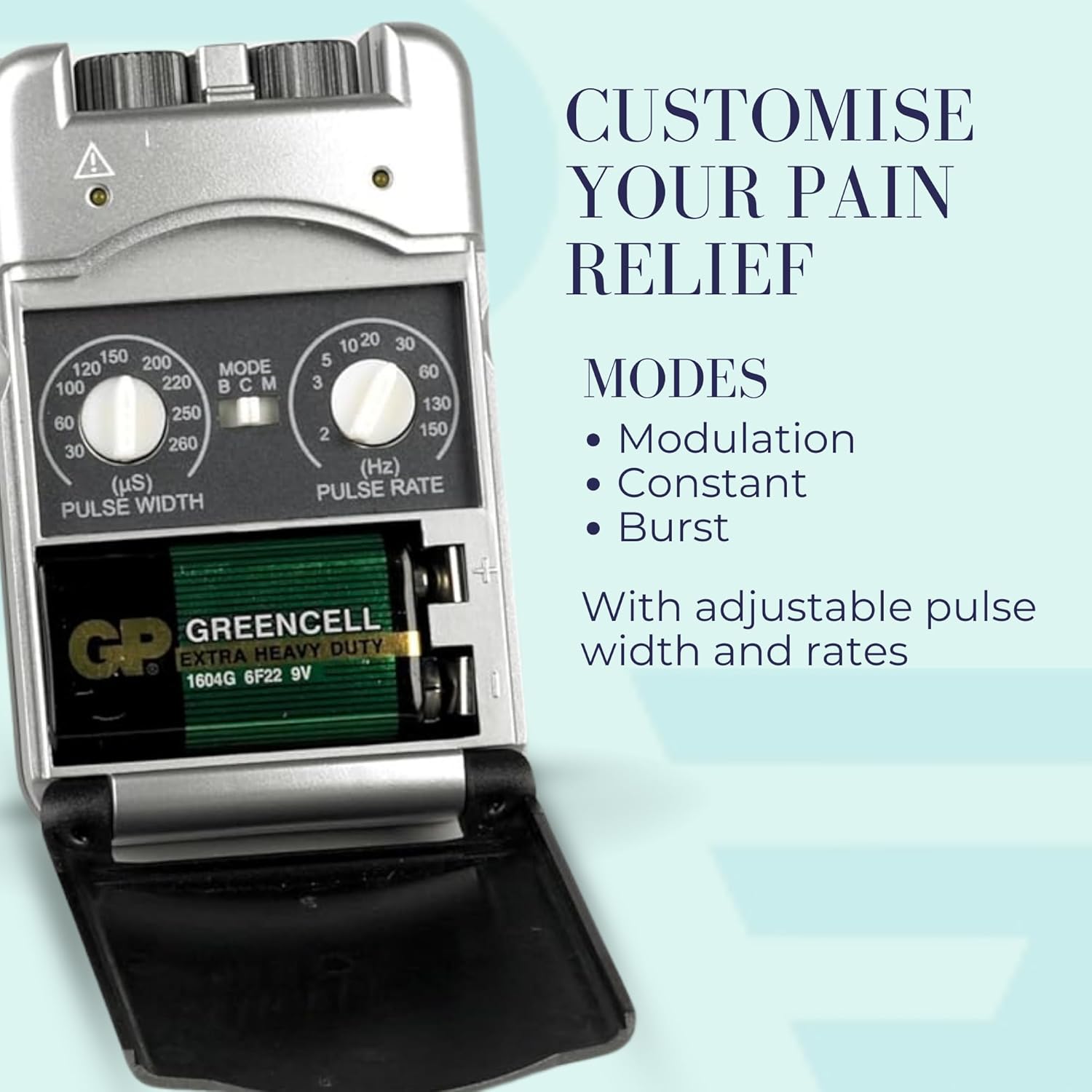
Delwedd: Blaen view of the TPN 200 Plus TENS unit, highlighting the two output channels and control dials.
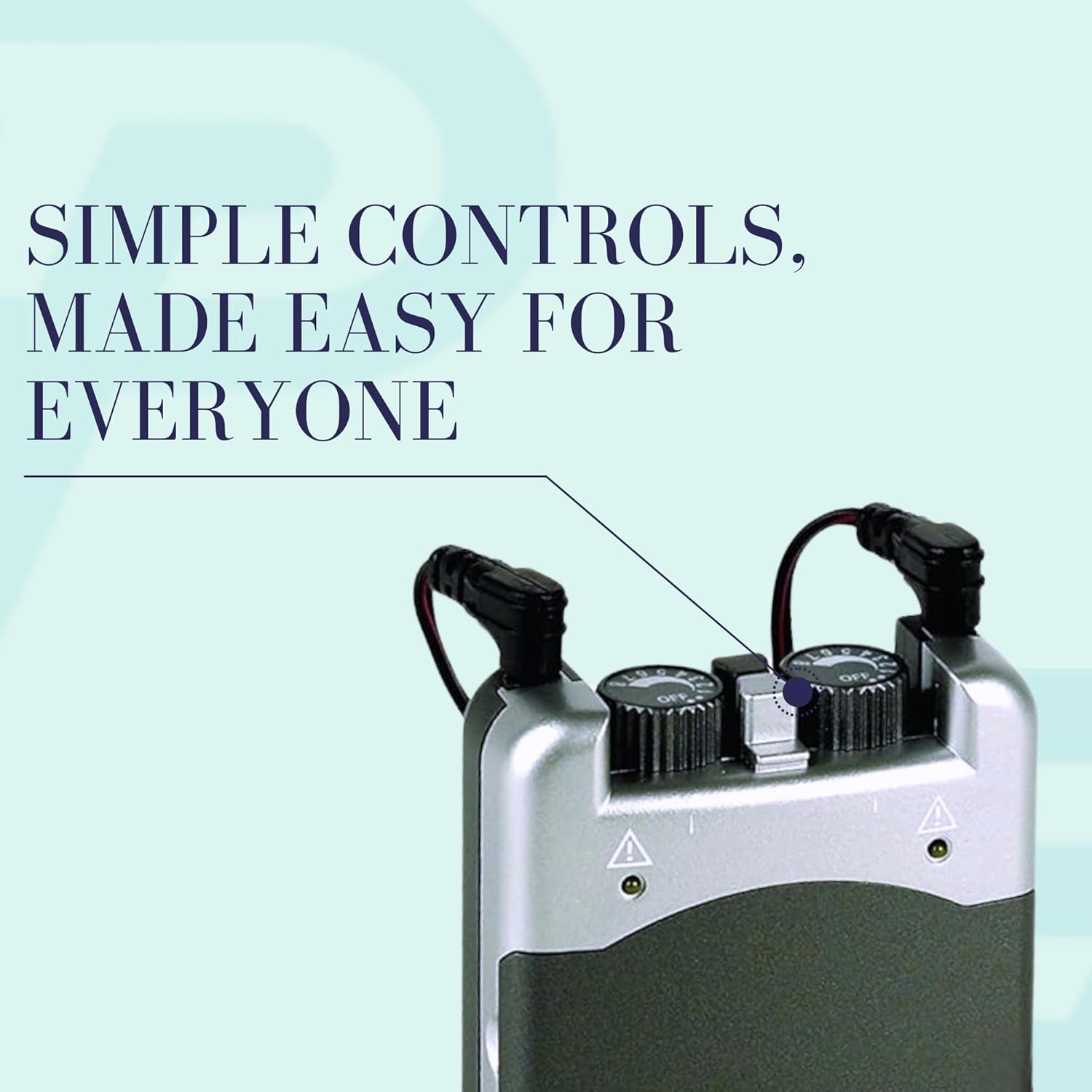
Image: Close-up of the TPN 200 Plus TENS unit's top controls, showing the dials for pulse width, pulse rate, and mode selection.
4. Gosod
4.1 Gosod Batri
- Sicrhewch fod y ddyfais wedi'i diffodd.
- Agorwch y gorchudd compartment batri sydd wedi'i leoli ar gefn yr uned.
- Insert the 9V battery, ensuring the polarity (+/-) matches the diagram inside the compartment.
- Caewch y clawr adran batri yn ddiogel.
4.2 Connecting Electrode Cables
- Insert the pin connectors of the electrode cables into the output jacks on the top of the TENS unit. There are two channels, each with two output jacks.
- Connect the other end of the electrode cables to the self-adhesive electrodes. Ensure a secure connection.
4.3 Attaching Electrodes to Skin
- Clean and dry the skin area where the electrodes will be placed. Avoid applying over broken or irritated skin.
- Remove the electrodes from their protective liner.
- Apply the electrodes firmly to the skin, ensuring good contact. Place electrodes at least one inch apart.
5. Cyfarwyddiadau Gweithredu
5.1 Pweru Ymlaen/Diffodd
To turn the device on, rotate the intensity dials (one for each channel) clockwise from the 'OFF' position. To turn off, rotate the dials counter-clockwise until they click into the 'OFF' position.
5.2 Adjusting Intensity
Once the device is on, slowly turn the intensity dials clockwise to increase the stimulation level. Adjust to a comfortable, strong sensation without causing discomfort or pain. Each channel's intensity can be adjusted independently.
5.3 Dewis Moddau
The TPN 200 Plus offers three selectable modes:
- Modulation (M): Varies pulse width and/or frequency to prevent nerve accommodation.
- Constant (C): Delivers continuous stimulation at a fixed pulse width and frequency.
- byrstio (B): Delivers bursts of pulses at regular intervals.
Use the 'MODE' switch to select the desired treatment mode.
5.4 Adjusting Pulse Width and Pulse Rate
Use the 'PULSE WIDTH' dial to adjust the duration of each electrical pulse (range: 30 µs to 260 µs). Use the 'PULSE RATE' dial to adjust the number of pulses per second (frequency) (range: 2 Hz to 150 Hz).
Canllawiau Cyffredinol: For acute pain, a pulse rate of 80-120 Hz is often used. For muscle stimulation, 35-50 Hz. For chronic pain, 2-10 Hz. A pulse width between 175-200 µs is a common starting point. Consult a healthcare professional for specific recommendations.

Image: The TPN 200 Plus TENS unit clipped to a waistband, illustrating its compact size and portability for on-the-go use.
6. Lleoliad Electrod
Correct electrode placement is crucial for effective TENS therapy. Electrodes should be placed on clean, dry, intact skin around the painful area. Avoid placing electrodes directly over joints, bony prominences, or directly on the spine.
- For localized pain, place electrodes on either side of the pain site.
- For radiating pain, place electrodes along the nerve pathway.
- Ensure electrodes from the same channel are placed on the same side of the body or within the same pain region.
Refer to the electrode placement chart provided in your physical user manual for specific guidance on various body areas. If you are unsure, consult a healthcare professional.

Image: Visual representation of common pain areas (neck, head, abdomen, lower back) where TENS therapy can be applied, with an inset of the TENS unit and electrodes.
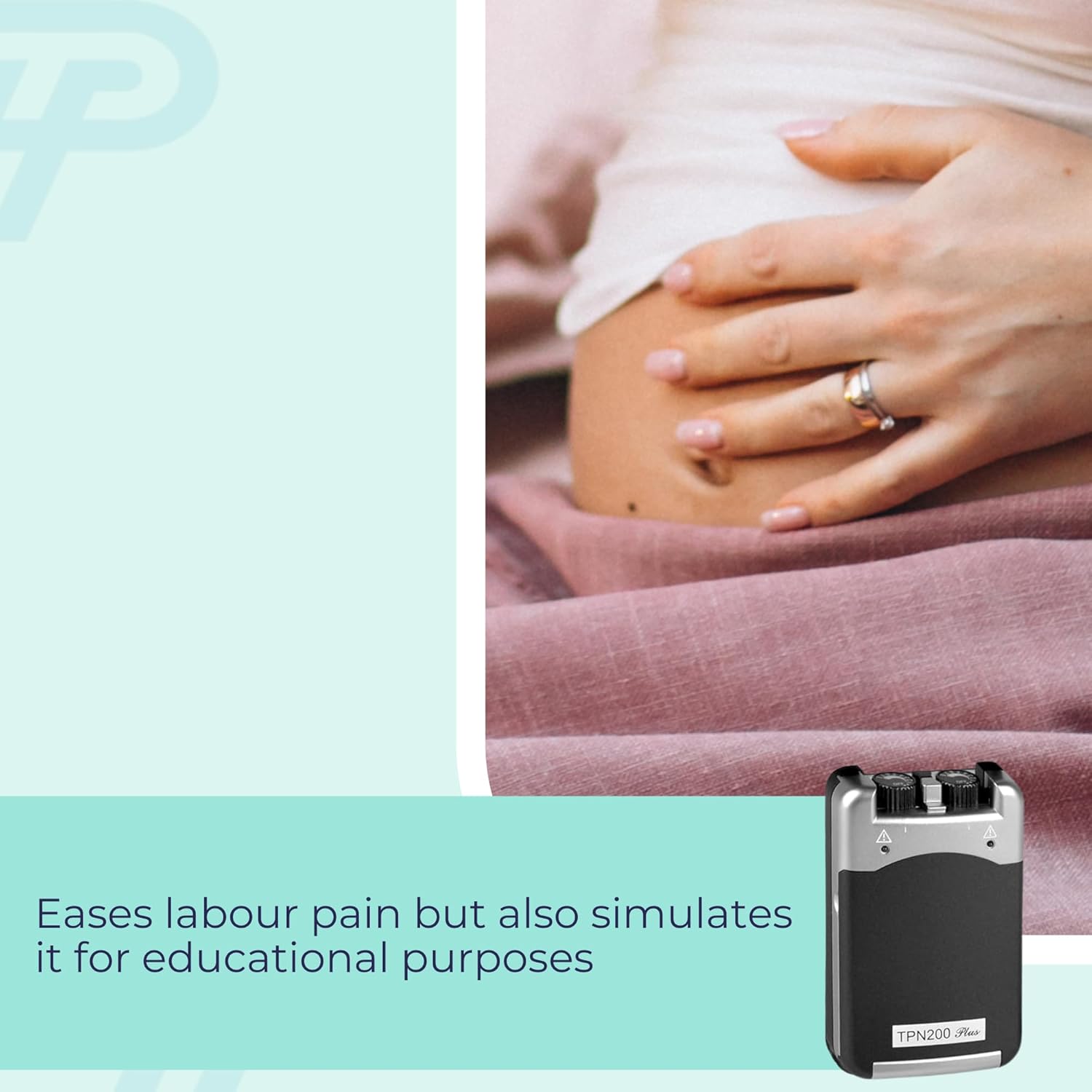
Image: The TPN 200 Plus TENS unit positioned to suggest its application for managing labor pain.
7. cynnal
7.1 Glanhau'r Dyfais
Wipe the TENS unit with a soft, damp cloth. Do not immerse the device in water or use abrasive cleaners. Ensure the device is completely dry before storage or next use.
7.2 Electrode Care
After each use, place the self-adhesive electrodes back onto their protective liners. If the electrodes lose their adhesiveness, they may be gently cleaned with a small amount of water and allowed to air dry. Replace electrodes when they no longer stick well or if they cause skin irritation.
7.3 Batri Newydd
Replace the 9V battery when the device's output weakens or fails to turn on. Follow the battery installation steps in Section 4.1.
7.4 Storio
Store the TENS unit and accessories in the provided soft carrying case in a cool, dry place, away from direct sunlight and extreme temperatures.
8. Datrys Problemau
- No Sensation or Weak Sensation:
- Check if the device is turned on and the intensity dials are adjusted.
- Ensure the battery is correctly installed and not depleted. Replace if necessary.
- Verify that electrode cables are securely connected to both the unit and the electrodes.
- Ensure electrodes have good contact with clean, dry skin. Replace old or non-adhesive electrodes.
- Llid y croen:
- Ensure skin is clean and dry before applying electrodes.
- Avoid over-tightening electrodes.
- Use fresh electrodes if they are old or dirty.
- Reduce intensity if sensation is too strong.
- Discontinue use and consult a healthcare professional if irritation persists.
9. manylebau
- Rhif Model: 091531730
- Sianeli: 2 (Sianel Ddeuol)
- Ffynhonnell Pwer: Batri 1 x 9V
- Amlder curiad y galon: Variable, 2 Hz to 150 Hz
- Lled curiad y galon: Variable, 30 µs to 260 µs
- Moddau: Modulation, Constant, Burst
- Rheolaethau: Analog dials for intensity, pulse width, pulse rate; switch for mode selection.
10. Gwybodaeth Diogelwch
Rhagofalon Diogelwch Pwysig:
- Peidiwch â defnyddio os oes gennych reolydd calon, diffibriliwr wedi'i fewnblannu, neu ddyfeisiau metelaidd neu electronig eraill wedi'u mewnblannu.
- Do not use if you are pregnant, unless specifically advised by a healthcare professional.
- Do not apply electrodes over broken skin, open wounds, or areas with skin conditions.
- Do not apply electrodes over the eyes, mouth, front of the neck, or across the chest (which could affect heart rhythm).
- Do not use while driving, operating machinery, or during any activity where involuntary muscle contractions could put the user at risk.
- Cadwch allan o gyrraedd plant.
- Consult a healthcare professional before use if you have any underlying medical conditions.
11. Gwarant a Chefnogaeth
For information regarding the product warranty, please refer to the documentation included with your purchase or visit the official Performance Health website. For technical support or further assistance, please contact Performance Health customer service.


