
Offeryn Perfformiad W2977
Performance Tool W2977 CAN OBD II Scanner Tool User Manual
Model: W2977 | Brand: Performance Tool
Cynnyrch Drosview
The Performance Tool W2977 CAN OBD II Scanner Tool is an essential diagnostic device for vehicle owners and professionals. It provides a straightforward way to interact with your vehicle's On-Board Diagnostics (OBD-II) system, allowing you to quickly identify and resolve issues indicated by the Check Engine Light.
Nodweddion Allweddol:
- Cwmpas Cerbydau Ehang: Compatible with most 1996 and newer American, European, and Asian vehicles.
- Powerful Scan Tool: Reads and erases Diagnostic Trouble Codes (DTCs) to pinpoint engine and emissions system problems.
- Rhyngwyneb Defnyddiwr-gyfeillgar: Simple operation with clear display and intuitive buttons.
- Emissions Readiness Check: Verifies your vehicle's emissions system status for compliance.
- Full OBD2 Protocol Support: Includes support for the Controller Area Network (CAN) protocol.
- Note: Does not work with 2007 Chevy Silverado models.
Canllaw Gosod
Follow these steps to set up and begin using your W2977 CAN OBD II Scanner Tool:
- Lleolwch y Porthladd OBD-II: Fel arfer, mae'r porthladd OBD-II wedi'i leoli o dan y dangosfwrdd ar ochr gyrrwr y cerbyd. Cyfeiriwch at lawlyfr perchennog eich cerbyd os na allwch ddod o hyd iddo.
- Cysylltu'r Sganiwr: Plug the scanner's cable connector firmly into the vehicle's OBD-II port. Ensure a secure connection.

Image: Connecting the scanner to the vehicle's OBD-II port.

Image: The W2977 scanner held in hand, connected and ready for use.
Once connected, the scanner will power on automatically. Ensure your vehicle's ignition is in the 'ON' position or the engine is running, as required for proper communication.
Cyfarwyddiadau Gweithredu
Reading Diagnostic Trouble Codes (DTCs)
- With the scanner connected and powered on, the display will show 'C.A.N. OBD2'.
- Gwasgwch y ENWCH button to initiate the scan. The display will show 'SCAN...' as it communicates with the vehicle.
- Once the scan is complete, the scanner will display 'Menu: 1. DTC'. Press ENWCH i view the Diagnostic Trouble Codes.
- If codes are present, they will be displayed. Use the SCROLL button to navigate through multiple codes if applicable.
- If 'NO CODES' is displayed, it means no active Diagnostic Trouble Codes are currently stored in the vehicle's computer.

Image: Initial display screen of the scanner.

Image: Menu option to view DTCs.

Image: Display indicating no trouble codes found.
ErasinCodau Trafferthion Diagnostig (DTCs)
Nodyn: Erasing DTCs will turn off the Check Engine Light, but it will not fix the underlying problem. Ensure the issue has been resolved before clearing codes.
- From the main menu, use the SCROLL button to navigate to 'Menu: 2. ERASE'.
- Gwasgwch y ENWCH button. The scanner will ask 'ERASE? YES NO'.
- Gwasgwch ENWCH again to confirm 'YES'. The display will show 'ERASE DONE!' indicating the codes have been cleared.
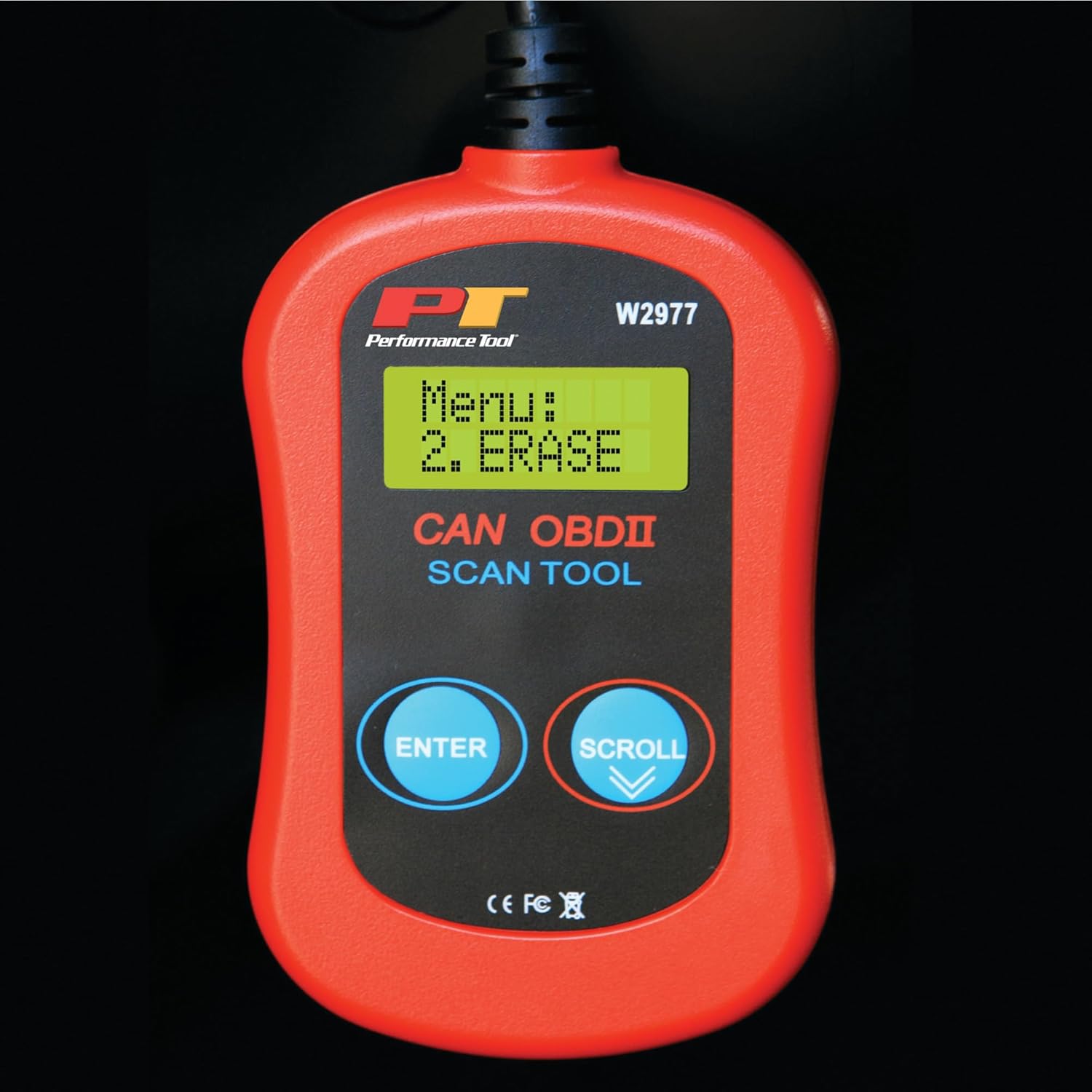
Image: Menu option to erase DTCs.
Cynnal a chadw
To ensure the longevity and proper functioning of your Performance Tool W2977 scanner, follow these maintenance guidelines:
- Glanhau: Sychwch y ddyfais gyda lliain meddal, sych. Peidiwch â defnyddio glanhawyr sgraffiniol na thoddyddion.
- Storio: Storiwch y sganiwr mewn amgylchedd glân, sych i ffwrdd o dymheredd eithafol a golau haul uniongyrchol.
- Gofal Cebl: Avoid kinking or sharply bending the cable. Store it neatly coiled to prevent damage.
Datrys problemau
Materion Cyffredin:
- 'LINK ERROR!' Displayed:
This indicates a communication issue between the scanner and the vehicle. - Ensure the scanner cable is securely connected to the OBD-II port.
- Verify the vehicle's ignition is in the 'ON' position or the engine is running.
- Check if your vehicle is compatible with OBD-II (most vehicles 1996 and newer).
- Try connecting the scanner to a different compatible vehicle to rule out a scanner issue.
- Nid yw'r sganiwr yn troi ymlaen:
- The scanner draws power from the vehicle's OBD-II port. Ensure the connection is secure.
- Check the vehicle's fuse for the OBD-II port (often labeled 'CIGAR' or 'AUX POWER').
- No Codes Found, But Check Engine Light is On:
- Some intermittent issues may not store a permanent code immediately. Drive the vehicle for a short period and re-scan.
- Ensure the vehicle's ignition is on or engine is running during the scan.

Image: Display indicating a communication error.
Manylebau Technegol
| Manyleb | Manylyn |
|---|---|
| Brand | Offeryn Perfformiad |
| Model | W2977 |
| Pwysau Eitem | 5.6 owns |
| Dimensiynau Cynnyrch | 1.75 x 6.09 x 9.5 modfedd |
| Math Ffit Modurol | Universal Fit (1996 and later OBD-II compliant vehicles) |
| UPC | 039564106811 |
| Gwneuthurwr | Offeryn Perfformiad |
Gwarant a Chefnogaeth
The Performance Tool W2977 CAN OBD II Scanner Tool comes with a 1-year limited warranty. For detailed warranty information and terms, please refer to the official documentation.
For further assistance, troubleshooting, or to access the complete user manual, please refer to the official PDF document:
Lawrlwythwch y Llawlyfr Defnyddiwr (PDF)
Gallwch hefyd ymweld â'r Performance Tool Store on Amazon am ragor o wybodaeth am gynhyrchion ac adnoddau cymorth.
Ask a question about this manual
Ask about setup, troubleshooting, compatibility, parts, safety, or missing instructions. Manuals+ will review the question and use this page’s manual context to help answer it.