
Rhagymadrodd
Thank you for choosing the Tascam TH-200X Studio Headphones. These closed-back headphones are designed for accurate audio monitoring, mixing, and general music listening. They feature a lightweight, durable construction with comfortable padding for extended use. This manual provides essential information for the proper setup, operation, maintenance, and troubleshooting of your TH-200X headphones.
Beth Sydd yn y Bocs
Gwiriwch fod yr holl eitemau canlynol wedi'u cynnwys yn eich pecyn:
- Tascam TH-200X Studio Headphones
- Attached Audio Cable (3.5mm jack)
- 6.35mm (1/4-inch) Screw-on Adapter
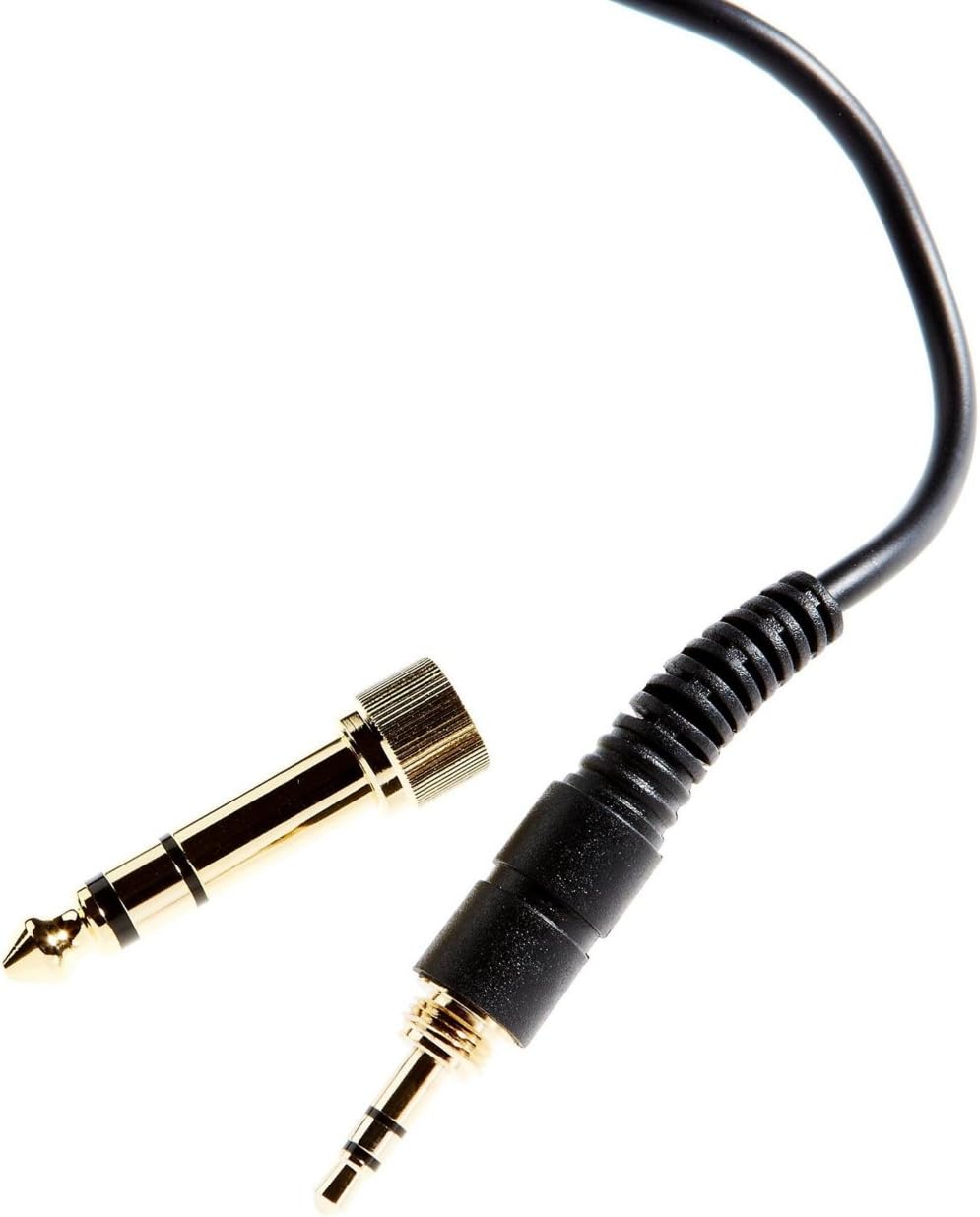
Image: The included 3.5mm audio jack and the detachable 6.35mm (1/4-inch) screw-on adapter for wider compatibility with audio equipment.
Cyfarwyddiadau Gosod
- Dadbacio: Tynnwch y clustffonau a'r holl ategolion o'r pecynnu yn ofalus.
- Cysylltu â Ffynhonnell Sain:
- For devices with a 3.5mm headphone jack (e.g., smartphones, laptops), simply plug the attached 3.5mm cable directly into the audio output.
- For devices with a 6.35mm (1/4-inch) headphone jack (e.g., audio interfaces, mixing consoles, amplifiers), screw the provided 6.35mm adapter onto the 3.5mm jack before plugging it into the audio output. Ensure the adapter is securely fastened.
- Addasu Ffit:
- Place the headphones over your ears, ensuring the earcups fully enclose your ears for optimal sound isolation and comfort.
- Adjust the headband by sliding the earcups up or down along the stainless steel frame until a comfortable and secure fit is achieved. The 'L' and 'R' indicators on the inside of the headband denote the left and right earcups, respectively.

Delwedd: Ochr view of the Tascam TH-200X headphones, highlighting the branding and the 'L' indicator for the left earcup.
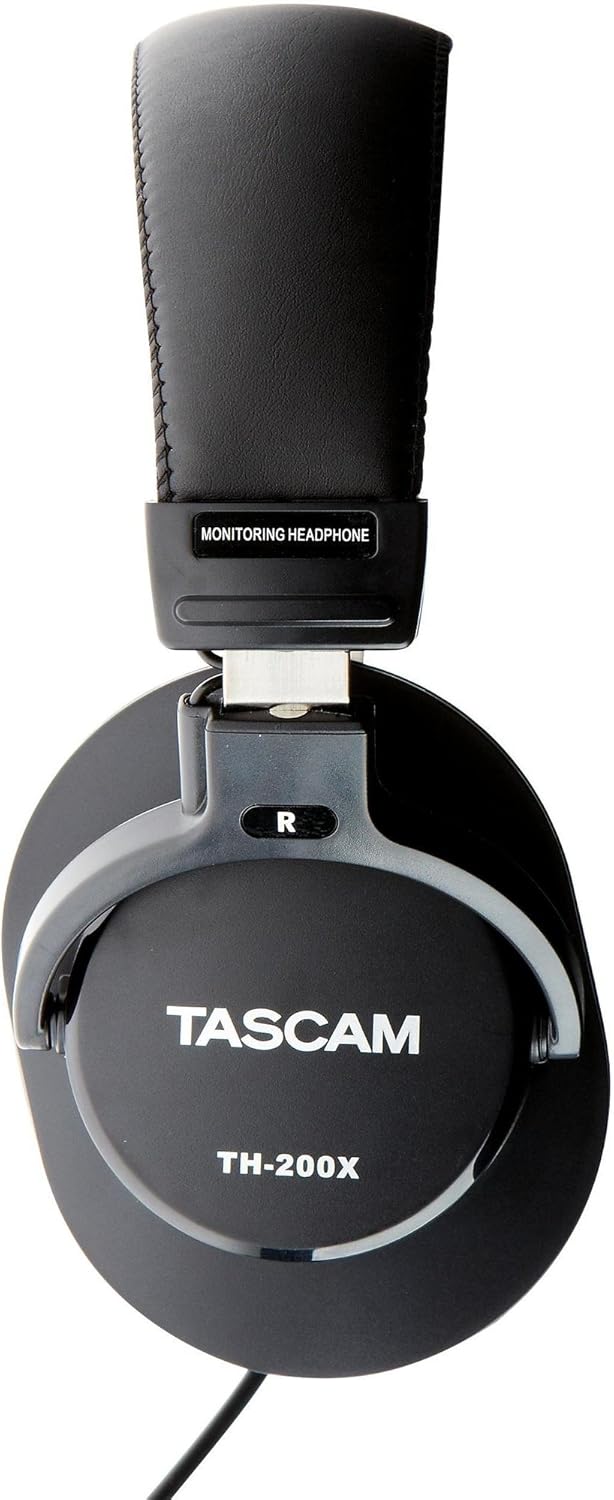
Delwedd: Ochr view of the Tascam TH-200X headphones, highlighting the branding and the 'R' indicator for the right earcup.
Cyfarwyddiadau Gweithredu
- Rheoli cyfaint: Adjust the volume directly from your connected audio source (e.g., computer, audio interface, smartphone). The TH-200X headphones do not feature inline volume controls.
- Gwrando'n Ddiogel: To prevent hearing damage, avoid listening at high volumes for extended periods. Start with a low volume and gradually increase it to a comfortable level.
- Defnydd Arfaethedig: These headphones are optimized for studio monitoring and mixing, providing a neutral sound reproduction. They are also suitable for general music listening.
Cynnal a chadw
- Glanhau:
- Sychwch y clustffonau a'r band pen gyda lliain meddal, sych.
- Ar gyfer baw ystyfnig, ychydig yn dampgolchwch y lliain gyda dŵr. Osgowch ddefnyddio cemegau llym neu lanhawyr sgraffiniol.
- Do not immerse the headphones in water or any other liquid.
- Storio:
- Storiwch y clustffonau mewn lle glân, sych i ffwrdd o dymheredd eithafol a golau haul uniongyrchol.
- Osgowch osod gwrthrychau trwm ar y clustffonau.
- Gofal Cebl:
- Avoid sharply bending or twisting the cable.
- Do not pull on the cable to disconnect it from an audio source; always grasp the plug itself.

Delwedd: Ongl view of the Tascam TH-200X headphones, demonstrating the adjustable headband and durable construction.
Datrys problemau
- Dim Sain:
- Ensure the headphone cable is fully plugged into both the headphones and the audio source.
- Check the volume level on your audio source and ensure it is not muted.
- Test the headphones with a different audio source or device to rule out a device-specific issue.
- If using the 6.35mm adapter, ensure it is securely screwed onto the 3.5mm jack.
- Sain ystumiedig:
- Lower the volume on your audio source. Excessive volume can cause distortion.
- Ensure the audio cable connections are secure.
- Test with another audio source to determine if the issue is with the headphones or the source.
- Ffit anghyfforddus:
- Adjust the headband length by sliding the earcups until they sit comfortably over your ears without excessive pressure.
- Ensure the earcups fully cover your ears.
Manylebau Technegol
| Model | TH-200X |
| Brand | Tasgam |
| Lleoliad Clust | Dros Glust |
| Ffactor Ffurf | Dros Glust |
| Rheoli Sŵn | Unigedd Sain |
| Math Gyrrwr Sain | Dynamic Driver (40mm Neodymium Magnet) |
| Amrediad Amrediad | 15Hz–22kHz |
| Technoleg Cysylltedd | Wired |
| Jack clustffon | 3.5 mm Jack, 6.35 mm Jack (with adapter) |
| Deunydd | Dur Di-staen (ffrâm) |
| Pwysau Eitem | 0.41 Cilogram |
| Nodweddion Ychwanegol | Lightweight, Adjustable, Durable, Retractable Cable |

Delwedd: Blaen view of the Tascam TH-200X headphones, showcasing the comfortable padded headband and earcups.
Gwarant a Chefnogaeth
Tascam products are manufactured to high-quality standards. For specific warranty information, please refer to the warranty card included with your product or visit the official Tascam websafle.
For technical support, service, or further inquiries, please visit the official Tascam support page:
Cadwch eich prawf prynu ar gyfer hawliadau gwarant.
Additionally, if purchased through Amazon, a 30-day refund/replacement policy may apply. Please refer to your Amazon purchase details for more information.