
1. Rhagymadrodd
This manual provides detailed instructions for the setup, operation, maintenance, and troubleshooting of your Ducky Shine 3 Mechanical Keyboard. Please read this manual thoroughly before using the product to ensure proper function and longevity.
The Ducky Shine 3 Mechanical Keyboard features Cherry-MX Red switches for a smooth linear feel and Green LED backlighting. It is designed for use with Windows PC systems.
2. Cynnwys Pecyn
- Ducky Shine 3 Mechanical Keyboard
- Cebl USB
- Llawlyfr Defnyddiwr (y ddogfen hon)
3. Gosod
3.1 Cysylltu'r Bysellfwrdd
- Unpack the Ducky Shine 3 Mechanical Keyboard and its accessories from the packaging.
- Dewch o hyd i borthladd USB sydd ar gael ar eich cyfrifiadur Windows.
- Connect the USB cable to the keyboard and then to the USB port on your computer.
- Your operating system should automatically detect and install the necessary drivers. No additional software installation is typically required.
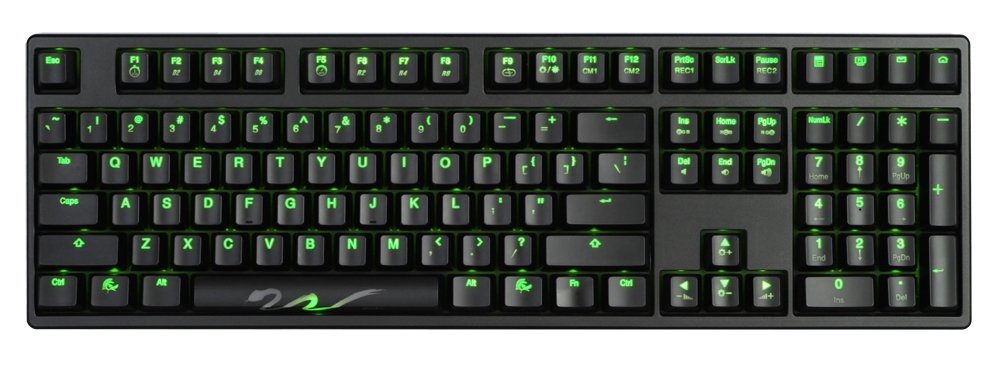
Figure 1: Ducky Shine 3 Mechanical Keyboard. This image shows the full keyboard with its green LED backlighting active, illustrating its layout and design.
4. Gweithredu'r Bysellfwrdd
4.1 Ymarferoldeb Sylfaenol
The Ducky Shine 3 functions as a standard 108-key mechanical keyboard. All keys perform their labeled functions upon connection.
4.2 LED Backlighting Modes
The keyboard features 7 distinct LED backlighting modes. These modes can be cycled through and adjusted using specific key combinations. Refer to the keycap legends for specific function keys related to LED control.
- Beicio Modd: Typically activated by pressing Fn + F10 (or similar function key indicated on the keyboard).
- Addasiad Disgleirdeb: Defnydd Fn + F11 (lleihad) a Fn + F12 (increase) to adjust LED brightness.
- Addasu: Some modes allow for individual key lighting customization. Consult the keyboard's specific keycap legends for advanced programming instructions.
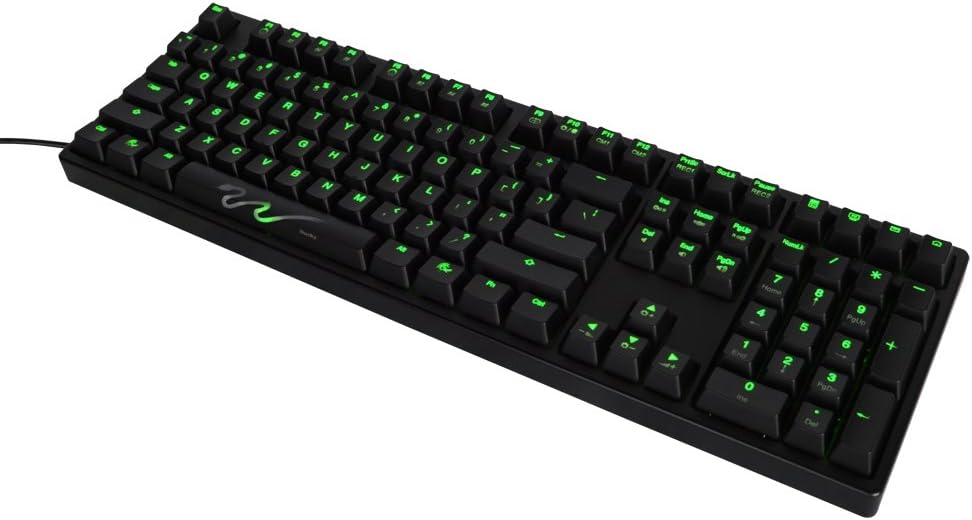
Ffigur 2: Agos view of the Ducky Shine 3 keyboard. This image highlights the individual keycaps and the green LED illumination, demonstrating the clarity of the legends.
5. cynnal
5.1 Glanhau'r Bysellfwrdd
- Datgysylltwch y bysellfwrdd o'ch cyfrifiadur cyn glanhau.
- Defnyddiwch frethyn meddal, di-lint ychydig dampwedi'i olchi â dŵr neu doddiant glanhau ysgafn i sychu'r capiau bysellau a'r siasi.
- Osgowch chwistrellu hylifau'n uniongyrchol ar y bysellfwrdd.
- Ar gyfer llwch a malurion rhwng allweddi, defnyddiwch aer cywasgedig.
5.2 Storio
Storiwch y bysellfwrdd mewn lle oer, sych i ffwrdd o olau haul uniongyrchol a thymheredd eithafol pan nad yw'n cael ei ddefnyddio am gyfnodau hir.
6. Datrys Problemau
| Problem | Achos Posibl | Ateb |
|---|---|---|
| Bysellfwrdd ddim yn ymateb | Cysylltiad USB llac, porthladd USB diffygiol, problem gyrrwr. |
|
| LEDs ddim yn goleuo | LED brightness set to minimum, LED mode off. |
|
| Rhai allweddi sydd ddim yn gweithio | Debris under keycap, faulty switch. |
|
7. manylebau
- Enw'r Model: Shine 3
- Rhif Model: DK9008S3-RUSALAAG1
- Math o switsh: Cherry-MX Red Mechanical Switches
- Lliw LED: Gwyrdd
- Cynllun: Full size 108-key
- Cysylltedd: USB
- Dyfeisiau Cydnaws: Windows PC
- Adeiladu: Dual layer PCB
- Pwysau: Tua 3 pwys (1.36 kg)
8. Gwarant a Chefnogaeth
Ducky products are manufactured to high quality standards. For warranty information and technical support, please refer to the official Ducky websafle neu cysylltwch â'ch manwerthwr lleol.
For further assistance, visit the official Ducky websafle: www.duckychannel.com.tw


