
Sylfaen W06
Baseus Encok True Wireless Earbuds W06 User Manual
Model: W06 | Brand: Baseus
Rhagymadrodd
Thank you for choosing the Baseus Encok True Wireless Earbuds W06. This manual provides detailed instructions on how to set up, operate, and maintain your earbuds to ensure optimal performance and longevity. Please read this manual thoroughly before using the product.
Cynnwys Pecyn
Gwiriwch gynnwys y pecyn wrth ddadbocsio. Os oes unrhyw eitemau ar goll neu wedi'u difrodi, cysylltwch â'ch manwerthwr.
- Baseus Encok True Wireless Earbuds (L/R)
- Achos Codi Tâl
- Cebl Codi Tâl USB-C
- Clustffonau Silicon (amrywiol feintiau)
- Llawlyfr Defnyddiwr
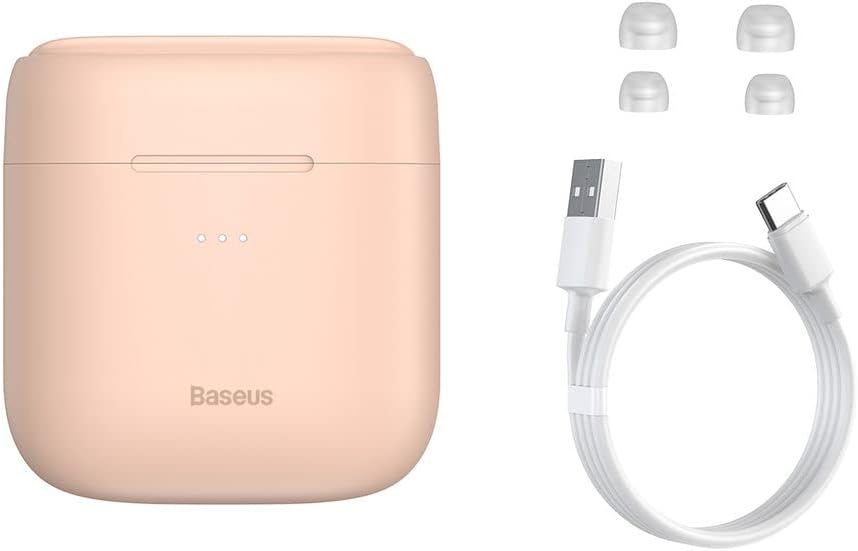
Image: The package contents, showing the charging case, two earbuds, a USB-C charging cable, and several pairs of silicone eartips.
Gosod
1. Gwefru'r Clustffonau a'r Cas
Before first use, fully charge the earbuds and the charging case. Place the earbuds into the charging case. Connect the USB-C cable to the charging case and a power source, or place the charging case on a compatible wireless charging pad.
- Bydd y goleuadau dangosydd ar y cas yn dangos y statws gwefru.
- Mae gwefr lawn fel arfer yn cymryd tua 1.5 awr.
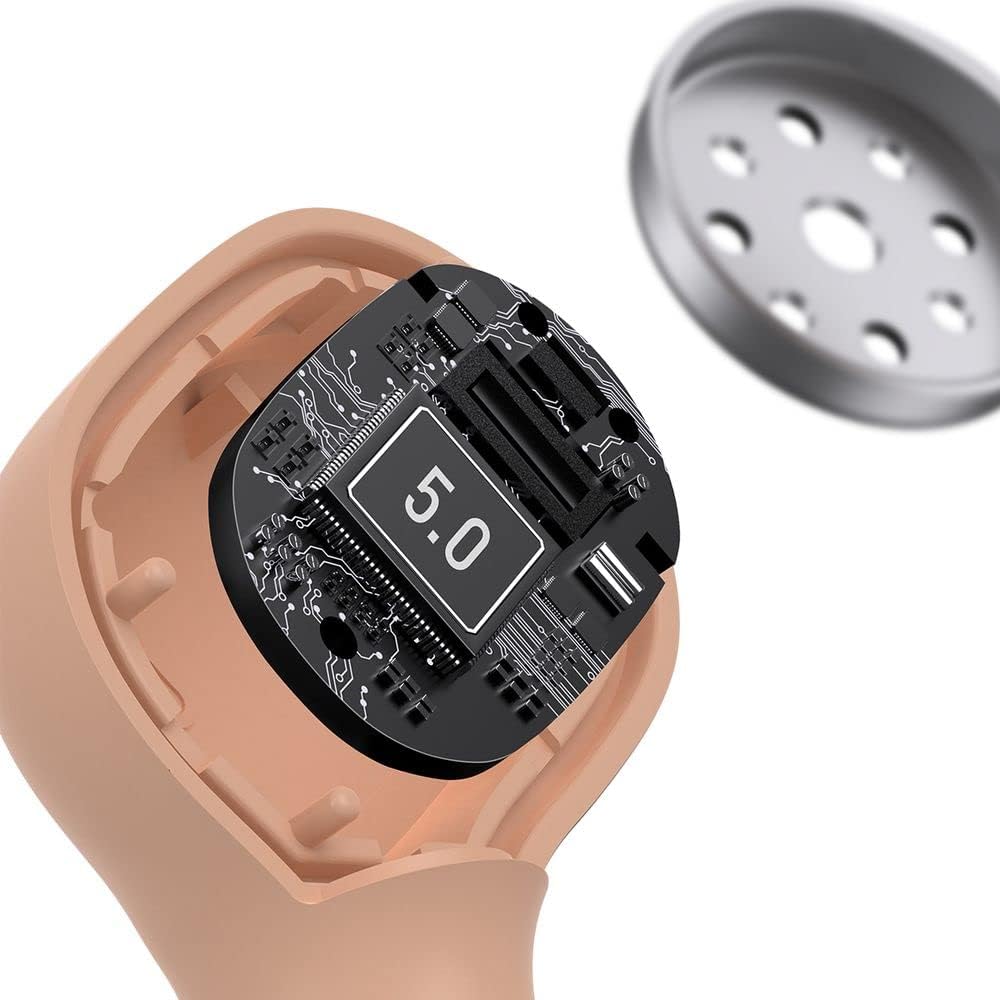
Image: The Baseus Encok W06 earbuds resting inside their open charging case, indicating they are ready for charging or use.

Image: Two Baseus Encok W06 charging cases, one connected via a USB-C cable and another placed on a wireless charging pad, demonstrating charging methods.
2. Pâr Bluetooth
- Sicrhewch fod y clustffonau wedi'u gwefru.
- Agorwch y cas gwefru. Bydd y clustffonau'n mynd i mewn i'r modd paru'n awtomatig, a nodir gan olau'n fflachio ar y clustffonau.
- Ar eich dyfais (ffôn clyfar, tabled, ac ati), galluogwch Bluetooth.
- Chwiliwch am "Baseus Encok W06" in the list of available Bluetooth devices.
- Select it to connect. Once connected, the indicator light on the earbuds will stop flashing.
Bydd y clustffonau'n ailgysylltu'n awtomatig â'r ddyfais a barwyd ddiwethaf pan gânt eu tynnu allan o'r cas, os yw Bluetooth wedi'i alluogi ar y ddyfais.
3. Gwisgo'r Clustffonau
Choose the silicone eartips that provide the best fit and seal for your ears. Insert the earbuds gently into your ear canal and rotate them slightly until they feel secure and comfortable.

Image: A person wearing a Baseus Encok W06 earbud, illustrating how the earbud sits comfortably and securely in the ear.
Cyfarwyddiadau Gweithredu
The Baseus Encok W06 earbuds feature touch controls for various functions.
- Pŵer Ymlaen: Open the charging case, or press and hold the touch panel for 3 seconds if earbuds are out of case.
- Pwer i ffwrdd: Place earbuds back into the charging case and close the lid, or press and hold the touch panel for 5 seconds.
- Chwarae/Seibiant: Double-tap the touch panel on either earbud.
- Trac Nesaf: Tapiwch driphlyg y glustffon dde.
- Trac Blaenorol: Tapiwch driphlyg y earbud chwith.
- Ateb / Diwedd Galwad: Double-tap the touch panel on either earbud during an incoming call.
- Gwrthod Galwad: Press and hold the touch panel on either earbud for 2 seconds during an incoming call.
- Ysgogi Cynorthwyydd Llais: Press and hold the touch panel on either earbud for 3 seconds.
Nodweddion Allweddol
- Double-sided Wireless Charging: The charging case supports wireless charging from both sides, allowing flexible placement on a wireless charging pad.
- APT-X Audio Decoding: Provides high-quality audio transmission for a superior listening experience.
- CVC Noise Canceling: Clear Voice Capture technology reduces background noise during calls for clearer communication.
- Oes batri estynedig: Offers up to 300 hours of standby time.
- Bluetooth 5.0: Yn sicrhau cysylltedd diwifr sefydlog ac effeithlon.

Image: A visual representation of the Baseus Encok W06 earbuds and charging case, accompanied by text detailing key features such as two-sided wireless charging, APT-X audio decoding, CVC noise canceling, and 300 hours of battery life.

Delwedd: Manwl view of the internal circuitry of a Baseus Encok W06 earbud, prominently displaying '5.0', signifying its Bluetooth 5.0 connectivity.
Cynnal a chadw
Glanhau
- Glanhewch y clustffonau a'r cas gwefru yn rheolaidd gyda lliain meddal, sych, heb lint.
- Tynnwch flaenau’r clustffonau a’u glanhau gyda sebon ysgafn a dŵr, yna sychwch yn drylwyr cyn eu hailgysylltu.
- Peidiwch â defnyddio glanhawyr sgraffiniol, alcohol na thoddyddion cemegol.
- Gwnewch yn siŵr bod y cysylltiadau gwefru ar y ddau glustffon a'r cas yn lân ac yn rhydd o falurion.
Storio
- Storiwch y clustffonau yn eu cas gwefru pan nad ydynt yn cael eu defnyddio i'w hamddiffyn a chadwch wefr arnynt.
- Avoid storing in extreme temperatures (hot or cold) or high humidity.
Gofal Batri
- To preserve battery life, charge the earbuds and case regularly, even if not used frequently.
- Osgowch ddraenio'r batri'n llwyr am gyfnodau hir.
Datrys problemau
| Problem | Ateb |
|---|---|
| Nid yw'r clustffonau'n paru â'r ddyfais. |
|
| Dim sain o un neu'r ddau glustffon. |
|
| Nid yw'r cas gwefru yn gwefru. |
|
Manylebau
| Nodwedd | Manylyn |
|---|---|
| Brand | Baseus |
| Enw Model | NGJW06-04 (W06) |
| Rhif Model yr Eitem | B00F2ZIDTS |
| Technoleg Cysylltedd | Di-wifr (Bluetooth 5.0) |
| Ffactor Ffurflen Clustffon | Yn-Glust |
| Nodwedd cebl | Di-wifr |
| Pwysau Eitem | 50 gram |
| Dimensiynau Cynnyrch | 10 x 3 x 2 cm |
| Gwneuthurwr | Baseus |
| Codi Tâl Di-wifr | Supported (Double-sided) |
| Datgodio Sain | APT-X |
| Canslo Swn | CVC (for calls) |
| Bywyd batri (wrth gefn) | Hyd at 300 awr |
Gwybodaeth Diogelwch
- Peidiwch â dadosod, atgyweirio nac addasu'r cynnyrch.
- Cadwch y cynnyrch i ffwrdd o ddŵr, lleithder, a thymheredd eithafol.
- Osgoi amlygiad hirfaith i lefelau cyfaint uchel i atal niwed i'r clyw.
- Gwaredu'r cynnyrch a'i fatri yn gyfrifol yn unol â rheoliadau lleol.
- Cadwch allan o gyrraedd plant ac anifeiliaid anwes.
Gwarant a Chefnogaeth
Baseus products typically come with a limited warranty. For specific warranty terms and conditions, please refer to the warranty card included in your package or visit the official Baseus website. For technical support, product inquiries, or warranty claims, please contact Baseus customer service or your local retailer.
You can visit the official Baseus store for more information: Baseus Store