
Rhagymadrodd
Diolch am brynuasing the Orion 24" SLED2468W LED LCD HDTV. This manual provides essential information for the safe and efficient operation of your television. Please read it thoroughly before using the product and retain it for future reference.
Gwybodaeth Diogelwch
Er mwyn sicrhau gweithrediad diogel ac atal difrod, dilynwch y rhagofalon canlynol:
- Peidiwch â gwneud y teledu yn agored i law neu leithder.
- Peidiwch â rhwystro agoriadau awyru.
- Rhowch y teledu ar arwyneb sefydlog, gwastad.
- Defnyddiwch y llinyn pŵer a gyflenwir gyda'r uned yn unig.
- Datgysylltwch y teledu yn ystod stormydd mellt a phan na chaiff ei ddefnyddio am gyfnodau hir.
- Cyfeirio pob gwasanaeth i bersonél gwasanaeth cymwys.
Beth Sydd yn y Bocs
Dadbacio'r blwch yn ofalus a sicrhau bod yr holl eitemau yn bresennol:
- Orion 24" SLED2468W LED LCD HDTV
- Stondin Deledu
- Remote Control (batteries not included, requires 2 AAA batteries)
- Cord Pŵer
- Llawlyfr Defnyddiwr (y ddogfen hon)
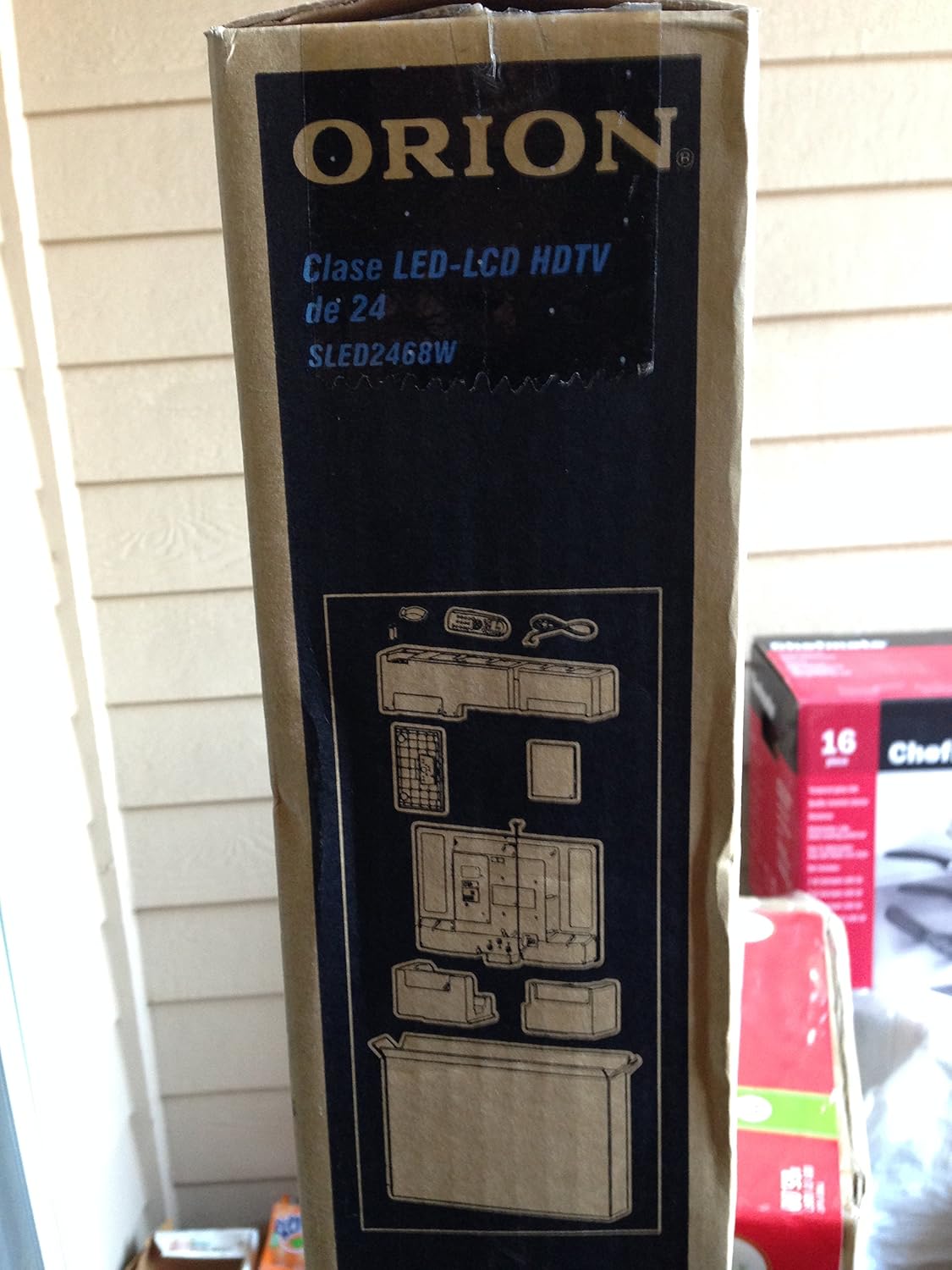
Image: The side of the Orion TV box illustrating the TV and stand components packed inside.
Gosod
1. dadbacio
Remove the TV and all accessories from the packaging. Retain the packaging for future transport or storage.

Image: The front of the Orion 24" LED-LCD HDTV box, displaying the model number SLED2468W and key features such as Integrated Digital Tuner, USB Time Shift, HDMI, and Headphone/Digital Audio Output.
2. Cysylltu'r Stand
Place the TV screen-down on a soft, clean surface. Align the TV stand with the mounting holes on the bottom of the TV. Secure the stand using the provided screws.
3. Pŵer Cysylltu
Connect the power cord to the TV's power input and then to a standard 110 VAC, 60 Hz electrical outlet.
4. Cysylltu Dyfeisiau Allanol
Mae eich teledu yn cefnogi amryw o gysylltiadau ar gyfer dyfeisiau allanol:
- HDMI: For high-definition audio and video from devices like Blu-ray players, game consoles, or cable/satellite boxes.
- USB: For media playback or USB Time Shift functionality.
- Antena/Cable: For receiving broadcast television signals via the integrated ATSC tuner.
- Mewnbwn PC: For connecting a computer monitor.
- Headphone/Digital Audio Output (Coaxial): Ar gyfer cysylltu systemau sain allanol.

Image: A diagram illustrating various connection ports on the TV, including headphone, audio, PC monitor, and coaxial outputs. Also shown are the unit dimensions and weight.
5. Dewin Setup Cychwynnol
Upon first power-on, the TV will guide you through an initial setup process, including language selection, channel scanning, and time zone settings.
Gweithredu
Basic Remote Control Functions
The remote control allows you to access all TV functions. Ensure batteries are correctly inserted.
- Pwer: Yn troi'r teledu ymlaen neu i ffwrdd.
- Sianel i fyny/i lawr: Yn newid sianeli teledu.
- Cyfrol i fyny/i lawr: Yn addasu'r lefel sain.
- Mewnbwn/Ffynhonnell: Selects the input source (HDMI, TV, USB, etc.).
- Dewislen: Accesses the main menu for settings adjustments.
- Botymau Llywio (I Fyny/I Lawr/Chwith/Dde/Iawn): Fe'i defnyddir i lywio bwydlenni a chadarnhau dewisiadau.
USB Time Shift
The TV features a USB Time Shift function. Connect a USB storage device to pause, rewind, or fast-forward live TV broadcasts. Refer to the on-screen menu for detailed instructions on activating and using this feature.
Porwr Rhyngrwyd
This TV includes a basic internet browser. Connect the TV to your network (if applicable) to access web content. Performance may vary depending on network speed and website complexity.
Cynnal a chadw
Glanhau'r Sgrin
Sychwch y sgrin yn ysgafn gyda lliain meddal, di-flwff. Ar gyfer marciau ystyfnig, sychwch yn ysgafnampgolchwch y lliain gyda dŵr neu lanhawr sgrin arbenigol. Peidiwch byth â chwistrellu hylif yn uniongyrchol ar y sgrin.
Gofal Cyffredinol
Keep the TV free from dust by regularly wiping the cabinet with a dry, soft cloth. Ensure adequate ventilation around the TV to prevent overheating.
Datrys problemau
If you encounter issues with your TV, consult the following table before contacting support:
| Problem | Ateb Posibl |
|---|---|
| Dim pŵer | Check if the power cord is securely connected to both the TV and the outlet. Ensure the outlet is functional. |
| Dim llun, ond mae sain yn bresennol | Gwiriwch fod y ffynhonnell fewnbwn gywir wedi'i dewis. Gwiriwch gysylltiadau dyfeisiau allanol. |
| Dim sain, ond mae llun yn bresennol | Check volume level and mute settings. Ensure external audio connections are secure. |
| Rheolaeth bell ddim yn gweithio | Amnewidiwch y batris. Gwnewch yn siŵr nad oes unrhyw rwystrau rhwng y teclyn rheoli o bell a synhwyrydd IR y teledu. |
| Ansawdd llun gwael | Check antenna connection. Adjust picture settings in the TV menu. |
Manylebau
Technical specifications for the Orion 24" SLED2468W LED LCD HDTV:
| Nodwedd | Manyleb |
|---|---|
| Rhif Model | SLED2468W |
| Maint Sgrin | 24 modfedd |
| Technoleg Arddangos | LED-LCD |
| Datrysiad | 720p |
| Cyfradd Adnewyddu | 60 Hz |
| Cymhareb Agwedd | 16:9 |
| Technoleg Cysylltedd | HDMI, USB |
| Math Tiwniwr | ATSC |
| Gwasanaethau Rhyngrwyd â Chymorth | Porwr |
| Llinell Voltage | 110 VAC 60 Hz |
| On Mode Power Consumption | 37W (as per box image) |
| Dimensiynau Uned (WxDxH) | 21.65" x 5.39" x 14.21" (550 x 136.9 x 361 mm) (as per box image) |
| Pwysau Uned | 3.6 kg (8.0 lbs) (as per box image) |
| Gwneuthurwr | Sansui |
| UPC | 755805020776 |
Gwarant a Chefnogaeth
For warranty information and technical support, please refer to the documentation included with your purchase or visit the official Orion product support websafle. Cadwch eich prawf prynu ar gyfer hawliadau gwarant.