
1. Rhagymadrodd
Diolch am brynuasing the Sharp XL-HF201P Micro Hi-Fi System. This system is designed to provide high-quality audio playback from various sources, including CDs, USB devices, and iPods. This manual provides essential information for the safe and efficient operation of your new audio system. Please read it thoroughly before use and retain it for future reference.
2. Gwybodaeth Bwysig am Ddiogelwch
- Ffynhonnell Pwer: Cysylltwch yr uned ag allfa AC y gyfrol yn unig.tage specified on the unit's rear panel.
- Awyru: Ensure adequate ventilation. Do not block ventilation openings. Avoid placing the unit on soft surfaces that may block vents.
- Dŵr a lleithder: Do not expose the unit to rain, moisture, or dripping/splashing liquids. Do not place objects filled with liquids, such as vases, on the unit.
- Gwres: Cadwch yr uned i ffwrdd o ffynonellau gwres fel rheiddiaduron, cofrestri gwres, stofiau, neu offer arall (gan gynnwys amplifyddion) sy'n cynhyrchu gwres.
- Glanhau: Datgysylltwch yr uned o'r soced wal cyn glanhau. Defnyddiwch frethyn sych yn unig.
- Gwasanaethu: Peidiwch â cheisio gwasanaethu'r cynnyrch hwn eich hun. Cyfeiriwch yr holl wasanaethu at bersonél gwasanaeth cymwys.
3. Cynnwys Pecyn
Gwiriwch fod yr holl eitemau a restrir isod wedi'u cynnwys yn eich pecyn:
- Main Unit (CD Player/Receiver)
- Left Speaker (x1)
- Right Speaker (x1)
- Remote Control (with 2 AA batteries)
- Antena FM
- Antena Dolen AM
- Cord Pŵer
- Llawlyfr Cyfarwyddiadau (y ddogfen hon)
4. Gosod
4.1 Dadbacio a Lleoli
Carefully remove all components from the packaging. Place the main unit and speakers on a stable, flat surface. Ensure there is sufficient space around the unit for proper ventilation.
4.2 Cysylltu'r Siaradwyr
Connect the speaker wires to the corresponding terminals on the main unit and speakers. Match the positive (+) and negative (-) terminals. For optimal sound, ensure the wires are securely connected. If the speaker wires do not insert directly into the screw-knobs, wrap the bare wire ends around the terminal posts and then tighten the screw-knobs to secure them.
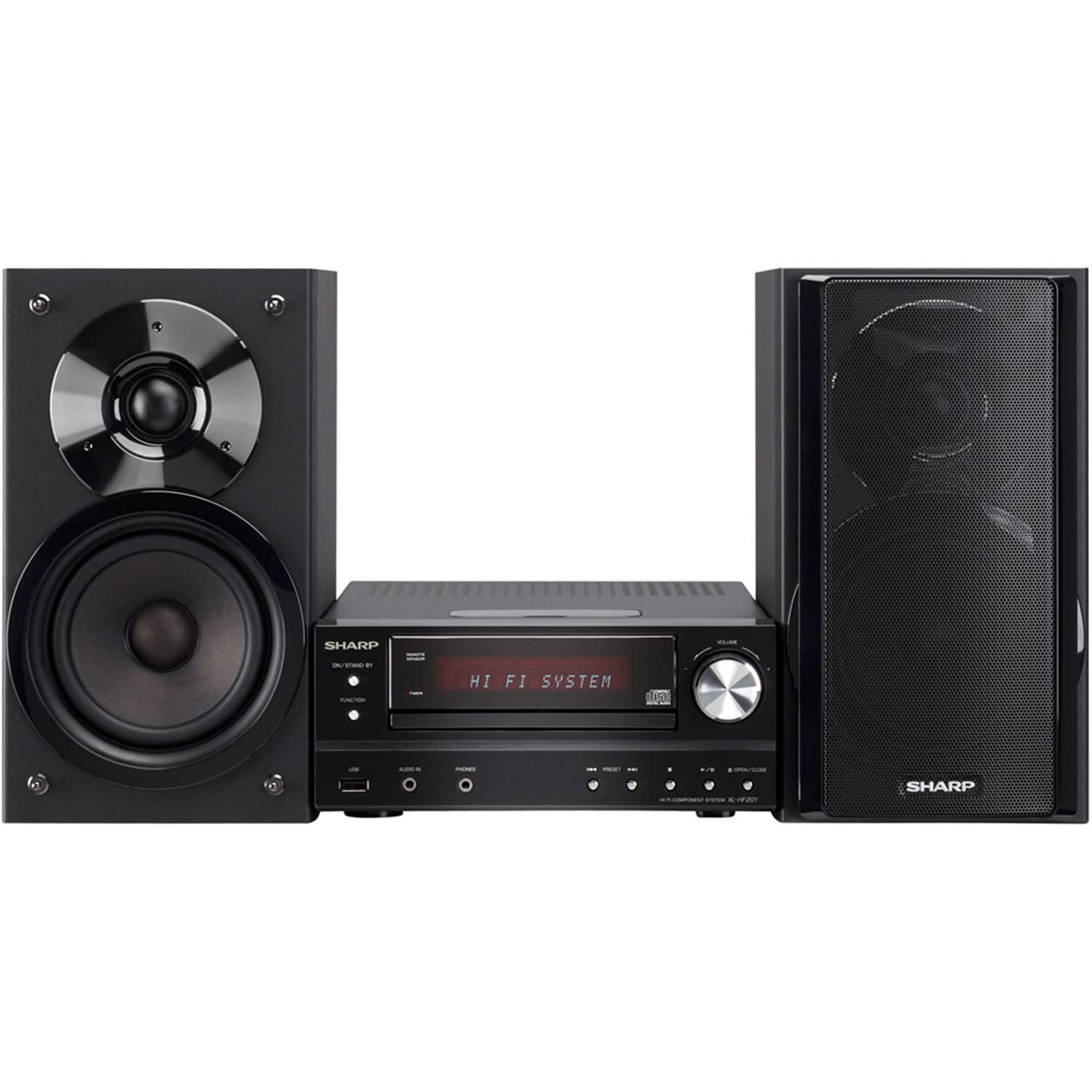
Image 4.2.1: The Sharp XL-HF201P Micro Hi-Fi System, showing the main unit and two speakers. This image illustrates the overall appearance of the system, which includes a central receiver with a CD tray and an iPod dock on top, flanked by two dark-colored speakers.
4.3 Connecting the Antennas
- Antena FM: Connect the supplied FM wire antenna to the FM antenna terminal on the rear of the main unit. Extend the wire for better reception.
- Antena AM: Assemble the AM loop antenna and connect it to the AM antenna terminals. Position the antenna for optimal AM reception.
4.4 Cysylltiad Pwer
After all other connections are made, plug the power cord into the AC inlet on the rear of the main unit, then plug the other end into a wall outlet.
5. Cyfarwyddiadau Gweithredu
5.1 Pŵer Ymlaen/Diffodd
Gwasgwch y GRYM button on the front panel or the remote control to turn the unit on or off (standby mode).
5.2 Dethol Ffynonellau
Gwasgwch y SWYDDOGAETH button on the front panel or the remote control repeatedly to cycle through available sources: CD, USB, iPod, FM, AM, AUX.
5.3 Chwarae CD
- Dewiswch y CD swyddogaeth.
- Gwasgwch y AGOR/CAU botwm i agor yr hambwrdd CD.
- Place a CD (CD-DA, MP3, WMA) with the label side up on the tray.
- Gwasgwch AGOR/CAU again to close the tray. Playback will start automatically.
- Defnydd CHWARAE/SEIBIANT, AROS, SGIP (forward/backward) buttons for control.
Chwarae USB 5.4
- Insert a USB device (containing MP3 or WMA files) into the USB port on the front panel.
- Dewiswch y USB swyddogaeth.
- Playback will begin automatically or you may need to select a track.
- Defnydd CHWARAE/SEIBIANT, AROS, SGIP botymau ar gyfer rheoli.
5.5 Doc iPod/iPhone
- Carefully place your compatible iPod or iPhone onto the dock connector on top of the main unit.
- Dewiswch y iPod swyddogaeth.
- Your device will begin charging and you can control playback using the system's remote or your device's controls.
5.6 Tiwnio Radio
- Dewiswch y FM or AM swyddogaeth.
- Defnyddiwch y DYNIO buttons (or knob on the unit) to manually tune to a station.
- Pwyswch a dal y DYNIO buttons for automatic station scanning.
- I ragosod gorsafoedd, tiwniwch i'r orsaf a ddymunir, yna pwyswch COF ac yna botwm rhif rhagosodedig.
5.7 Rheoli Cyfaint
Addaswch y gyfrol gan ddefnyddio'r CYFROL +/- buttons on the remote control or the volume knob on the main unit.
6. cynnal
6.1 Glanhau'r Uned
Wipe the exterior of the unit with a soft, dry cloth. Do not use abrasive cleaners, waxes, or solvents as they may damage the finish. For stubborn stains, lightly dampen the cloth with water and mild detergent, then wipe dry.
6.2 CD Lens Care
Avoid touching the CD lens. If the lens becomes dirty, use a commercially available CD lens cleaner. Do not use compressed air or liquid cleaners directly on the lens.
7. Datrys Problemau
| Problem | Achos Posibl | Ateb |
|---|---|---|
| Dim pŵer | Cebl pŵer heb ei gysylltu'n ddiogel. | Gwiriwch gysylltiad y llinyn pŵer â'r uned a'r soced wal. |
| Dim sain | Mae'r sain yn rhy isel neu wedi'i mudo. Nid yw gwifrau'r siaradwr wedi'u cysylltu'n gywir. | Increase volume. Check speaker wire connections, ensuring correct polarity (+/-). |
| CD ddim yn chwarae | CD is dirty, scratched, or inserted incorrectly. Incorrect function selected. | Clean or replace CD. Insert CD with label side up. Select CD function. |
| Dyfais USB heb ei hadnabod | USB device is not formatted correctly or contains unsupported files. | Ensure USB device is FAT16/FAT32 formatted and contains MP3/WMA files. Try another USB device. |
| Derbyniad radio gwael | Antenna not properly positioned or connected. Interference. | Addaswch safle'r antena. Symudwch yr uned i ffwrdd o ddyfeisiau electronig eraill. |
| Rheolaeth bell ddim yn gweithio | Batteries are depleted or inserted incorrectly. Obstruction between remote and unit. | Replace batteries (2 AA). Ensure clear line of sight to the unit's remote sensor. |
8. manylebau
- Brand: miniog
- Model: XL-HF201P
- Pŵer Allbwn: RMS 100 Watts
- Cyfryngau â Chymorth: CD-DA, MP3, WMA (CD, USB)
- Cysylltedd: USB, iPod Dock, AUX Input, FM/AM Tuner
- Math o Siaradwr: Subwoofers (integrated into speaker design)
- Ffynhonnell Pwer: Trydan Corded
- Dimensiynau Cynnyrch (Prif Uned): Tua 13 x 15.09 x 20.15 modfedd
- Pwysau Eitem: Tua 20.3 pwys
- Batris (Rheolydd o Bell): 2 batris AA (wedi'u cynnwys)
9. Gwarant a Chefnogaeth
Am wybodaeth am warant a chymorth i gwsmeriaid, cyfeiriwch at y cerdyn gwarant sydd wedi'i gynnwys gyda'ch cynnyrch neu ewch i wefan swyddogol Sharp website. You may also contact Sharp customer service directly for assistance with product registration, technical support, or service inquiries.
Cymorth Ar-lein: www.sharpusa.com