
RRMCGA miniog535WJSA
Sharp Aquos LCD TV Remote Control Instruction Manual
Model: RRMCGA535WJSA
Brand: Sharp
Rhagymadrodd
This manual provides comprehensive instructions for the operation and maintenance of your new Sharp Aquos LCD TV Remote Control, model RRMCGA535WJSA. This genuine Sharp remote transmitter is designed to provide seamless control over your compatible Sharp Aquos LCD TV models. Please read this manual thoroughly before use to ensure proper functionality and to maximize your viewing profiad.
Gwybodaeth Diogelwch
Cofiwch gadw at y rhagofalon diogelwch canlynol:
- Do not expose the remote control to direct sunlight, high humidity, or extreme temperatures.
- Osgowch ollwng y teclyn rheoli o bell neu ei roi mewn sefyllfa lle mae effeithiau cryf.
- Do not attempt to disassemble or modify the remote control. This may void the warranty and cause damage.
- Cadwch fatris allan o gyrraedd plant. Os caiff ei lyncu, ceisiwch sylw meddygol ar unwaith.
- Dispose of used batteries according to local regulations. Do not incinerate.
Cynnwys Pecyn
Gwiriwch fod yr holl eitemau yn bresennol yn y pecyn:
- Sharp Aquos LCD TV Remote Control (Model: RRMCGA535WJSA)
- Llawlyfr Cyfarwyddiadau (y ddogfen hon)
Nodyn: Nid yw batris fel arfer wedi'u cynnwys a rhaid eu prynu ar wahân.
Cynnyrch Drosview
Familiarize yourself with the buttons and features of your remote control.

Ffigur 1: Blaen View Rheoli o Bell
This image displays the front of the Sharp Aquos remote control, showing all primary buttons including power, input selection, channel, volume, numeric keypad, and navigation controls. The Sharp and Aquos logos are visible at the bottom.
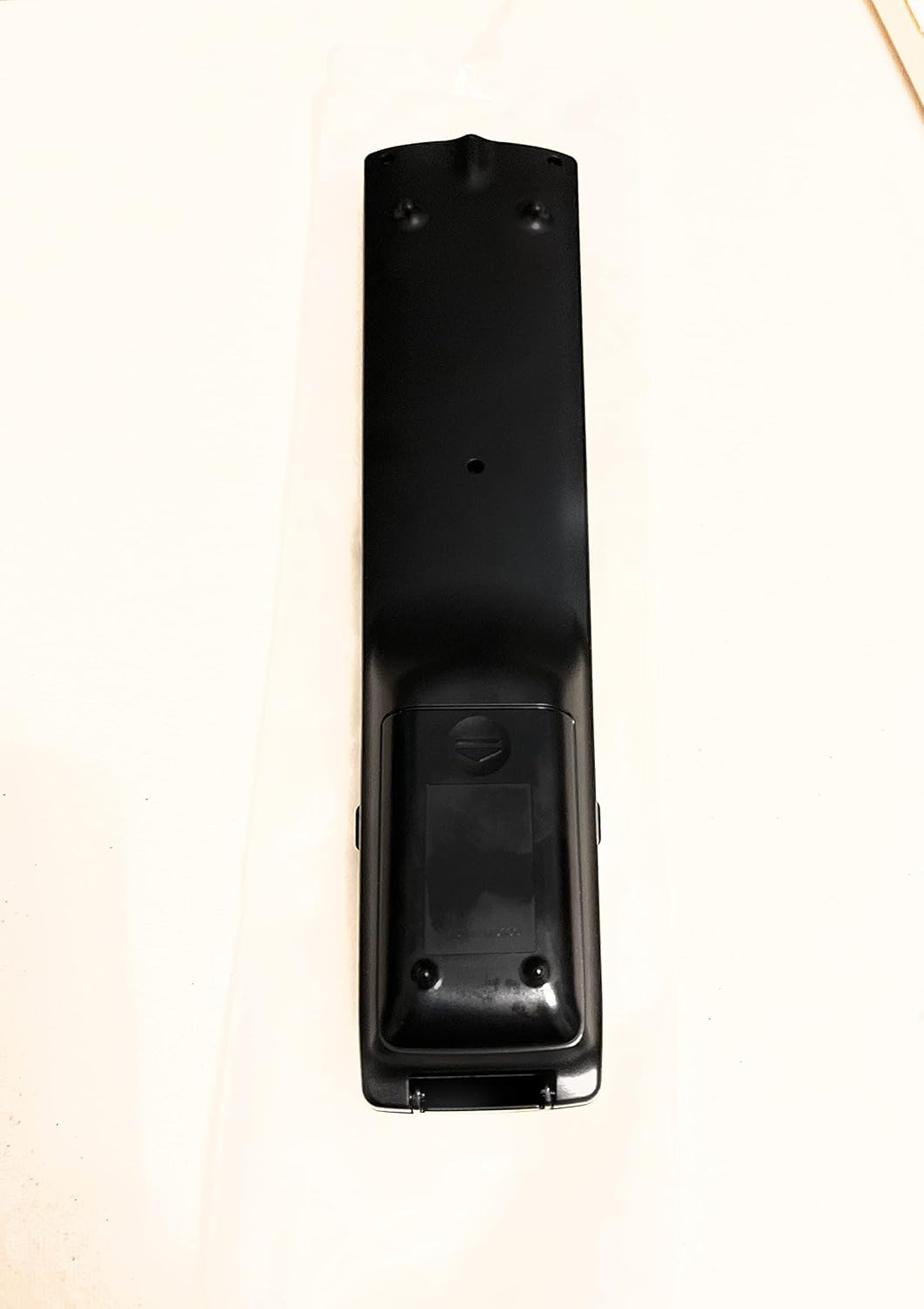
Ffigur 2: Yn ôl View Rheoli o Bell
This image shows the rear side of the Sharp Aquos remote control, highlighting the smooth, ergonomic design and the battery compartment cover.

Figure 3: Remote Control with Battery Compartment Open
This image illustrates the Sharp Aquos remote control with its battery compartment cover slid open, revealing the space for battery insertion.

Figure 4: Close-up of Hidden Panel
This close-up image shows the lower section of the Sharp Aquos remote control with its hinged panel opened, revealing additional function buttons such as SLEEP, AUDIO, AV MODE, and CC (Closed Caption).
Swyddogaethau botwm:
| Botwm | Swyddogaeth |
|---|---|
| GRYM | Yn troi'r teledu ymlaen neu i ffwrdd. |
| INPUT / SOURCE | Yn dewis y ffynhonnell mewnbwn (e.e., HDMI, AV, Cydran). |
| CH +/- | Yn newid y sianel deledu i fyny neu i lawr. |
| VOL +/- | Yn addasu lefel y sain. |
| MUTE | Yn mudo neu'n dad-fud sain y teledu. |
| BWYDLEN | Opens the TV's on-screen menu. |
| ENWCH | Yn cadarnhau dewisiadau o fewn y ddewislen. |
| Navigation Arrows (Up/Down/Left/Right) | Yn llywio trwy opsiynau'r ddewislen. |
| EXIT / RETURN | Exits the current menu or returns to the previous screen. |
| Bysellbad Rhifol (0-9) | Yn nodi rhifau sianeli yn uniongyrchol. |
| CYSGU (under hidden panel) | Sets the TV to turn off automatically after a set period. |
| SAIN (under hidden panel) | Selects audio modes or tracks. |
| MODD AV (under hidden panel) | Adjusts picture and sound settings for different content types. |
| CC (Capsiwn Caeedig) (under hidden panel) | Turns closed captions on or off. |
Gosod
Gosod Batri:
- Lleolwch yr adran batri ar gefn y teclyn rheoli o bell (cyfeiriwch at Ffigur 2).
- Slide the battery compartment cover downwards to open it (refer to Figure 3).
- Insert two (2) AAA batteries (not included), ensuring the positive (+) and negative (-) terminals align correctly with the indicators inside the compartment.
- Llithrwch glawr adran y batri yn ôl i'w le nes ei fod yn clicio'n ddiogel.
Note: Always use new batteries of the same type. Do not mix old and new batteries, or different types of batteries.
Cyfarwyddiadau Gweithredu
Gweithrediad Sylfaenol:
- Pŵer ymlaen / i ffwrdd: Gwasgwch y GRYM button to turn your Sharp Aquos TV on or off.
- Rheoli cyfaint: Gwasgwch y VOL+ button to increase volume and CYF - i leihau cyfaint.
- Dewis sianel: Defnyddiwch y CH+ or CH - buttons to change channels sequentially. Alternatively, use the numeric keypad to directly enter a channel number.
- Dewis Ffynhonnell Mewnbwn: Gwasgwch y MEWNBWN or FFYNHONNELL button to cycle through available input sources (e.g., HDMI 1, HDMI 2, AV, Component).
- Tewi: Gwasgwch y MUTE button to temporarily silence the TV audio. Press again to restore sound.
Llywio Dewislen:
- Gwasgwch y BWYDLEN button to display the TV's on-screen menu.
- Defnyddiwch y Saethau Llywio (Up, Down, Left, Right) to move through menu options.
- Gwasgwch y ENWCH botwm i ddewis opsiwn wedi'i amlygu neu gadarnhau gosodiad.
- Gwasgwch y EXIT or DYCHWELYD button to close the menu or go back to the previous menu level.
Advanced Functions (Hidden Panel):
Some advanced functions are located under a hinged panel at the bottom of the remote control (refer to Figure 4). Gently open this panel to access buttons such as:
- CYSGU: Sets a timer for the TV to automatically turn off.
- SAIN: Adjusts audio settings or selects audio tracks.
- AV MODE: Cycles through preset picture and sound modes (e.g., Standard, Movie, Game).
- CC (Closed Caption): Toggles closed captions on or off.
Cynnal a chadw
Glanhau:
To clean the remote control, wipe it gently with a soft, dry cloth. Do not use liquid cleaners, abrasive cleaners, or chemical solvents, as these may damage the surface or internal components.
Amnewid Batri:
Replace batteries when the remote control's response becomes sluggish or stops working. Follow the battery installation steps outlined in the "Setup" section. Always replace both batteries at the same time.
Datrys problemau
| Problem | Achos Posibl | Ateb |
|---|---|---|
| Rheoli o bell ddim yn gweithio. | Batris marw neu wedi'u mewnosod yn anghywir. | Amnewidiwch y batris gyda rhai newydd, gan sicrhau'r polaredd cywir (+/-). |
| Mae ystod y teclyn rheoli o bell yn wael. | Weak batteries; obstruction between remote and TV; infrared sensor on TV is blocked. | Replace batteries. Ensure no objects are blocking the line of sight between the remote and the TV's IR sensor. |
| Specific buttons not responding. | Dirt or debris under the button; internal malfunction. | Clean the remote control. If the issue persists, the remote may require replacement. |
| TV not responding to any remote commands. | TV is unplugged or turned off; TV's IR sensor is faulty. | Ensure the TV is powered on and plugged in. Test with another remote if available. Consult TV's manual for IR sensor location. |
Manylebau
| Nodwedd | Manylyn |
|---|---|
| Rhif Model | RRMCGA535WJSA |
| Brand | miniog |
| Dyfeisiau Cydnaws | Sharp Aquos LCD Televisions (various models, see product title for list) |
| Technoleg Cysylltedd | Is-goch (IR) |
| Ffynhonnell Pwer | 2 x Batri AAA (heb eu cynnwys) |
| Dimensiynau (tua) | 8.8 x 2.4 x 0.9 modfedd (Dimensiynau Pecyn) |
| Pwysau (tua) | 4 owns |
| Nodwedd Arbennig | Ergonomic design, Hidden function panel |
Gwarant a Chefnogaeth
Ymwadiad Cyfreithiol:
This item is provided in new condition. Please note that this item is offered "as is" as it is past its original manufacturer's warranty period. Any implied warranties are disclaimed to the fullest extent permitted by law.
Cefnogaeth i Gwsmeriaid:
For further assistance or inquiries regarding your Sharp Aquos LCD TV, please refer to your television's original instruction manual or visit the official Sharp support website. For issues specifically with this replacement remote control, please contact the seller from whom it was purchased.
Ask a question about this manual
Ask about setup, troubleshooting, compatibility, parts, safety, or missing instructions. Manuals+ will review the question and use this page’s manual context to help answer it.