
POLY M25
Plantronics M25 Bluetooth Headset User Manual
Model: M25
Rhagymadrodd
The Plantronics M25 Bluetooth headset is designed for convenient wireless communication and audio playback. It features an extended battery life with DeepSleep mode, ensuring readiness when needed. The headset provides whispered alerts for battery status and connection information, and allows for listening to music, internet radio, or navigation directions while managing calls.
Cynnwys Pecyn
Gwiriwch fod yr holl eitemau yn bresennol yn eich pecyn:
- Clustffonau Bluetooth Plantronics M25
- AC Charger (100-240v)
- Clip-on Earloop
Gosod
1. Codi Tâl y Headset
Before first use, fully charge the headset. Connect the AC charger to the headset's charging port. The indicator light will change to show charging status and turn off or change color when fully charged. A full charge can provide up to 5 months of readiness in DeepSleep mode.
2. Paru â Dyfais
To pair your Plantronics M25 headset with a Bluetooth-enabled device (e.g., smartphone, tablet):
- Gwnewch yn siŵr bod y clustffon wedi'i wefru a'i ddiffodd.
- Press and hold the Call button on the headset until the indicator light flashes red and blue, indicating pairing mode.
- Ar eich dyfais, galluogwch Bluetooth a chwiliwch am ddyfeisiau newydd.
- Select "Plantronics M25" from the list of available devices.
- Os gofynnir am god mynediad, nodwch "0000" (pedwar sero).
- Once paired, the headset's indicator light will stop flashing and a voice prompt will confirm the connection.
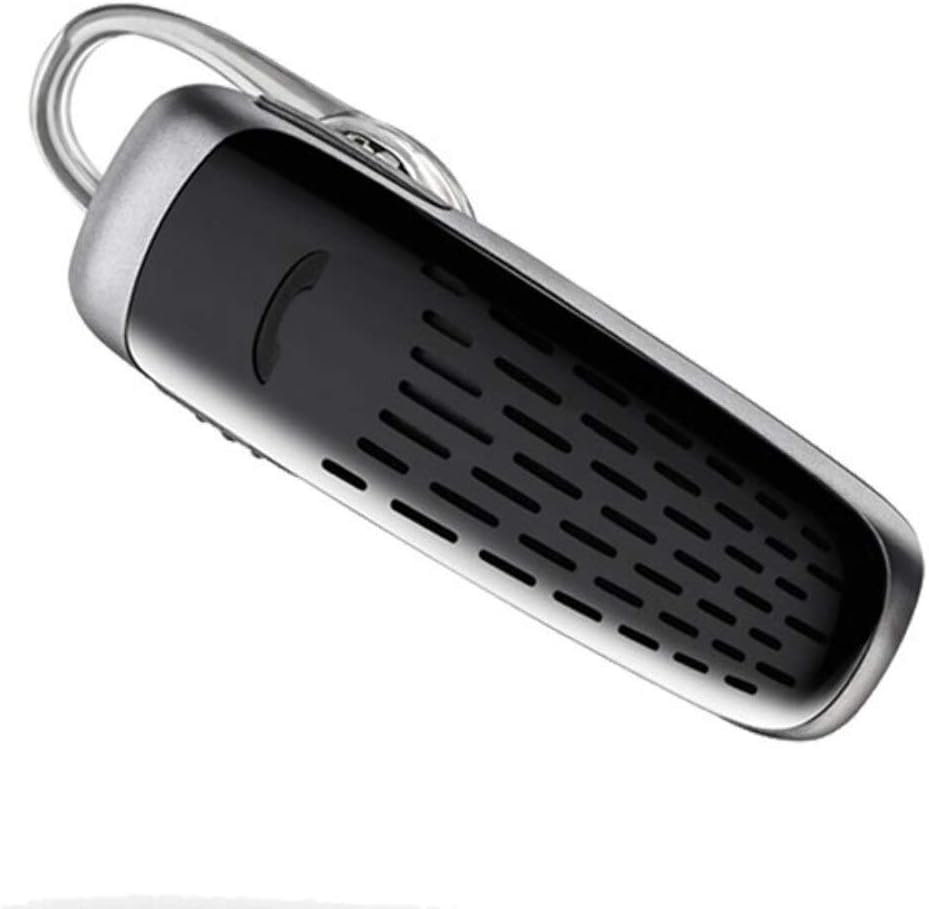
Image: The Plantronics M25 Bluetooth Headset, a compact black and silver device with an earloop, shown from an angled perspective. The call button is visible on the side.
Cyfarwyddiadau Gweithredu
Pŵer Ymlaen / Diffodd
- Pŵer Ymlaen: Press and hold the Power button until the indicator light flashes blue.
- Pwer i ffwrdd: Press and hold the Power button until the indicator light flashes red.
Gwneud a Derbyn Galwadau
- Ateb Galwad: Pwyswch y botwm Galwad.
- Galwad Diwedd: Pwyswch y botwm Galwad.
- Gwrthod Galwad: Pwyswch a daliwch y botwm Call am 2 eiliad.
- Ail-redeg Rhif Diwethaf: Pwyswch y botwm Galw ddwywaith.
Chwarae Sain
The headset supports streaming audio from your device, including music, podcasts, and GPS directions.
- Chwarae/Seibiant: Press the Call button during audio playback.
Modd DeepSleep
The headset enters DeepSleep power-saving mode if it is disconnected from your phone for over 90 minutes. To wake it up when it's back in range (within 33 feet), simply tap the Call button.
Cynnal a chadw
- Glanhau: Use a soft, dry cloth to clean the headset. Do not use liquid cleaners or aerosols.
- Storio: Storiwch y clustffon mewn lle oer, sych i ffwrdd o dymheredd eithafol.
- Gofal Batri: To preserve battery life, avoid fully discharging the battery frequently. Charge the headset regularly, even if not in use.
- Gwrthiant Dŵr: Mae'r ddyfais hon yn Ddim yn Wrthsefyll DŵrOsgowch ddod i gysylltiad â dŵr neu leithder gormodol.
Datrys problemau
| Problem | Ateb |
|---|---|
| Nid yw'r clustffon yn troi ymlaen. | Ensure the headset is charged. Connect it to the AC charger and allow it to charge for at least 30 minutes before attempting to power on. |
| Ni allaf baru'r clustffon â fy nhyfais. |
|
| No audio or low audio volume. |
|
| Headset frequently disconnects. |
|
Manylebau
| Nodwedd | Manylyn |
|---|---|
| Enw Model | Plantronics M25 |
| Technoleg Cysylltedd | Bluetooth |
| Technoleg Cyfathrebu Di-wifr | Bluetooth |
| Dyfeisiau Cydnaws | Smartphones, Laptops, Desktops, Tablets, Smart Speakers, Televisions |
| Math o Reoli | Rheoli Galwadau |
| Pwysau Eitem | 0.3 owns (tua 8.5 gram) |
| Lefel Gwrthsefyll Dŵr | Ddim yn Wrthsefyll Dŵr |
| Amrediad Amrediad | 20 Hz i 20,000 Hz |
| Battery Life (DeepSleep) | Hyd at 150 diwrnod |
| Amrediad Bluetooth | Hyd at 10 Metr (33 troedfedd) |
| Lleoliad Clust | Mewn Clust |
| Ffactor Ffurf | One Ear |
| Rheoli Sŵn | Canslo Sŵn Gweithredol |
| Dimensiynau Cynnyrch | 1.85 x 0.59 x 0.35 modfedd |
| Lliw | Du |
| Gwneuthurwr | Plantronics |
Gwarant a Chefnogaeth
Gwybodaeth Gwarant: Please note that this product is sold with No Warranty or Return as per the provided information. Users are advised to verify product condition upon receipt.
For further assistance or inquiries, please refer to the official POLY support channels or visit their website. Contact information may be available on the product packaging or the manufacturer's official websafle.
Ymwadiad: Gall manylebau a nodweddion cynnyrch newid heb rybudd. Cyfeiriwch bob amser at y wybodaeth ddiweddaraf a ddarperir gan y gwneuthurwr.