
Linksys RE1000
Linksys N300 Wireless Dual-Band Range Extender User Manual
Model: RE1000
1. Rhagymadrodd
The Linksys RE1000 Wireless-N Range Extender is designed to easily increase the wireless network coverage throughout your home or office. This device works seamlessly with all 802.11b/g/n Wi-Fi devices, extending the signal from your existing wireless router to hard-to-reach areas. Additionally, it functions as a wireless bridge, allowing you to instantly connect wired Ethernet devices to your network.
Key features include broad compatibility with Wi-Fi devices, extended range capabilities through multiple MIMO antennas, a built-in Fast Ethernet (10/100 Mbps) port, and flexible placement options (wall outlet or desktop). The RE1000 is ideal for enhancing in-home mobility, improving web browsing, gaming, and streaming in areas with weak Wi-Fi signals, and connecting Internet-ready TVs or Blu-ray players.

Figure 1: Linksys RE1000 Wireless-N Range Extender, a compact black device with a green indicator light.
2. Gosod a Gosod
Setting up your Linksys RE1000 is designed to be a straightforward process. The device comes with a setup wizard on a CD-ROM to guide you through the installation.
2.1 Cynnwys Pecyn
Cyn i chi ddechrau, gwnewch yn siŵr bod yr holl eitemau yn bresennol yn eich pecyn:
- Linksys RE1000 Wireless-N Range Extender
- CD-ROM with Setup Software and Resources
- AC Power Cord for table or desktop placement
- AC Power Connector Cover
- Cebl Ethernet
2.2 Isafswm Gofynion y System
To set up the RE1000, you will need:
- Di-wifr: An existing 802.11b/g/n wireless router or access point.
- PC: A Wi-Fi enabled PC with a CD or DVD drive, running Windows XP SP3, Windows Vista SP1 or later, or Windows 7.
- Mac: A Wi-Fi enabled Mac with a CD or DVD drive, running OS X Leopard 10.5 or Snow Leopard 10.6.
- Web Porwr: Internet Explorer 7, Safari 4, or Firefox 3 or higher for optional browser-based configuration.
2.3 Camau Gosod
- Lleoliad Cychwynnol: For initial setup, plug the RE1000 into a power outlet near your existing wireless router. This allows the setup wizard to easily discover the device.
- Run Setup Software: Insert the provided CD-ROM into your computer's drive and follow the on-screen instructions of the setup wizard. The wizard will guide you through connecting the RE1000 to your wireless network.
- Lleoliad Gorau: Once configured, you can relocate the RE1000 to an optimal position between your router and the area where you need extended coverage. The setup wizard may recommend the best distance for placement to achieve optimal coverage and performance.
- Gosodiad Gwarchodedig Wi-Fi (WPS): The RE1000 features a Wi-Fi Protected Setup button for simple and secure connection of compatible devices. Refer to your device's manual for WPS instructions.

Figure 2: The RE1000 can be plugged directly into a wall outlet for convenient placement.

Figure 3: The RE1000 features integrated power prongs for direct wall plug-in.
3. Operating the Range Extender
Once successfully set up, the Linksys RE1000 operates by receiving the wireless signal from your main router and re-transmitting it, effectively extending the range of your Wi-Fi network.
3.1 Wireless Extension
The RE1000 utilizes 802.11n wireless technology and multiple MIMO antennas to extend your router's wireless coverage. This allows devices in previously hard-to-reach areas to connect to your network with a stronger and more reliable signal.
3.2 Ethernet Bridge Functionality
The built-in Fast Ethernet (10/100 Mbps) port on the RE1000 allows it to act as a wireless bridge. You can connect any wired Ethernet device, such as a smart TV, gaming console, or desktop computer, to this port, and the RE1000 will connect it wirelessly to your network.
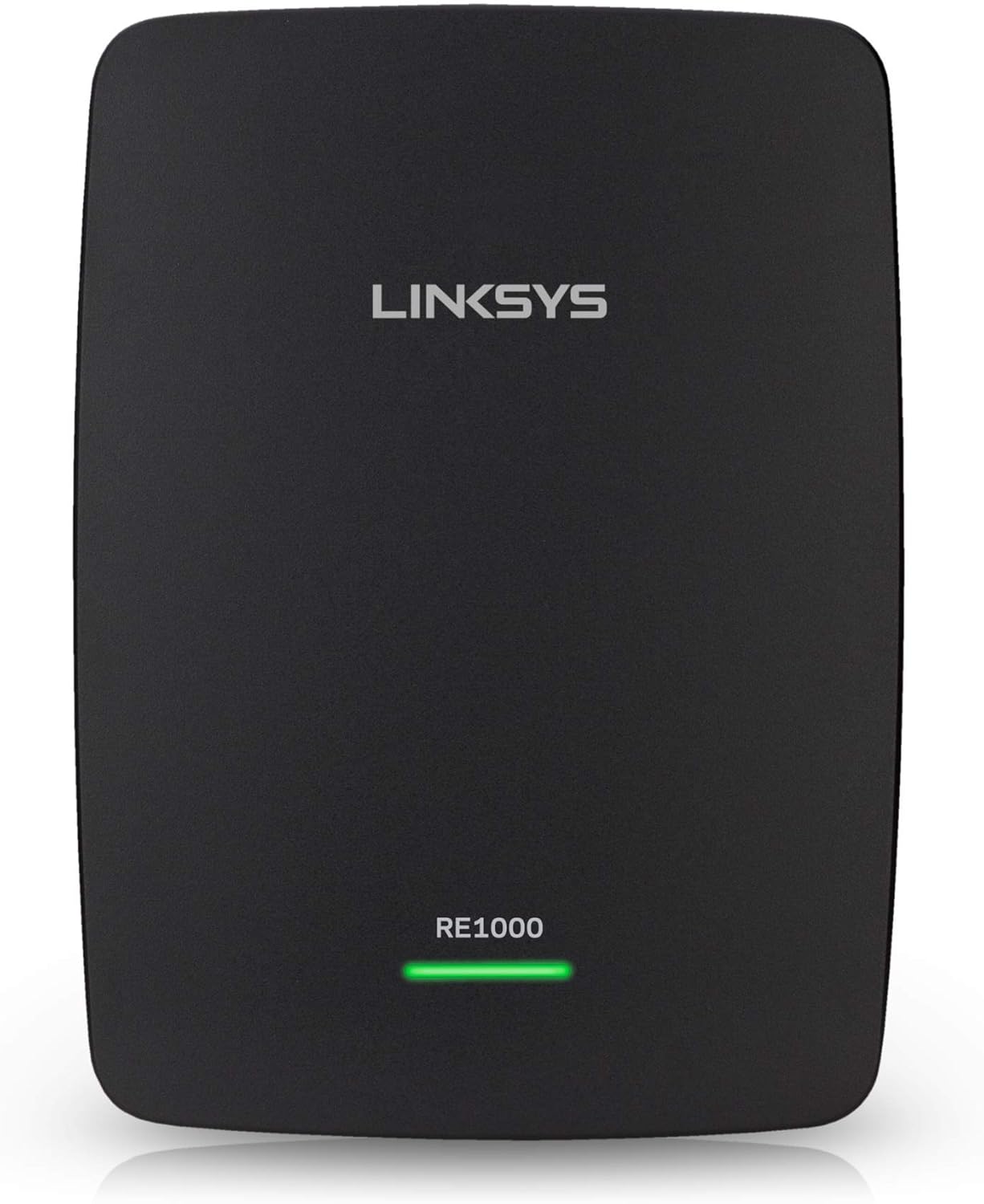
Ffigur 4: Blaen view of the RE1000, showing the Linksys branding and model indicator.
3.3 Ansawdd Gwasanaeth (QoS)
The RE1000 incorporates QoS traffic prioritization technology. This feature is designed to efficiently deliver time-sensitive Internet traffic, such as video streaming, music streaming, and online gaming, ensuring a smoother and more enjoyable experience.
4. cynnal
To ensure optimal performance and longevity of your Linksys RE1000, consider the following maintenance tips:
- Lleoliad Gorau: Yn achlysurol parthedview the placement of your RE1000. Ensure it is positioned centrally between your router and the areas needing extended coverage, avoiding major obstructions like thick walls or large metal objects.
- Diweddariadau Cadarnwedd: Check the Linksys support webgwefan yn rheolaidd am ddiweddariadau cadarnwedd. Gall cadw cadarnwedd eich dyfais yn gyfredol wella perfformiad, sefydlogrwydd a diogelwch.
- Glanhau: Gently wipe the exterior of the device with a soft, dry cloth to remove dust. Do not use liquid cleaners or abrasive materials.
- Awyru: Ensure the RE1000's ventilation slots are not blocked to prevent overheating.
5. Datrys Problemau
If you encounter issues with your Linksys RE1000, refer to the following common troubleshooting steps:
5.1 Setup Difficulties
- Router Recognition: If the setup wizard cannot recognize your router, ensure the RE1000 is plugged into a power outlet close to the router during the initial setup phase.
- Gosodiadau Diogelwch: Verify that the security settings (e.g., WEP, WPA, WPA2) and password on the Range Extender exactly match those of your main wireless router. Mismatched settings are a common cause of connection failure.
- Ailosod i Gosodiadau Ffatri: If setup repeatedly fails, you may need to reset the RE1000 to its factory default settings. This typically involves pressing and holding a small recessed reset button for several seconds until the indicator lights behave as if the device is restarting. Consult the full manual on the CD-ROM for exact instructions.
5.2 Connection Dropping or Instability
- Lleoliad Gorau: The location of the range extender is critical. Experiment with different placements to find a spot where it receives a strong signal from your main router while also providing good coverage to the desired areas. Avoid placing it too far from the router or in areas with significant interference.
- Ymyrraeth: Other electronic devices (cordless phones, microwaves, Bluetooth devices) can cause interference. Try moving the RE1000 away from such devices.
- Diweddariad Cadarnwedd: Ensure your RE1000 has the latest firmware installed. Outdated firmware can lead to stability issues.
- Ffurfweddiad Cyfeiriad IP: In some advanced network setups, configuring a static IP address for the RE1000 or reserving an IP address for it on your main router's DHCP server can improve connection stability. This is an advanced step and should only be attempted by experienced users.
5.3 Cyflymder Araf
- Cryfder y signal: Ensure the RE1000 is receiving a strong signal from your main router. A weak input signal will result in a weak extended signal.
- Tagfeydd Rhwydwaith: High network traffic or too many devices connected to the extended network can reduce speed.
- Ymyrraeth Sianel: Your Wi-Fi channel might be congested. Try changing the wireless channel on your main router.
Nodyn: When the range extender is working properly, it typically extends the name of your existing Wi-Fi network, or it may appear as the same network name. If you see a separate network name for the extender, it might indicate an incomplete setup or a specific configuration choice.
6. manylebau
| Nodwedd | Manylyn |
|---|---|
| Dimensiynau Cynnyrch | 4.92 x 3.74 x 1.26 modfedd |
| Pwysau Eitem | 11.2 owns |
| Rhif Model | RE1000 |
| Safon Cyfathrebu Di-wifr | 802.11b, 802.11g, 802.11n |
| Cyfradd Trosglwyddo Data | Up to 300 Megabytes Per Second (Mbps) |
| Dosbarth Band Amlder | Dual-Band (operates on 2.4 GHz and 5 GHz, though N300 typically implies 2.4GHz for 300Mbps) |
| Math o Gysylltydd | RJ45 (for Ethernet port) |
| Gwneuthurwr | Linksys |
| Ar Gael Cyntaf | Awst 11, 2011 |
7. Gwarant a Chefnogaeth
Please note the following regarding warranty and support for your Linksys RE1000:
- Gwarant: This product comes with no warranty except for any manufacturer's warranty that may apply. Please refer to the manufacturer's official documentation or websafle ar gyfer telerau ac amodau gwarant penodol.
- Returns/Refunds: There are no refunds or returns for this product.
- Cymorth Technegol: For further assistance, technical support, or to inquire about the manufacturer's warranty, please visit the official Linksys support websafle neu cysylltwch â'u gwasanaeth cwsmeriaid.