
Rhagymadrodd
This manual provides detailed instructions for the setup, operation, and maintenance of your Equity 31269 Atomic Projection Clock. This device automatically synchronizes with the atomic time signal, ensuring accurate timekeeping. It features time projection, an alarm with snooze, and displays indoor temperature.
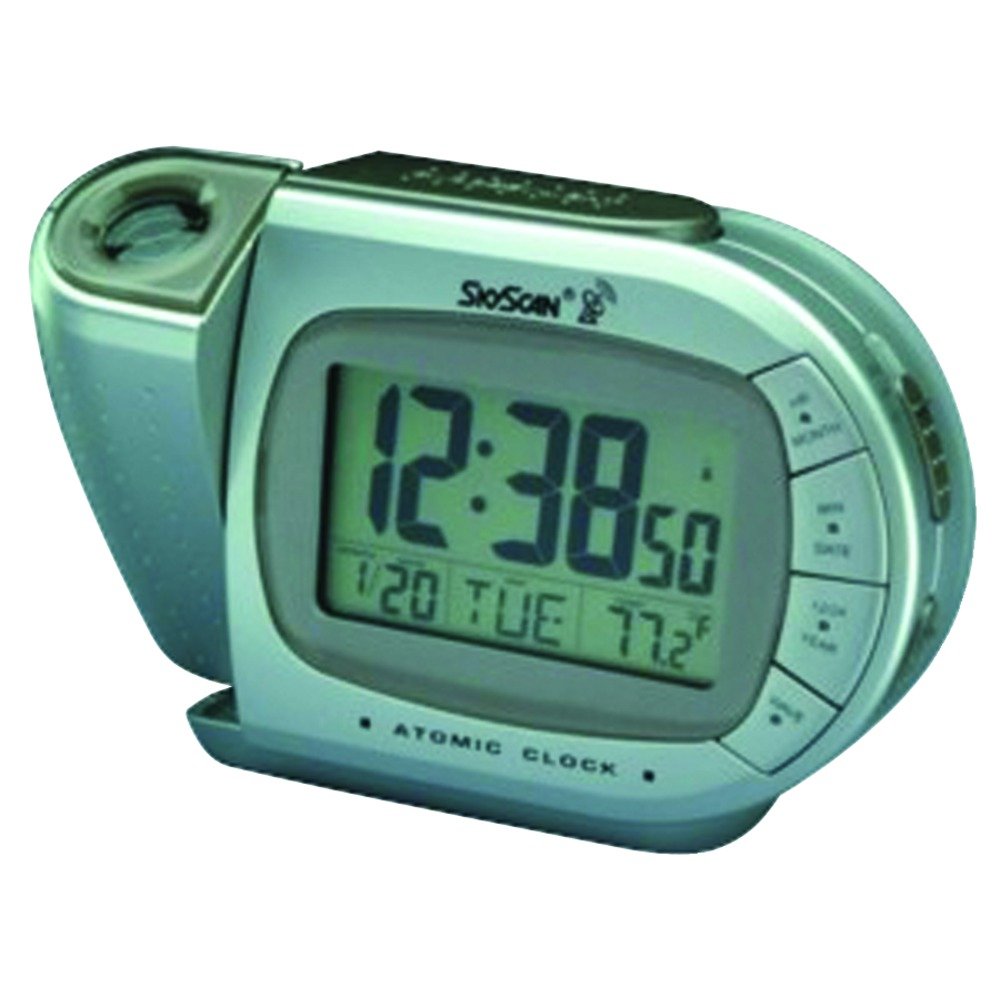
Ffigur 1: Blaen view of the Equity 31269 Atomic Projection Clock, showing its display and projection arm.
Gosod
Gosod Batri: Open the battery compartment located on the back of the clock. Insert one (1) AA battery, ensuring the polarity (+/-) matches the diagram inside the compartment. Close the battery compartment securely.
Pŵer i Fyny Cychwynnol: Upon battery installation, the clock will power on and begin searching for the atomic time signal. This process may take several minutes to several hours depending on your location and signal strength.
Cydamseru Amser Atomig: The clock will automatically attempt to synchronize with the atomic time signal. Once synchronized, the time will be set accurately. Ensure the clock is placed away from large metal objects or electronic devices that may interfere with the signal reception.
Cyfarwyddiadau Gweithredu
Swyddogaethau Arddangos
The main display shows the current time, month, day, and date.
The indoor temperature is displayed, switchable between Fahrenheit (℉) and Celsius (℃). Refer to the control buttons on the back for temperature unit selection.
PM indicator illuminates when the time is in the afternoon (12-hour format).
Rhagamcaniad Amser
Braich Addasadwy: The projection arm can be adjusted to direct the time display onto a wall or ceiling.
Addasiad Ffocws: Use the focus wheel on the projection arm to sharpen the projected image.
Rotation Feature: The projected time can be rotated for optimal viewing orientation. Consult the device controls for rotation options.
Projection On/Off: The projection feature can be turned off when not desired.
Larwm a Snooze
Gosod y Larwm: Use the dedicated alarm setting buttons (refer to the back panel for specific button labels) to set your desired alarm time. An alarm indicator will appear on the display when the alarm is active.
Swyddogaeth Snooze: When the alarm sounds, press the SNOOZE button to temporarily silence the alarm. The alarm will sound again after a short interval.
Golau cefn
Press the BACKLIGHT button to illuminate the display for a short period, improving visibility in low-light conditions.
Amser Arbed Golau Dydd (DST)
The clock automatically adjusts for Daylight Saving Time, eliminating the need for manual time changes.
Cynnal a chadw
Amnewid Batri: When the display dims or the clock functions become erratic, replace the AA battery. Dispose of used batteries responsibly.
Glanhau: Clean the clock's exterior with a soft, dry cloth. Do not use abrasive cleaners or solvents, as these may damage the finish or electronic components.
Amodau Amgylcheddol: Avoid exposing the clock to extreme temperatures, direct sunlight, or high humidity, which can affect its performance and lifespan.
Datrys problemau
| Problem | Achos Posibl | Ateb |
|---|---|---|
| Clock not displaying time or functions erratically. | Batri isel neu farw. | Amnewid y batri AA gydag un ffres. |
| Atomic time not synchronizing. | Interference from electronics or metal objects; weak signal. | Relocate the clock to an open area, away from other electronic devices or large metal structures. Allow several hours for synchronization. |
| Mae'r amser rhagamcanedig yn aneglur. | Projection focus needs adjustment. | Adjust the focus wheel on the projection arm until the image is clear. |
| Nid yw'r larwm yn canu. | Alarm is not set or is turned off. | Verify that the alarm time is set correctly and the alarm function is activated (check for alarm indicator on display). |
Manylebau
Brand: Ecwiti
Model: 31269
Nodwedd arbennig: Atomic Time Synchronization, Time Projection
Ffynhonnell Pwer: 1 x Batri AA
Math Mowntio: Ceiling, Wall (via projection)
Pwysau Eitem: 1.29 pwys (tua 0.58 kg)
Cloc Larwm: Oes
Modd Gweithredu: Atomig
Dimensiynau Cynnyrch: 9.5 x 7.5 x 2.75 modfedd (tua 24.1 x 19.1 x 7 cm)
Gwarant a Chefnogaeth
For warranty information or technical support, please refer to the documentation included in your product packaging or contact Equity customer service. Keep your purchase receipt as proof of purchase.