
1. Rhagymadrodd
The BUFFALO Giga Switching Hub LSW3-GT-24NSR is a 24-port Gigabit Ethernet switch designed for high-speed network environments. It is ideal for small to medium-sized offices and workplaces requiring robust and reliable network connectivity. This device supports full Gigabit speeds across all ports, ensuring efficient data transfer.
Key features include a fanless design for silent operation and enhanced reliability, as well as a loop detection function to prevent network disruptions caused by accidental network loops.
2. Gwybodaeth Diogelwch
Please read and understand the following safety precautions before using the device to prevent injury or damage.
- Cyflenwad Pŵer: Use only the provided power adapter. Ensure the power outlet meets the specified voltage gofynion.
- Awyru: Do not block ventilation openings. Ensure adequate airflow around the device to prevent overheating.
- Amgylchedd: Avoid exposing the device to water, high humidity, extreme temperatures, or direct sunlight.
- Trin: Do not drop or subject the device to strong impacts. Do not attempt to open or repair the device yourself. Refer all servicing to qualified personnel.
- Ceblau: Ensure all network cables are properly connected and secured.
3. Cynnwys Pecyn
Gwiriwch fod yr holl eitemau yn bresennol yn y pecyn:
- BUFFALO Giga Switching Hub LSW3-GT-24NSR Unit
- Cebl Pŵer
- Rack Mount Brackets (if included with your model)
- Traed Rwber (ar gyfer gosod ar y bwrdd gwaith)
4. Gosod
4.1 Gosod Corfforol
The LSW3-GT-24NSR can be installed on a desktop or mounted in a 19-inch equipment rack.
Lleoliad Penbwrdd:
- Attach the included rubber feet to the bottom of the unit to prevent slipping and provide stability.
- Place the unit on a flat, stable surface with adequate ventilation.
Mowntio Rack:
- Attach the rack mount brackets to the sides of the unit using the provided screws.
- Secure the unit into a standard 19-inch equipment rack using appropriate rack screws (not included).
4.2 Cysylltu Ceblau Rhwydwaith
Connect your network devices (computers, servers, other switches) to any of the 24 RJ-45 ports on the front panel using standard Ethernet cables (Category 5e or higher recommended for Gigabit speeds).

Ffigur 1: Panel Blaen Drosoddview with 24 Ethernet Ports and Status LEDs.
4.3 Pŵer Cysylltu
- Connect the power cable to the AC IN port on the rear of the device.
- Plygiwch ben arall y cebl pŵer i mewn i allfa bŵer addas.
- The device will power on automatically. The POWER LED on the front panel should illuminate.

Ffigur 2: Panel Cefn Drosoddview with AC IN Power Port.
5. Cyfarwyddiadau Gweithredu
5.1 Dangosydd LED
The front panel features several LED indicators to monitor the status of the switch and its ports.
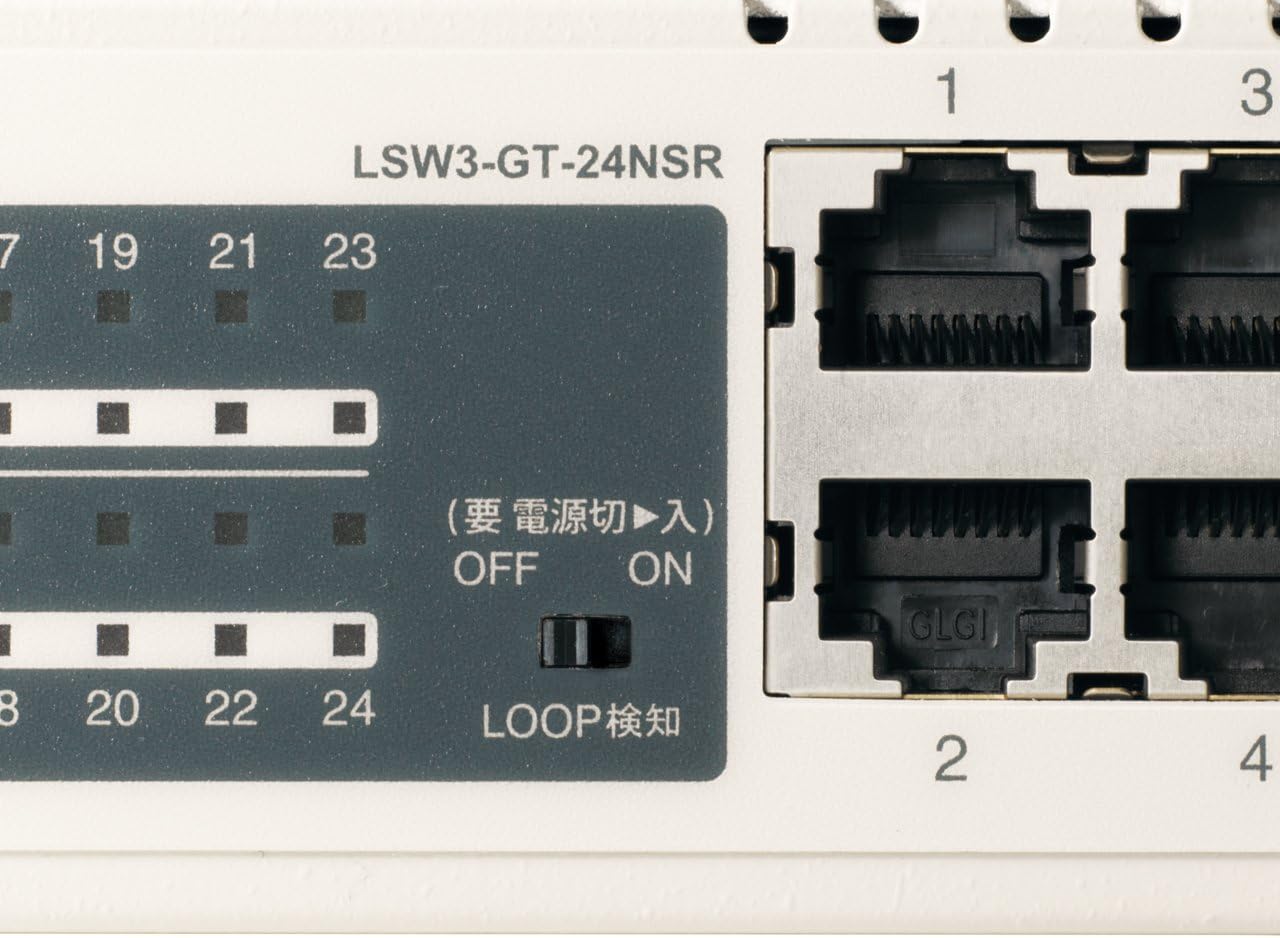
Ffigur 3: Manwl view of LED Indicators and Loop Detection Switch.
| Enw LED | Statws | Disgrifiad |
|---|---|---|
| GRYM | On | Mae'r ddyfais yn cael ei bweru ymlaen. |
| LINK / ACT (fesul porthladd) | On | A network device is connected and a link is established. |
| Fflachio | Mae data'n cael ei drosglwyddo neu'i dderbyn trwy'r porthladd. | |
| 1000/100/10M (fesul porthladd) | Gwyrdd | Port is operating at 1000 Mbps (Gigabit Ethernet). |
| Oren | Port is operating at 100 Mbps (Fast Ethernet). | |
| I ffwrdd | Port is operating at 10 Mbps (Ethernet). | |
| LOOP DETECT | On | A network loop has been detected. |
5.2 Loop Detection Function
The LSW3-GT-24NSR features a hardware switch for enabling or disabling the loop detection function. This function helps prevent network instability caused by accidental network loops.
Figure 4: Loop Detection Switch (ON/OFF).
- AR: Loop detection is active. If a loop is detected, the corresponding port will be automatically shut down to prevent network broadcast storms, and the LOOP DETECT LED will illuminate.
- I FFWRDD: Loop detection is disabled.
It is recommended to keep the loop detection function ON for network stability.
6. cynnal
6.1 Glanhau'r Dyfais
To maintain optimal performance, periodically clean the exterior of the switch.
- Disconnect the power cable before cleaning.
- Defnyddiwch lliain meddal, sych i sychu'r wyneb.
- Do not use liquid cleaners, aerosols, or solvents, as these may damage the casing neu gydrannau mewnol.
6.2 Ystyriaethau Amgylcheddol
Ensure the device is operated within its specified environmental conditions:
- Tymheredd: 0°C i 40°C (32°F i 104°F)
- Lleithder: 10% i 85% (ddim yn cyddwyso)
7. Datrys Problemau
If you encounter issues with your BUFFALO Giga Switching Hub, refer to the following common problems and solutions.
7.1 Dim Pŵer
- symptomau: Mae'r POWER LED i ffwrdd.
- Ateb: Check if the power cable is securely connected to both the device and the power outlet. Ensure the power outlet is functional.
7.2 No Link or Slow Speed on a Port
- symptomau: The LINK/ACT LED for a connected port is off, or the 1000/100/10M LED indicates a lower speed than expected (e.g., 100M instead of 1000M).
- Ateb:
- Verify the Ethernet cable is securely connected at both ends.
- Try a different Ethernet cable. Ensure it is a Category 5e or higher cable for Gigabit speeds.
- Cysylltwch y ddyfais â phorthladd gwahanol ar y switsh.
- Check the network adapter settings on the connected device (computer, server) to ensure it is configured for auto-negotiation or the correct speed.
7.3 Network Instability / LOOP DETECT LED is On
- symptomau: The LOOP DETECT LED is illuminated, and network performance is degraded or unstable.
- Ateb:
- A network loop has been detected. This typically occurs when two ports on the same switch (or different switches) are connected to each other, creating an infinite data path.
- Carefully inspect your network cabling to identify and remove any redundant connections that form a loop.
- If the loop detection switch is ON, the affected port will be automatically shut down. Once the loop is resolved, the port should resume normal operation.
8. manylebau
| Nodwedd | Disgrifiad |
|---|---|
| Brand | BUFFALO |
| Rhif Model | LSW3-GT-24NSR |
| Cyfrif Porthladd | 24 x 10/100/1000BASE-T RJ-45 porthladdoedd |
| Cynhwysedd Newid | 48 Gbps (Non-blocking) |
| Cyfradd Ymlaen | 35.7 Mpps |
| Maint Tabl Cyfeiriad MAC | Cofnodion 8K |
| Cymorth Ffrâm Jumbo | Hyd at 9KB |
| Nodweddion | Auto-MDI/MDIX, Auto-Negotiation, Loop Detection Function, Fanless Design |
| Cyflenwad Pŵer | Cyflenwad pŵer AC mewnol |
| Dimensiynau (W x D x H) | (Specific dimensions not provided in source, typical for 1U rackmount) |
| Pwysau | (Specific weight not provided in source) |
| Tymheredd Gweithredu | 0°C i 40°C |
| Lleithder Gweithredu | 10% i 85% (ddim yn cyddwyso) |
9. Gwarant a Chefnogaeth
This BUFFALO product is covered by a manufacturer's warranty. Please refer to the warranty card included with your product or visit the official BUFFALO websafle am delerau ac amodau gwarant manwl.
For technical support, product registration, or further assistance, please visit the official BUFFALO support websafle neu cysylltwch â'u hadran gwasanaeth cwsmeriaid. Gellir dod o hyd i wybodaeth gyswllt fel arfer ar wefan y gwneuthurwr websafle neu yn y pecyn cynnyrch.