
Tenergy T-9688
Tenergy T-9688 Super Universal LCD Battery Charger with USB Port
Model: T-9688 | Brand: Tenergy
Rhagymadrodd
The Tenergy T-9688 Super Universal LCD Battery Charger is designed for convenient and efficient charging of various Ni-MH rechargeable batteries. It features individual charging channels, an intelligent microprocessor, and a clear LCD display to monitor battery status. Additionally, it includes a built-in USB output for charging personal digital devices.

Image: The Tenergy T-9688 charger, showcasing its sleek black design with a translucent blue top cover and front LCD screen.
Gosod
- Dadbacio'r gwefrydd: Carefully remove the Tenergy T-9688 charger and its accessories from the packaging.
- Cyswllt addasydd pŵer: Insert the DC plug of the supplied AC adapter (100-240V AC) into the "INPUT: DC12V" port located at the back of the charger.
- Plygiwch i'r Allfa Bwer: Plug the AC adapter into a standard wall power outlet. The charger's LCD screen should illuminate briefly, indicating it is powered on and ready for use.

Image: The Tenergy T-9688 charger alongside its included AC power adapter, ready for connection.

Delwedd: Llun agos view of the back of the Tenergy T-9688 charger, highlighting the DC 12V input port and the 5V USB output port.
Cyfarwyddiadau Gweithredu
Battery Insertion and Charging
The T-9688 charger supports Ni-MH batteries of sizes AA, AAA, C, D, and 9V. It features individual charging channels, allowing you to charge batteries in single or group configurations.
- Agorwch y clawr: Lift the translucent blue cover of the charger.
- Mewnosod Batris:
- For AA/AAA/C/D batteries: Insert 1 to 4 pieces into their respective slots, ensuring correct polarity (+/-). The charger automatically selects the appropriate charging current.
- For 9V batteries: Insert 1 to 2 pieces into the dedicated 9V channels, ensuring correct polarity.
- Monitro Statws Codi Tâl: The blue Electric LCD screen will display the status of each battery, indicating "Charge," "Discharge," "Full," or "Bad."
- Swyddogaeth Backlight: Press the backlight button once to illuminate the LCD screen for 10 seconds, useful during trickle charging mode.

Image: A close-up of the Tenergy T-9688 charger with AA batteries inserted, showing the illuminated LCD display indicating charging status.
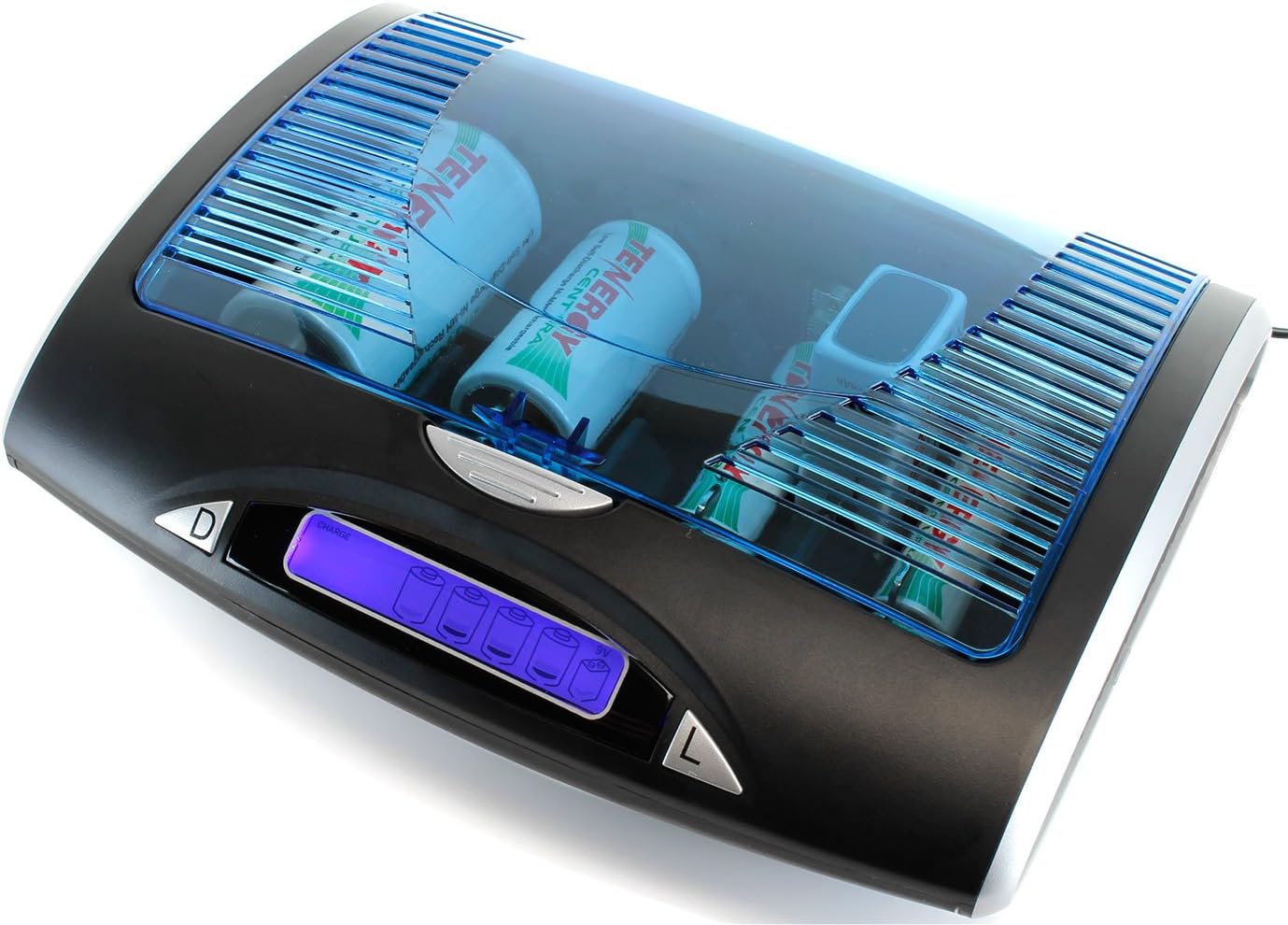
Image: The Tenergy T-9688 charger with a mix of C and 9V batteries inserted, demonstrating its universal compatibility.

Delwedd: Uwchben view of the empty battery compartments within the Tenergy T-9688 charger, showing the individual charging channels for various battery sizes.
Swyddogaeth Rhyddhau
The charger includes an automatic charge and discharge function. This feature helps to optimize battery life by fully discharging batteries before recharging them, preventing memory effect in Ni-MH batteries.
To initiate discharge, press the 'D' (Discharge) button located on the left side of the LCD screen. The LCD will indicate "Discharge" for the selected battery channels. Once discharged, the charger will automatically switch to charging mode.
USB Output Usage
The T-9688 charger features a built-in USB outlet (output: 5V DC 500mA) for charging and powering personal digital devices such as mobile phones, iPods, MP3/MP4 players, PDAs, and portable game devices.
- Lleoli Porthladd USB: The USB output port is located at the back of the charger, next to the DC input port.
- Dyfais Cysylltu: Connect your digital device to the USB port using a compatible USB cable.
- Codi tâl: The charger will provide 5V DC 500mA output to your device. Note that the USB port may not charge simultaneously with battery charging if the charger's power is fully utilized by battery charging. It will prioritize battery charging.

Image: The Tenergy T-9688 charger connected to a smartphone via its rear USB output port, demonstrating its device charging capability.
Nodweddion Diogelwch
- Torbwynt Delta V Negatif (-ΔV): This function automatically terminates charging for AA/AAA/C/D size batteries when they are fully charged, preventing overcharging. (Note: This feature does not apply to 9V batteries).
- Rheoli Amserydd Diogelwch: An internal timer provides overcharge protection by limiting the maximum charging time for each battery type.
- Diogelu Cylchdaith Byr: Yn amddiffyn y gwefrydd a'r batris rhag difrod rhag ofn cylched fer.
- Non-rechargeable/Bad Cell Detection: The charger can identify non-rechargeable batteries or damaged cells and will not attempt to charge them, displaying "Bad" on the LCD.
- Mechanical Protection Against Reverse Polarity: Designed to prevent damage from incorrect battery insertion.
Cynnal a chadw
- Glanhau: Disconnect the charger from power before cleaning. Use a soft, dry cloth to wipe the exterior. Do not use abrasive cleaners or solvents.
- Storio: Pan nad yw'n cael ei ddefnyddio, storiwch y charger mewn lle oer, sych i ffwrdd o olau haul uniongyrchol a thymheredd eithafol.
- Cysylltiadau Batri: Periodically inspect the battery contacts for any debris or corrosion. Clean gently if necessary to ensure optimal connection.
Datrys problemau
- Gwefrydd ddim yn pweru ar:
- Ensure the AC adapter is securely connected to both the charger and a working power outlet. Verify the power outlet is active.
- LCD displays "Bad" for a battery:
- This indicates the battery is either non-rechargeable or damaged. Remove the battery and replace it with a known good, rechargeable Ni-MH battery. If the issue persists with multiple batteries, the charging channel may be faulty.
- Batteries not charging or charging slowly:
- Gwnewch yn siŵr bod batris yn cael eu mewnosod gyda'r polaredd cywir.
- Verify batteries are Ni-MH type. This charger is not designed for other battery chemistries.
- Check if the battery contacts in the charger or on the battery are dirty or corroded.
- Charging time varies by battery capacity. Refer to the "Charging Time Table" in the specifications.
- USB output not working:
- Gwnewch yn siŵr bod y gwefrydd wedi'i bweru ymlaen.
- Verify the USB cable is functional and correctly connected to both the charger and the device.
- If batteries are simultaneously charging, the USB output might be temporarily disabled or provide reduced current to prioritize battery charging.
Manylebau
| Nodwedd | Manylyn |
|---|---|
| Mewnbwn | 12V DC 1000mA (via supplied AC adaptor) |
| Charge Current (AAA) | 500mA |
| Charge Current (AA/C/D) | 1300mA |
| Charge Current (9V) | 30mA |
| Allbwn USB | 5V DC 500mA |
| Discharge Current (AA/AAA/C/D) | 400mA |
| Dull Canfod | Negative delta V (-ΔV) cut-off for AA/AAA/C/D size batteries |
| Mathau Batri â Chymorth | Ni-MH (AA, AAA, C, D, 9V) |
| Dimensiynau Cynnyrch | 10.8 x 6.5 x 4.5 modfedd |
| Pwysau Eitem | 1.3 Bunt |
| Rhif Model | 01127 (T-9688) |
Approximate Charging Time Table (Ni-MH)
| Math Batri | Ystod cynhwysedd | Amser Codi Tâl (tua) |
|---|---|---|
| AAA | 500-1200mAh | 1.5 - 2.5 awr |
| AA | 1300-2800mAh | 1.5 - 2.5 awr |
| C | 1800-4500mAh | 1.5 - 4 awr |
| D | 1800-9000mAh | 1.5 - 7.5 awr |
| 9V | 150-300mAh | 5-10 hours (by manual) |
Safety Timer Control (Maximum)
| Math Batri | Maximum Timer Control (approx.) |
|---|---|
| AAA | 2.5 awr |
| AA | 2.5 awr |
| C | 4 awr |
| D | 7.5 awr |
| 9V - Block | 10 awr |
Gwarant a Chefnogaeth
For specific warranty information and technical support, please refer to the official Tenergy website or contact Tenergy customer service directly. Warranty terms and conditions may vary and are subject to the manufacturer's policy at the time of purchase.
You can visit the official Tenergy store for more information: Siop Tenergy ar Amazon
Ask a question about this manual
Ask about setup, troubleshooting, compatibility, parts, safety, or missing instructions. Manuals+ will review the question and use this page’s manual context to help answer it.