
1. Rhagymadrodd
This manual provides essential information for the safe and efficient operation of your Sharp Aquos LC42D64U 42-Inch 1080p LCD HDTV. Please read these instructions thoroughly before using your television and retain them for future reference. The Sharp Aquos D64 series offers a slim design, Full HD 1080p resolution, and advanced features for an enhanced viewing profiad.
2. Gwybodaeth Bwysig am Ddiogelwch
Dilynwch ragofalon diogelwch sylfaenol bob amser wrth ddefnyddio'r teledu hwn i leihau'r risg o dân, sioc drydanol ac anaf.
- Ffynhonnell Pwer: Cysylltwch y teledu â'r cyflenwad pŵer a nodir ar y label yn unig.
- Awyru: Sicrhewch awyru priodol. Peidiwch â rhwystro agoriadau awyru.
- Dŵr a lleithder: Peidiwch ag amlygu'r teledu i law na lleithder. Peidiwch â gosod gwrthrychau sy'n llawn hylifau ar y teledu.
- Glanhau: Datgysylltwch y teledu o'r soced wal cyn ei lanhau. Defnyddiwch frethyn meddal, sych.
- Gwasanaethu: Peidiwch â cheisio gwasanaethu'r cynnyrch hwn eich hun. Cyfeiriwch yr holl wasanaethu at bersonél gwasanaeth cymwys.
- Mowntio: If wall-mounting, ensure the mount is compatible and installed by qualified personnel.
- Plant: Goruchwyliwch blant i'w hatal rhag dringo ar y teledu neu chwarae ag ef.
3. Beth sydd yn y Bocs
Gwiriwch fod yr holl gydrannau yn bresennol cyn bwrw ymlaen â'r gosodiad.
- Sharp Aquos LC42D64U 42-Inch LCD HDTV
- Rheolaeth Anghysbell
- Stondin Bwrdd
- Cord Pŵer
- Llawlyfr Defnyddiwr (y ddogfen hon)
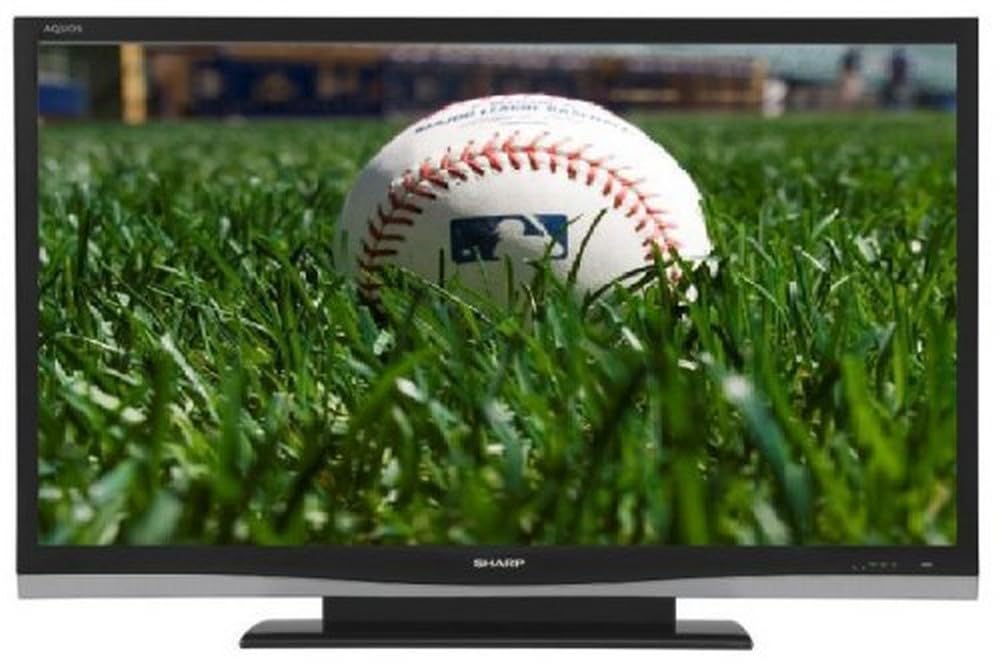
Delwedd: Blaen view of the Sharp Aquos LC42D64U 42-Inch LCD HDTV with its included table stand.
4. Gosod
4.1 Gosod y Stand Bwrdd
If you are not wall-mounting the television, attach the included table stand. Refer to the separate assembly guide for detailed instructions on securing the stand to the TV. Ensure all screws are tightened securely.
4.2 Cysylltu Dyfeisiau Allanol
Connect your external devices (e.g., cable box, Blu-ray player, game console) to the appropriate input terminals on the rear or side of the TV.
- HDMI: For high-definition digital video and audio. The TV features three HDMI 1.3 inputs (two rear, one side).
- Component Video (Y, Pb, Pr): For high-definition analog video. Two inputs are available.
- Composite Video (A/V): For standard-definition analog video and audio. One side and one rear input.
- S-Fideo: For standard-definition video. One side and one rear input.
- PC Input (D-Sub 15-pin): Cysylltwch gyfrifiadur i'w ddefnyddio fel monitor.
- RF Antenna Inputs: Two inputs for connecting an antenna or cable TV.
- Porthladd Ethernet: For network connectivity (DLNA).
4.3 Cysylltiad Pwer
After connecting all desired devices, plug the power cord into the TV's power inlet and then into a wall outlet. The TV will enter standby mode.
5. Cyfarwyddiadau Gweithredu
5.1 Ymlaen Cychwynnol a Gosod Sianel
- Gwasgwch y GRYM button on the remote control or the TV to turn it on.
- The first time you power on, the TV will guide you through the initial setup process, including language selection and channel scanning.
- Select your preferred language (English, Spanish, or French).
- Perform an "Easy Setup" or "Channel Setup" scan to detect available digital (ATSC, QAM) and analog (NTSC) channels.
5.2 Swyddogaethau Rheoli o Bell Sylfaenol
- PŴER: Turns the TV on or off (standby).
- MEWNBWN: Cycles through available input sources (HDMI, Component, PC, etc.).
- CH +/-: Newid sianeli.
- VOL +/-: Yn addasu cyfaint.
- BWYDLEN: Accesses the on-screen menu for settings adjustments.
- Botymau saeth: Llywiwch drwy opsiynau dewislen.
- NODWCH: Yn cadarnhau dewisiadau.
- EXIT/RETURN: Yn gadael dewislenni neu'n dychwelyd i'r sgrin flaenorol.
5.3 Llywio Dewislen a Gosodiadau
Gwasgwch y BWYDLEN button to access various settings categories:
- Llun: Adjust brightness, contrast, color, tint, sharpness, and backlight. The OPC function automatically adjusts brightness based on room conditions.
- Sain: Control volume, bass, treble, balance, and select audio modes.
- Sianel: Rescan channels, add/delete channels, and set up favorite channels.
- Gosod: General settings like language, time, sleep timer, and parental controls (V-Chip).
- Nodweddion Uwch: Access settings for DLNA, Picture-in-Picture, and AQUOS LINK.
6. Nodweddion Uwch
6.1 AQUOS LINK (HDMI-CEC)
AQUOS LINK allows convenient control of compatible Sharp devices connected via HDMI using just your AQUOS TV remote. Ensure connected devices also support HDMI-CEC (Consumer Electronics Control) and are enabled in their respective settings.
6.2 DLNA Compatibility
The TV is DLNA-compatible, enabling interoperability with other DLNA-certified electronics, computers, and mobile devices. Connect the TV to your home network via the Ethernet port to access and share digital content (photos, videos, music) from compatible devices on your network.
6.3 Picture-in-Picture (PIP)
The Picture-in-Picture function allows simultaneous viewing of a TV program and a video or PC source. Consult the on-screen menu for PIP activation and source selection.
6.4 V-Chip System
The V-Chip system allows you to block TV and movie programs based on their rating, providing parental control over objectionable content. Access V-Chip settings through the TV's setup menu.
7. cynnal
7.1 Glanhau'r Sgrin
Sychwch y sgrin yn ysgafn gyda lliain meddal, di-flwff. Ar gyfer marciau ystyfnig, sychwch yn ysgafnampgolchwch y lliain gyda dŵr neu lanhawr sgrin arbenigol. Peidiwch use harsh chemicals, abrasive cleaners, or spray liquids directly onto the screen.
7.2 Glanhau'r Cabinet
Wipe the TV cabinet with a soft, dry cloth. Avoid using solvents or abrasive materials.
7.3 Gofal Cyffredinol
- Datgysylltwch y teledu yn ystod stormydd mellt a phan na chaiff ei ddefnyddio am gyfnodau hir.
- Cadwch y teledu i ffwrdd o olau haul uniongyrchol, ffynonellau gwres, a gormod o lwch.
- Ensure adequate space around the TV for proper ventilation.
8. Datrys Problemau
Cyn cysylltu â chymorth cwsmeriaid, rhowch gynnig ar yr atebion canlynol ar gyfer problemau cyffredin:
| Problem | Ateb Posibl |
|---|---|
| Dim pŵer | Gwiriwch a yw'r llinyn pŵer wedi'i blygio'n ddiogel i'r teledu a'r soced wal. Gwnewch yn siŵr bod pŵer yn y soced. |
| Dim llun, ond mae sain yn bresennol | Gwiriwch fod y ffynhonnell fewnbwn gywir wedi'i dewis. Gwiriwch gysylltiadau cebl i ddyfeisiau allanol. |
| Dim sain, ond mae llun yn bresennol | Check the volume level and mute setting. Ensure audio cables are correctly connected. |
| Rheolaeth bell ddim yn gweithio | Amnewidiwch y batris. Gwnewch yn siŵr nad oes unrhyw rwystrau rhwng y teclyn rheoli o bell a synhwyrydd IR y teledu. |
| "Hotel Mode" issue (as per customer review) | If the TV is stuck in a limited functionality mode, contact Sharp customer support for assistance in disabling "Hotel Mode." This typically requires a specific service menu sequence. |
9. manylebau
| Nodwedd | Manylyn |
|---|---|
| Rhif Model | LC42D64U |
| Maint Sgrin | 42 modfedd |
| Technoleg Arddangos | LCD |
| Datrysiad | 1080p (HD Llawn) |
| Cymhareb Cyferbyniad | 10,000:1 Dynamic |
| Amser Ymateb | 4 o filieiliadau |
| Porthladdoedd HDMI | 3 (2 gefn, 1 ochr) |
| Component Video Inputs | 2 |
| Mewnbynnau Fideo Cyfansawdd | 3 (1 ochr, 2 cefn) |
| S-Video Inputs | 2 (1 ochr, 1 cefn) |
| Mewnbwn PC | 1 (D-Sub 15-pin) |
| Porthladd Ethernet | Oes |
| Math Tiwniwr | ATSC, QAM, NTSC |
| Rheolaeth Rhieni | V-Sglodion |
| Pwysau | 70.2 pwys (tua) |
| Blwyddyn Model | 2008 |
10. Gwarant a Chefnogaeth
10.1 Gwarant Gyfyngedig
This Sharp Aquos LC42D64U television comes with a 1 Year Parts and 1 Year Labor Warranty from the date of original purchase. This warranty covers manufacturing defects in materials and workmanship under normal use. It does not cover damage caused by misuse, accident, modification, or unauthorized repair.
Cadwch eich prawf prynu ar gyfer hawliadau gwarant.
10.2 Cefnogaeth i Gwsmeriaid
For technical assistance, troubleshooting beyond this manual, or warranty service, please contact Sharp Customer Support. Refer to the contact information provided with your product documentation or visit the official Sharp websafle am y manylion cymorth diweddaraf.
When contacting support, please have your model number (LC42D64U) and serial number ready.