
1. Rhagymadrodd
Thank you for choosing the Osram Dulux Mobil Combi. This versatile device functions as both an emergency light with a white fluorescent bulb and a halogen torch, designed for reliability and convenience. It is rechargeable and suitable for various applications, including emergency preparedness, household tasks, and outdoor activities like camping.
2. Gwybodaeth Diogelwch
- Diogelwch Batri: Use only the specified battery type (AA Size NiMH rechargeable batteries). Do not mix old and new batteries, or different types of batteries. Ensure correct polarity when inserting batteries.
- Codi tâl: Only use the charger provided or recommended by Osram. Do not overcharge the device. Disconnect from power when not charging.
- Gwres: The halogen torch can generate significant heat. Avoid touching the bulb directly after use. Do not place the device near flammable materials.
- Amlygiad Dŵr: This device is not waterproof. Avoid exposure to rain, splashes, or immersion in water.
- Amddiffyn Llygaid: Do not look directly into the light source, especially the halogen torch, as it can cause temporary vision impairment.
- Plant: Cadwch allan o gyrraedd plant. Nid tegan mo hwn.
- Gwaredu: Dispose of batteries and the device according to local regulations. Do not dispose of in household waste.
3. Cynnwys Pecyn
Gwiriwch fod yr holl eitemau yn bresennol yn y pecyn:
- One Osram Dulux Mobil Combi unit
- Four AA Size NiMH Batteries
- Charging cable (if included, not explicitly mentioned but implied by "Rechargeable")
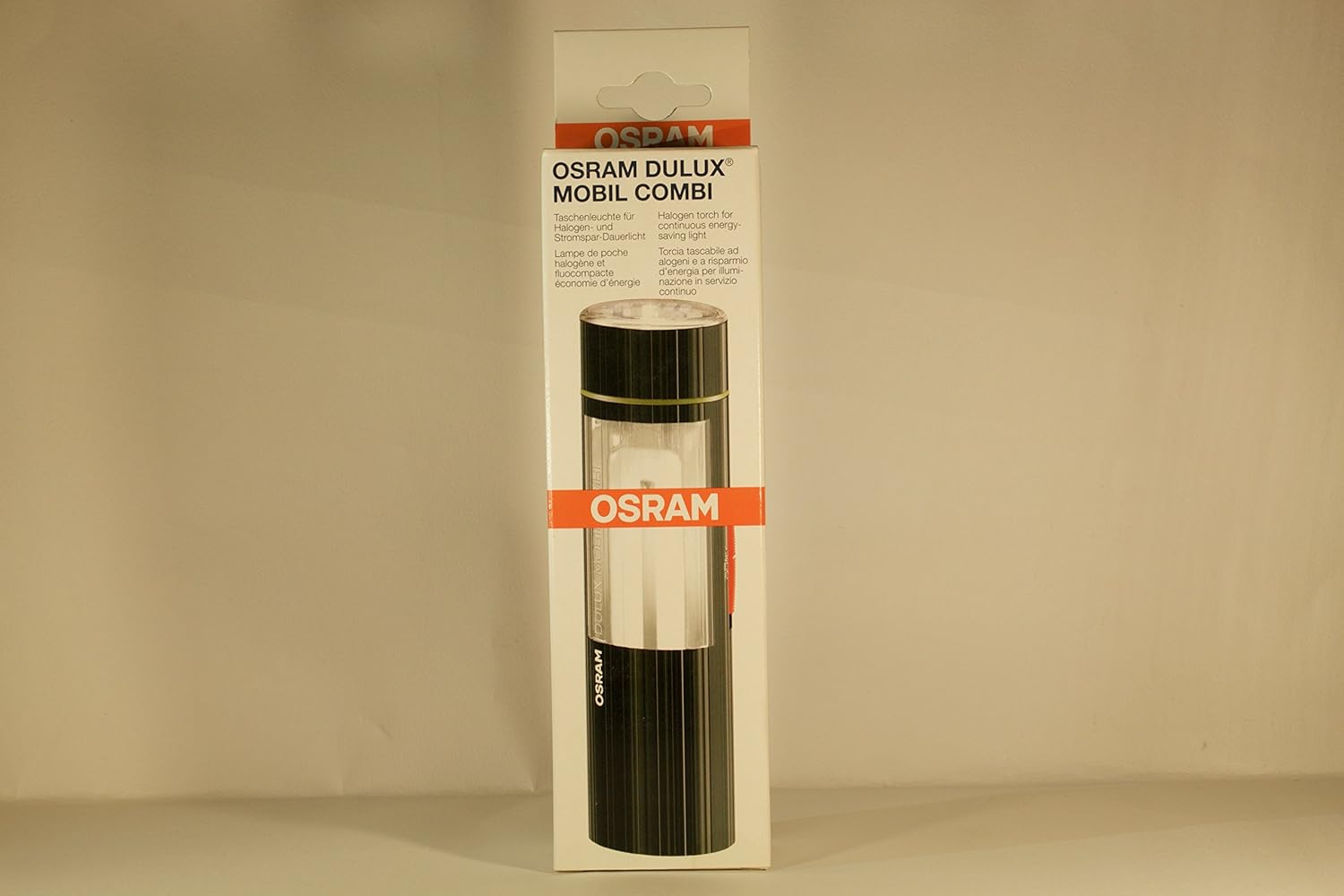
Delwedd 1: Blaen view of the Osram Dulux Mobil Combi packaging, showing the device and brand logo.
4. Gosod
4.1. Gosod Batri
- Locate the battery compartment on the device. This is typically at the base or a designated section that can be opened.
- Agorwch y clawr adran batri.
- Insert the four AA Size NiMH batteries, ensuring correct polarity (+ and - terminals match the markings inside the compartment).
- Caewch y clawr adran batri yn ddiogel.
4.2. Gwefru Cychwynnol
Before first use, fully charge the device. Connect the charging cable to the device's charging port and plug it into a suitable power source. An indicator light may show charging status. Refer to the device for specific charging port location and indicator behavior.
5. Gweithrediad
The Osram Dulux Mobil Combi offers multiple lighting modes:

Delwedd 2: Cefn view of the Osram Dulux Mobil Combi packaging, illustrating the different light modes and controls.
5.1. Pŵer Ymlaen/Diffodd a Dewis Modd
Locate the power button or switch on the device. The device typically cycles through modes with successive presses:
- Fluorescent Light (Dulux): Press the button once for the fluorescent floodlight. The packaging indicates two brightness levels: ON 50% and ON 100%.
- Halogen Torch (Spot): Press the button again (or a separate switch, depending on model) to activate the halogen spot torch.
- Wedi diffodd: Continue pressing the button to cycle to the OFF position, or hold the button down for a few seconds to turn off directly.
Note: The specific sequence and button functionality may vary slightly. Refer to the markings on your device.
6. cynnal
6.1. Glanhau
Wipe the device with a soft, dry cloth. Do not use abrasive cleaners or solvents. Ensure the device is off and disconnected from any power source before cleaning.
6.2. Gofal Batri
- For optimal battery life, fully charge the device before long-term storage.
- If storing for extended periods, recharge the device every 3-6 months to prevent deep discharge.
- Amnewidiwch fatris pan nad ydyn nhw'n dal gwefr yn effeithiol mwyach.
6.3. Amnewid Bylbiau
If a bulb (halogen or fluorescent) needs replacement, contact Osram customer support or an authorized service center for guidance. Attempting to replace bulbs without proper knowledge may void the warranty or damage the device.
7. Datrys Problemau
| Problem | Achos Posibl | Ateb |
|---|---|---|
| Nid yw dyfais yn troi ymlaen. |
|
|
| Mae golau yn bylu. |
|
|
| Dyfais ddim yn gwefru. |
|
|
8. manylebau
| Nodwedd | Manylyn |
|---|---|
| Model | Dulux Mobil Combi (Part No. 46431) |
| Brand | Osram |
| Nodwedd Arbennig | Gellir ailgodi tâl amdano |
| Lliw | Du |
| Ffynhonnell Pwer | Wedi'i Bweru â Batri |
| Math o Ffynhonnell Golau | LED (Fluorescent) and Halogen |
| Deunydd | Plastig |
| Cydrannau wedi'u Cynnwys | Batri |
| Cyftage | 6 folt |
| Cyfansoddiad Cell Batri | NiMH |
| Disgrifiad Batri | Batri Maint AA |
| Wattage | 5 Watts (for fluorescent, halogen wattage heb ei nodi) |
| Pwysau Eitem | 159 g |
| Defnyddiau a Argymhellir | Emergency Preparedness, Household Tasks, Industrial/Professional Applications |
9. Gwarant a Chefnogaeth
9.1. Gwybodaeth Gwarant
Osram products are manufactured to high-quality standards. For specific warranty terms and conditions, please refer to the warranty card included with your product or visit the official Osram websafle. Cadwch eich prawf prynu ar gyfer hawliadau gwarant.
9.2. Cefnogaeth i Gwsmeriaid
If you encounter any issues or have questions regarding your Osram Dulux Mobil Combi that are not covered in this manual, please contact Osram customer support. Contact details can typically be found on the Osram websafle neu ar becynnu'r cynnyrch.
You can visit the official Osram store for more information: Osram Store on Amazon.in