
Rhagymadrodd
This manual provides essential instructions for the safe and efficient use of your Olympus Note Corder 100 digital voice recorder. Please read this manual thoroughly before operating the device and retain it for future reference.
Cynnyrch Drosview
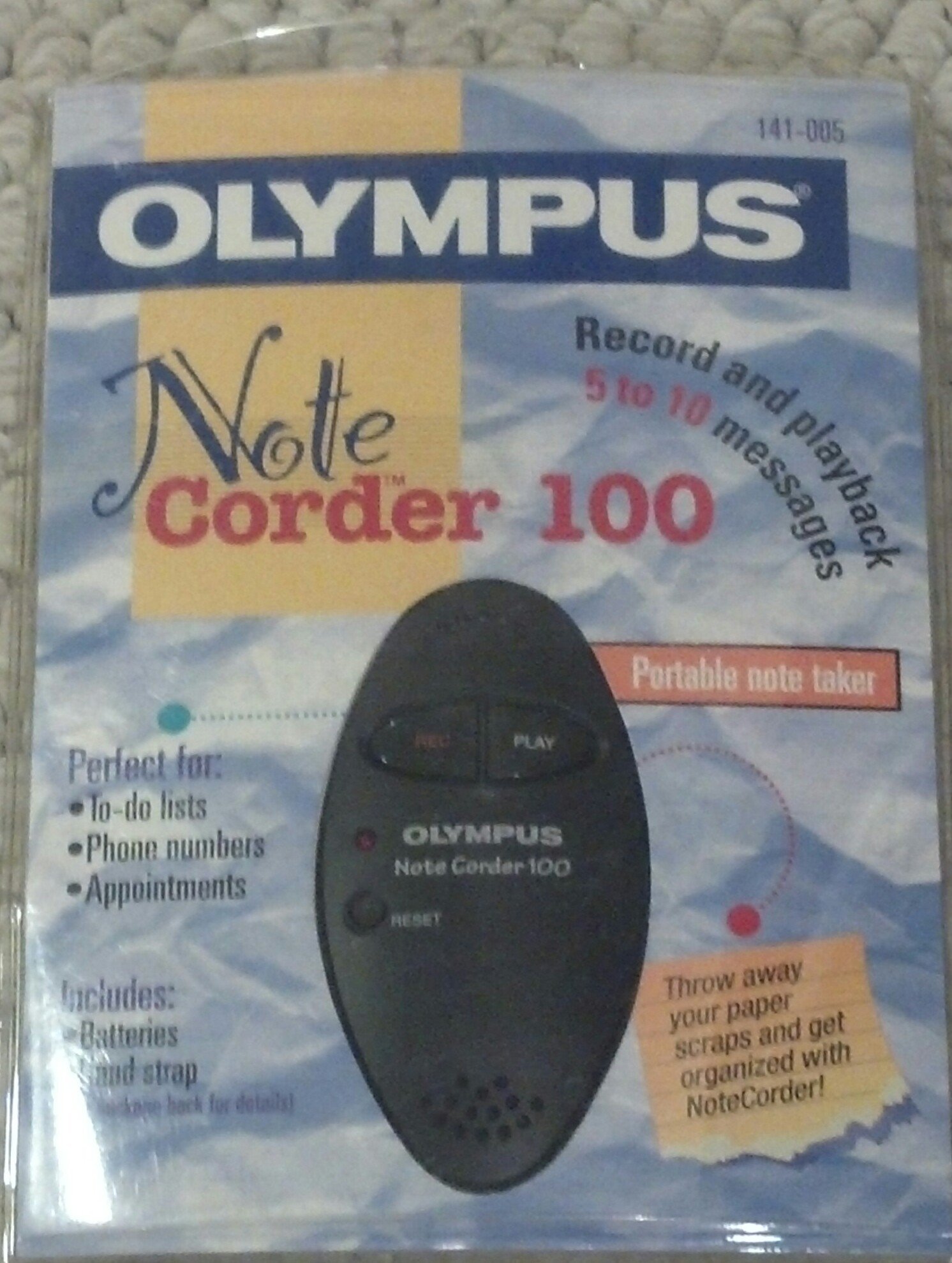
Image: The Olympus Note Corder 100 digital voice recorder, packaged. This image illustrates the product's compact design and highlights its primary features such as ergonomic design, 20-second recording time, and an LED indicator.
The Olympus Note Corder 100 is a compact, portable digital voice recorder designed for quick and convenient voice memos. Its ergonomic design ensures comfortable handling, making it ideal for recording short notes on the go.
Nodweddion Allweddol:
- Dyluniad ergonomig: Fits comfortably in the palm of your hand.
- 20-Second Recording Time: Ideal for short, concise messages.
- Dangosydd LED: Yn darparu adborth gweledol ar statws y ddyfais.
- Cof Adeiledig: Stores recordings internally.
- Portable Format: Hawdd i'w gario a'i ddefnyddio yn unrhyw le.
Gosod
1. Gosod Batri
The Note Corder 100 requires two (2) CR2032 1.5V batteries for operation. Ensure correct polarity when inserting the batteries.
- Lleolwch glawr adran y batri ar y ddyfais.
- Open the cover by sliding or lifting it according to the markings.
- Insert two CR2032 batteries, observing the positive (+) and negative (-) terminals.
- Caewch y clawr adran batri yn ddiogel.
2. Cysylltu'r Strap Llaw
Attach the included hand strap to prevent accidental drops and for convenient carrying.
- Locate the strap attachment point on the device.
- Thread the thin loop of the hand strap through the attachment point.
- Pass the main strap through the loop and pull firmly to secure it.
Cyfarwyddiadau Gweithredu
1. Recording Messages
The Note Corder 100 allows for quick voice recordings up to 20 seconds in length.
- Pwyswch a dal y Cofnod button. The LED indicator will illuminate.
- Siaradwch yn glir i'r meicroffon adeiledig.
- Rhyddhewch y Cofnod button to stop recording. The LED indicator will turn off.
- If the recording exceeds 20 seconds, the device will automatically stop recording.
2. Playing Back Messages
To listen to your recorded messages:
- Gwasgwch y Chwarae button. The device will play back the last recorded message.
- I atal chwarae, pwyswch y Chwarae botwm eto.
3. Dangosydd LED
The LED indicator provides visual cues for the device's status:
- Illuminated during Record: Indicates active recording.
- Wedi diffodd: Indicates standby or stopped recording/playback.
Cynnal a chadw
1. Amnewid Batri
Replace batteries when the device's performance degrades or the LED indicator suggests low power.
- Dilynwch y camau gosod batri a amlinellir yn yr adran Gosod.
- Always use two new CR2032 1.5V batteries.
- Gwaredwch hen fatris yn gyfrifol yn unol â rheoliadau lleol.
2. Glanhau
Keep your Note Corder 100 clean to ensure optimal performance.
- Sychwch du allan y ddyfais gyda lliain meddal, sych.
- Peidiwch â defnyddio glanhawyr hylifol, toddyddion na deunyddiau sgraffiniol.
- Osgowch gael lleithder i mewn i unrhyw agoriadau.
Datrys problemau
| Problem | Achos Posibl | Ateb |
|---|---|---|
| Nid yw'r ddyfais yn pweru ymlaen. | Mae batris wedi'u gwagio neu wedi'u mewnosod yn anghywir. | Replace batteries with new CR2032 cells, ensuring correct polarity. |
| Cannot record messages. | Record button not held down, or batteries are low. | Ensure the Record button is pressed and held during recording. Check and replace batteries if necessary. |
| Dim sain yn ystod chwarae. | No message recorded, or low battery. | Verify a message has been recorded. Replace batteries. |
Manylebau
- Model: Olympus Note Corder 100 (Model No. 141-005)
- Amser Recordio: Up to 20 seconds per message
- Ffynhonnell Pwer: 2 x CR2032 1.5V Lithium Batteries
- Cof: Built-in (non-expandable)
- Meicroffon: Integredig
- Cysylltiad PC: Heb ei gefnogi
- Ysgogi llais: Heb ei gefnogi
- Year of Introduction: 1996
Gwarant a Chefnogaeth
The Olympus Note Corder 100 comes with a Gwarant cyfyngedig 90 diwrnod o ddyddiad y pryniant. Mae'r warant hon yn cwmpasu diffygion gweithgynhyrchu o dan ddefnydd arferol.
For warranty claims or technical support, please contact Olympus America Inc. at the address below. Please have your proof of purchase and product model number ready.
Olympus America Inc.Two Corporate Center Drive
Melville, NY 11747-3157 USA
Nodyn: This product was manufactured in China.