
Midland WR300
Midland WR300 Deluxe NOAA Emergency Weather Alert Radio
Llawlyfr Defnyddiwr
Cynnyrch Drosview
The Midland WR300 is a Deluxe NOAA Emergency Weather Alert Radio designed to provide critical weather and hazard alerts for your specific area. It features S.A.M.E. localized programming, over 60 emergency alerts, and an integrated alarm clock with AM/FM radio functionality.

Ffigur 1: Blaen view of the Midland WR300 Weather Alert Radio, displaying a "TORNADO ALERT" on its screen.
Mae nodweddion allweddol yn cynnwys:
- NOAA Weather Scan+ Alert: Automatically scans 7 weather band channels, locking onto the strongest signal to provide alerts for floods, tornadoes, thunderstorms, and other civil dangers.
- S.A.M.E. Programming: Specific Area Message Encoding allows the radio to receive alerts only for your programmed county or up to 23 different counties, minimizing false alarms.
- Warning System Options: Customize alerts with a 90 dB siren, voice alert, or visual LED flasher.
- Event Expiration Indicator: Displays an abbreviated "EXP" when an alert has expired.
- Alarm Clock with AM/FM Radio: Features a built-in alarm with snooze, 6 memory channels for AM/FM radio, and the ability to wake to weather, AM/FM, or a buzz. Automatically switches to pertinent hazard alerts.
Gosod a Chyfluniad Cychwynnol
Before operating your Midland WR300, ensure it is properly powered and configured for your location.
Pweru'r Uned
The WR300 can be powered by an AC adapter (typically included) or by 4 AA batteries for backup power during outages. Insert 4 AA batteries into the battery compartment located on the bottom of the unit, observing correct polarity. Connect the AC adapter to the DC IN jack on the back of the radio and plug it into a standard wall outlet.
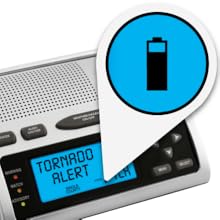
Figure 2: The battery icon on the display indicates battery status, essential for backup power.
Programming S.A.M.E. Codes
To receive localized alerts, you must program the S.A.M.E. code(s) for your county or surrounding areas. These 6-digit codes can be found on the NOAA website or through local emergency management agencies.
- Gwasgwch y BWYDLEN botwm i fynd i mewn i'r modd rhaglennu.
- Navigate through the menu options using the I FYNY/I LAWR arrows until you find the S.A.M.E. programming section.
- Enter your county's 6-digit S.A.M.E. code using the numeric keypad or arrow buttons.
- Confirm the entry. You can add up to 23 different county codes.
- Exit the menu to save settings.
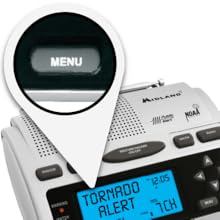
Figure 3: The MENU button is used to access programming and settings.
Gosod Amser a Dyddiad
Accurate time and date settings are crucial for alarm clock functions and event logging.
- Access the time/date setting through the BWYDLEN.
- Adjust hours, minutes, and AM/PM using the arrow buttons.
- Gosodwch y dyddiad cyfredol.
- Cadw a gadael.
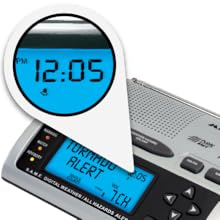
Figure 4: The digital display showing the current time, 12:05 PM.
Cyfarwyddiadau Gweithredu
Weather Alert Functionality
The WR300 continuously monitors NOAA weather radio broadcasts for alerts relevant to your programmed S.A.M.E. locations. When an alert is issued, the radio will activate according to your chosen warning system options.
- Larwm seiren: A loud 90 dB siren will sound.
- Rhybudd Llais: The radio will broadcast the NOAA weather alert message.
- Visual LED Flasher: A bright LED light will flash to provide a visual indication of an alert.
The display will show the type of alert (e.g., "TORNADO ALERT") and the time. Once an alert has expired, an "EXP" indicator may appear on the display.
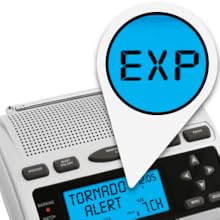
Figure 5: The "EXP" indicator signifies an expired alert.
Gweithrediad Radio AM/FM
The WR300 includes a standard AM/FM radio for entertainment and news. It features 6 memory channels for your favorite stations.
- Gwasgwch y RADIO button to switch to AM or FM mode.
- Defnyddiwch y TUNE UP/DOWN botymau i diwnio â llaw i'r amleddau a ddymunir.
- To save a station, press and hold a memory preset button until the display confirms storage.
- To recall a saved station, simply press the corresponding memory preset button.
Nodweddion Cloc Larwm
The integrated alarm clock allows you to set a wake-up time and choose your preferred alarm sound.
- Gosod Larwm: Access the alarm settings via the BWYDLEN. Set the desired wake-up time.
- Sain Larwm: Choose to wake up to NOAA weather, AM/FM radio, or a standard buzz alarm.
- Swyddogaeth Snooze: Gwasgwch y SNOOZE button to temporarily silence the alarm for a short period.
- Automatic Hazard Override: If a severe weather alert is issued while the alarm is active or the radio is playing AM/FM, the unit will automatically switch to the hazard alert.
Cynnal a chadw
Proper care and maintenance will ensure the longevity and optimal performance of your Midland WR300.
- Amnewid Batri: Replace the 4 AA backup batteries annually or when the low battery indicator appears on the display. Always use fresh, high-quality alkaline batteries.
- Glanhau: Sychwch du allan y radio gyda lliain meddal, damp cloth. Do not use abrasive cleaners or solvents. Ensure the unit is unplugged from AC power before cleaning.
- Storio: If storing the radio for an extended period, remove the AA batteries to prevent leakage and corrosion. Store in a cool, dry place.
Datrys problemau
If you experience issues with your WR300, refer to the following common problems and solutions:
| Problem | Achos / Ateb Posibl |
|---|---|
| Dim Pŵer / Uned Ddim yn Troi Ymlaen |
|
| No Weather Alerts Received |
|
| Derbynfa AM/FM gwael |
|
| Larwm Ddim yn seinio |
|
Manylebau
| Nodwedd | Manylyn |
|---|---|
| Rhif Model | WR300 |
| Dimensiynau Cynnyrch | 7 x 5.5 x 2.25 modfedd (L x W x H) |
| Pwysau Eitem | 5.1 owns |
| Ffynhonnell Pwer | AC Powered, 4 AA batteries (backup) |
| Bandiau Radio a Gefnogir | Weather (NOAA), FM, AM |
| Technoleg Cysylltedd | Ategol |
| Lliw | Arian |
| Nodwedd Arbennig | Cludadwy |
Gwarant a Chefnogaeth
Midland products are designed for reliability and performance. This product comes with a warranty that covers manufacturing defects. Please note that the warranty does not cover misuse of the product.
For technical assistance, warranty claims, or additional information, please visit the official Midland website or contact their customer support. An owner's manual is included with the product for detailed instructions.
Gallwch ddod o hyd i ragor o wybodaeth ac adnoddau cymorth yn y Midland Store on Amazon.
Ask a question about this manual
Ask about setup, troubleshooting, compatibility, parts, safety, or missing instructions. Manuals+ will review the question and use this page’s manual context to help answer it.